

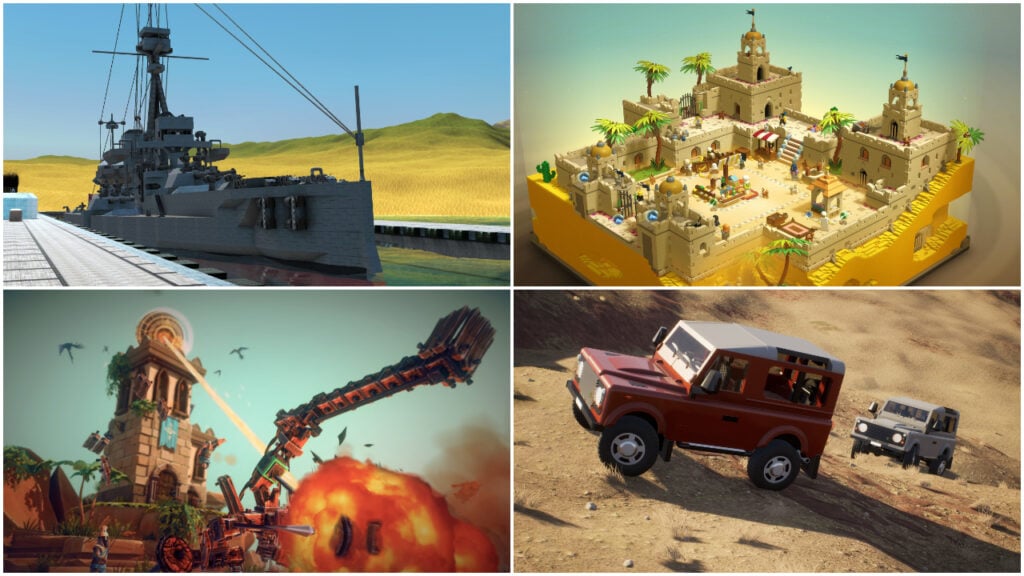
Some kids develop an interest in engineering and mechanics from a very young age. Once they do, they’ll want to know what makes a toy car’s wheels turn and a box of construction pieces can keep them busy for hours. But as they start making their own machines, the questions get more interesting. Why does one design work while another falls apart and what could they change to make it better?
There are plenty of video games for children who enjoy working through those questions. Vehicle and machine-building games give them the parts they need to experiment with, whether they’re assembling a cartoon flying machine or designing a spacecraft capable of reaching orbit. The finished creation usually has a function to perform, so children get to find out how well their ideas work in practice.
For the purposes of this list, we’ve picked 20 of the best vehicle and machine-building games for kids and teens, with options for different interests and levels of experience. Some of these games make good starting points for younger inventors, while the more detailed simulators suit teens willing to spend time learning their tools. Each entry explains what players can build and which audience will get the most out of it, along with prices, platforms and content ratings.
Trailmakers Lets Kids Put Their Vehicle Designs to the Test

In Trailmakers, players can snap blocks together to create vehicles for land, sea and air, then climb aboard to find out how well their designs work. Every vehicle has different requirements. For instance, a car needs enough power to get around, while an aircraft needs wings and a sensible distribution of weight to stay airborne. Those differences become obvious during testing, giving kids something specific to investigate when their latest invention struggles to leave the ground.
The Pioneers campaign gives players missions to complete and new parts to unlock as they help a planet’s inhabitants fight invading robots. For children who would rather concentrate on construction, the sandbox maps leave room to experiment with different vehicles without following story objectives. Kids can start with a simple car, get comfortable with the editor and gradually try more complicated machines as they understand how the parts affect performance.
Why Kids and Teens Will Love Trailmakers
Kids can invent a vehicle and immediately take it for a drive, flight or swim. Online multiplayer lets friends compare their creations and find out whose impressive-looking machine can actually make it through a challenge.
- Price: $24.99 on Steam; $29.99 on PlayStation and Xbox for the standard edition
- ESRB Rating: E10+ for Everyone 10+
- Platforms: Windows, PlayStation 4, PlayStation 5, Xbox One, Xbox Series X|S
- Players: Single-player; online multiplayer for up to 8 players
- Content Descriptors: Fantasy Violence; Users Interact, In-Game Purchases
Scrap Mechanic Gives Young Inventors More Than a Box of Blocks

Scrap Mechanic lets players construct vehicles and machines whose working parts need to be connected properly before anything happens. Just like in real life, an engine won’t do much for a car until it’s linked to the bearings that turn its wheels. Likewise, a lifting mechanism needs controls to tell it when to move. As children get comfortable with those connections, they can experiment with pistons, sensors and switches to create machines that do more than respond to a driver’s steering.
Creative Mode is the best starting point for kids who primarily want to build, with hundreds of parts available for everything from transforming vehicles to walking houses. The Challenge Mode provides specific construction tasks when a blank workspace feels overwhelming. Meanwhile, Survival gives those inventions practical jobs, such as transporting supplies, farming and defending a base against hostile robots. Players who enjoy Minecraft’s construction will find plenty of new mechanical ideas to investigate here.
Why Kids and Teens Will Love Scrap Mechanic
A simple button can set an entire homemade mechanism in motion. Kids can gradually add functions to a favorite vehicle, turning their first working car into something capable of handling much bigger jobs.
- Price: $28.99
- ESRB Rating: No ESRB rating listed
- Platforms: Windows
- Players: Single-player; online co-op
- Content Descriptors: No ESRB descriptors listed; gameplay includes combat against robots and online interaction
Mars First Logistics Turns Awkward Deliveries Into Engineering Challenges
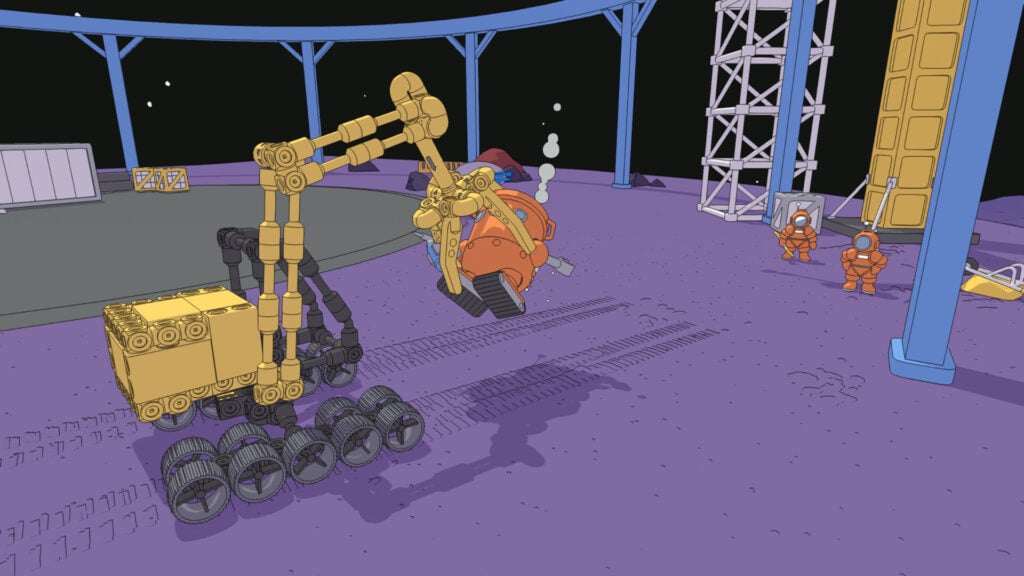
The cargo is often the awkward part of a delivery in Mars First Logistics. A compact box and an object determined to float away call for very different rover designs, before the Martian terrain even enters the equation. Players combine wheels, springs, hydraulic cylinders and powered joints to handle each load. But before setting off, they’ll need to consider how the rover will pick up its delivery and keep it secure during the journey.
Successful deliveries earn funds and unlock parts, allowing players to attempt more ambitious designs as the settlements develop. Roads, power lines and monorails gradually connect the places they’ve helped build, so the transport work has a visible effect on the landscape. Older kids who enjoy experimenting will enjoy these assignments the most. Up to four players can cooperate online, allowing friends to suggest changes or help with deliveries.
Why Kids and Teens Will Love Mars First Logistics
Most deliveries can be completed with very different rover designs, leaving kids free to try their own solutions. Each successful trip helps a Martian construction project take shape, giving their homemade machinery a practical purpose.
- Price: $19.99
- ESRB Rating: No ESRB rating listed
- Platforms: Windows
- Players: Single-player; online co-op for up to 4 players
- Content Descriptors: No ESRB descriptors listed; optional online interaction
Main Assembly Lets Kids Design a Robot and Decide How it Behaves
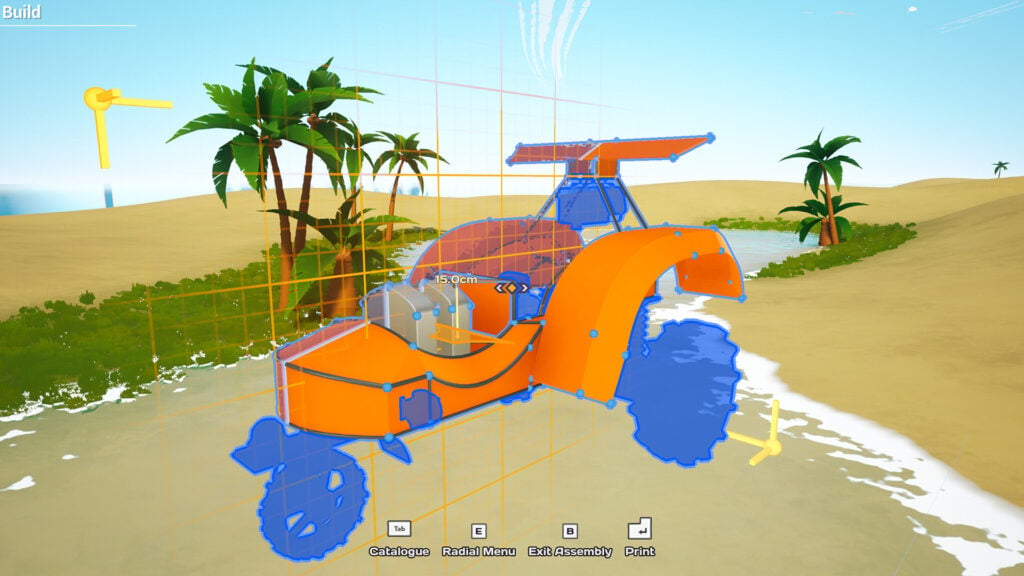
In Main Assembly, players control a flying drone, constructing robots that can be piloted manually. The free-form editor allows extensive control over a machine’s shape, with the possibility of making cars, aircraft and creatures with mechanical legs. Once a design is ready, the next step is to try it on an obstacle course. After all, a robot that looks convincing in the editor may need adjustments to get anywhere without falling over.
More than 100 single-player challenges give the machine experiments direction, while the sandbox areas allow players to concentrate on their own projects. Kids who become interested in how their robots respond can investigate the optional visual programming tools. Here, connected nodes let players set up controls and use sensors to automate actions. That adds a programming challenge to the construction, although children can enjoy building and driving their robots before attempting anything that complicated.
Why Kids and Teens Will Love Main Assembly
Kids can make an odd-looking robot and find out whether its shape helps or hinders it on a course. As they learn the programming tools, they can give the same creation more sophisticated behavior.
- Price: $19.99
- ESRB Rating: No ESRB rating listed
- Platforms: Windows
- Players: Single-player; online multiplayer for up to 4 players
- Content Descriptors: No ESRB descriptors listed; optional robot combat and online interaction
GearBlocks Lets Teens See What Makes Their Machines Work
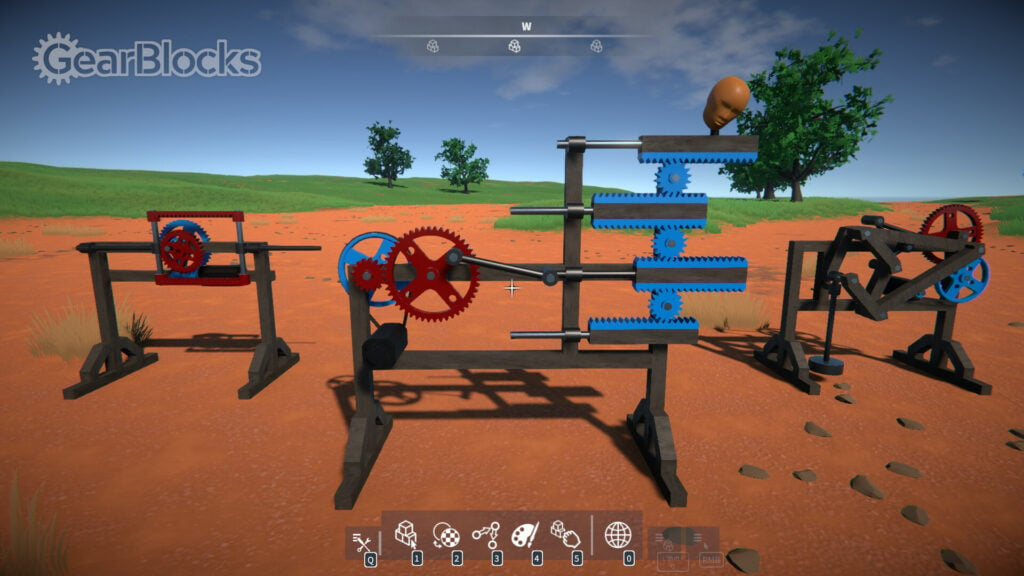
GearBlocks is a good machine-building game for players who want to understand what happens between an engine turning and a vehicle’s wheels moving. Players can use parts like gears, pulleys, springs and joints that physically interact, allowing builders to assemble working drivetrains and steering systems. For instance, a car can have a differential and rack-and-pinion steering, with the individual components visible as it operates. Players can follow how movement passes through the mechanism, then change the arrangement and see what happens.
There are tutorials and example constructions to help explain the tools, but GearBlocks is primarily an open-ended workshop for mechanically curious players. Teens can work on a crane or attempt a walking machine once they’ve mastered simpler designs. The challenge scenarios provide places to test their work, including finding out how much punishment a construction can take. GearBlocks is currently in Early Access, as further changes and additions are being planned.
Why Teens Will Love GearBlocks
The machinery remains visible instead of disappearing inside a completed vehicle model. Teens can inspect how the parts work together and use that knowledge to improve a design or attempt a different kind of machine.
- Price: $14.99
- ESRB Rating: No ESRB rating listed
- Platforms: Windows, Linux
- Players: Single-player
- Content Descriptors: No ESRB descriptors listed; physics-based destruction
TerraTech Gives Every New Vehicle Part a Potential Job

TerraTech puts players in charge of a planetary prospecting operation along with a vehicle they can rebuild as new parts become available. Things like wheels, mining equipment, weapons and wings can be attached to the modular construction, allowing a small rover to develop into something capable of handling bigger tasks. Different builds have different pros and cons and it’s up to players to decide which equipment their current design actually needs.
As the campaign progresses, different corporations supply parts with their own strengths, encouraging children to experiment with specialized vehicles. Collected resources can feed into refining and manufacturing bases, giving the mining machines a purpose outside combat. Creative Mode provides an alternative for kids who want to concentrate on construction by allowing them to explore without enemies.
Why Kids and Teens Will Love TerraTech
A newly acquired block can indicate a different job for a vehicle players have already built. Kids can keep modifying a favorite machine or create a fleet of specialized designs for mining, exploring and fighting.
- Price: $24.99 for the base game on Steam
- ESRB Rating: E10+ for Everyone 10+
- Platforms: Windows, macOS, Linux, Nintendo Switch, PlayStation 4, Xbox One; playable on PlayStation 5 and Xbox Series X|S through backward compatibility
- Players: Single-player; online multiplayer for up to 4 players, with supported modes and limits varying by platform
- Content Descriptors: Fantasy Violence; Users Interact on multiplayer versions
Brick Rigs Turns a Homemade Vehicle Into a Playable Model
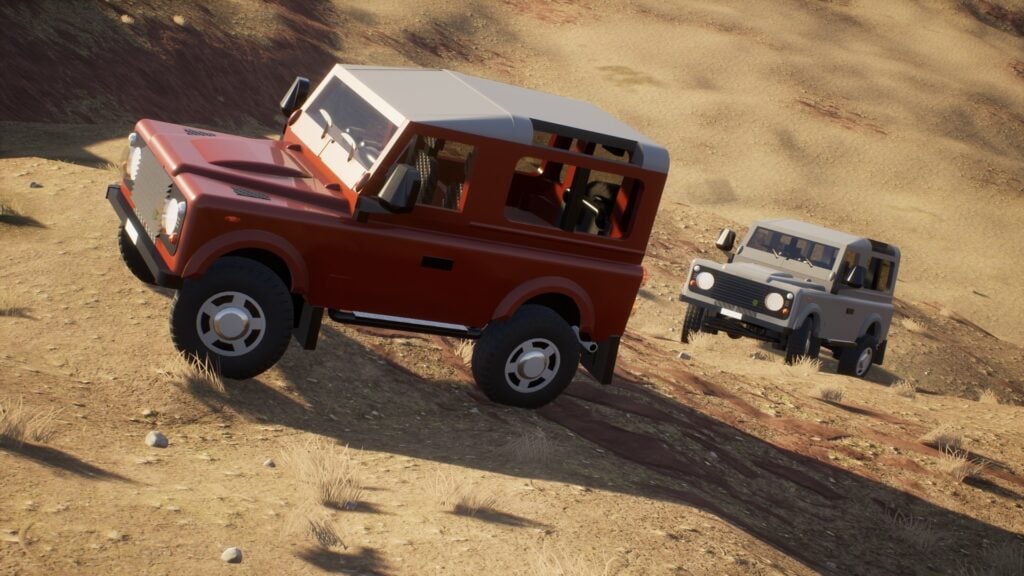
Brick Rigs is all about assembling vehicles brick by brick before driving them around its sandbox maps. A fire engine or passenger plane can have working mechanical details as well as the right shape, allowing children to attempt replicas of vehicles they already know. The destruction physics put those models through an unforgiving test, as an impressive-looking truck may come back from its first serious crash in several separate pieces.
Kids who need help can download community models and inspect how other players put them together. The editor takes patience to learn, so changing an existing design can be a sensible first project. Once they’re comfortable building, children can bring their vehicles into multiplayer sessions for roleplay or competitions. Those sessions can include shooting and combat, so parents should check the server’s activities before younger players join.
Why Kids and Teens Will Love Brick Rigs
Children can recreate a recognizable vehicle and give it a job in their own pretend scenario. Friends can bring their builds into the same world, turning separate garage projects into a shared game.
- Price: $19.99
- ESRB Rating: No ESRB rating listed
- Platforms: Windows, Linux
- Players: Single-player; online multiplayer
- Content Descriptors: No ESRB descriptors listed; gameplay includes destruction, shooting, and online interaction
Instruments of Destruction Lets Kids Build a Better Wrecking Machine
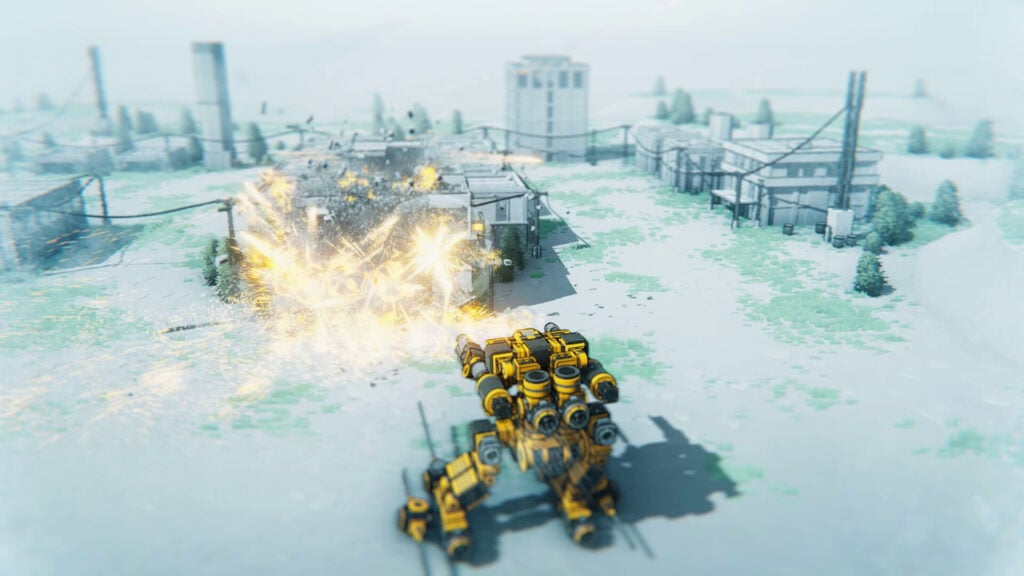
In Instruments of Destruction, players are put to work as a vehicle test pilot for a company with no shortage of buildings to demolish. The equipment ranges from recognizable construction machinery to flying bulldozers and machines with enormous grappling attachments. Each demolition task gives players the opportunity to study how a vehicle’s tools work, whether they’re pulling a structure apart or triggering a chain reaction.
For children interested in designing that equipment themselves, the Build & Destroy campaign introduces vehicle construction through guided assignments. Its editor includes claws, magnets, wrecking balls and other tools that can change how a machine tackles a job. Players can experiment with different combinations, then test whether their creation can actually reach and demolish its target. The main campaign’s ready-made vehicles provide examples to learn from, while Sandbox allows more freedom to try homemade designs.
Why Kids and Teens Will Love Instruments of Destruction
Kids get to invent specialized machinery with an immediately visible result when it works. A successful design can bring down an entire structure, making the construction and the spectacular demolition equally worth pursuing.
- Price: $19.99
- ESRB Rating: E10+ for Everyone 10+
- Platforms: Windows, PlayStation 5, Xbox Series X|S
- Players: Single-player
- Content Descriptors: Fantasy Violence
SimplePlanes Lets Young Engineers Design Their Own Aircraft
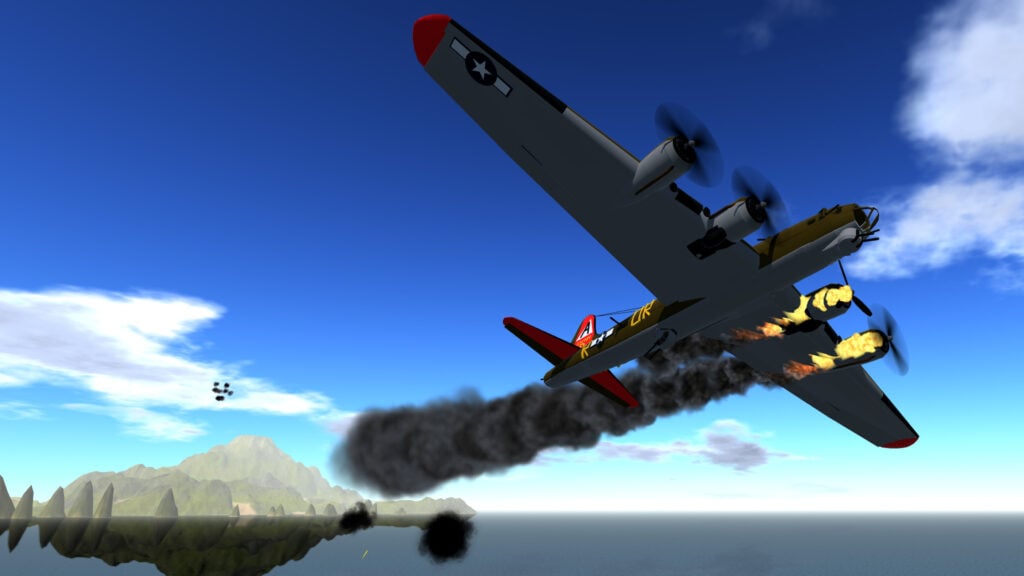
An aircraft can look ready for takeoff and still have no business leaving the runway. In SimplePlanes, weight distribution, lift, drag, thrust and a variety of other factors all have an effect on how a machine flies. As players adjust their designs, they can see how changes to the wings or engine placement alter the handling. Children interested in aircraft get to investigate why a design behaves badly and correct it before the next flight.
The original SimplePlanes is single-player and available on both computers and mobile devices, making it a good option to consider for an iPad or Android tablet. For families wanting to test aircraft together, SimplePlanes 2 adds online multiplayer alongside expanded construction tools and improved flight physics. The sequel is in Early Access on Windows and macOS. Both games allow community aircraft downloads, so players can examine existing designs before attempting something from scratch.
Why Kids and Teens Will Love SimplePlanes
Kids can experiment with aircraft shapes they would never see at an ordinary airport. Once a design gets airborne, they can take the controls themselves and find out whether it handles as well as they hoped.
- Price: $12.99 for SimplePlanes and $19.99 for SimplePlanes 2 on Steam; mobile pricing varies
- ESRB Rating: No ESRB rating listed for the PC games
- Platforms: Windows and macOS for both games; iOS and Android for the original SimplePlanes
- Players: Single-player in SimplePlanes; single-player and online multiplayer in SimplePlanes 2
- Content Descriptors: No ESRB descriptors listed; optional vehicle combat, with online interaction in SimplePlanes 2
Kerbal Space Program Makes Getting Into Orbit an Engineering Achievement
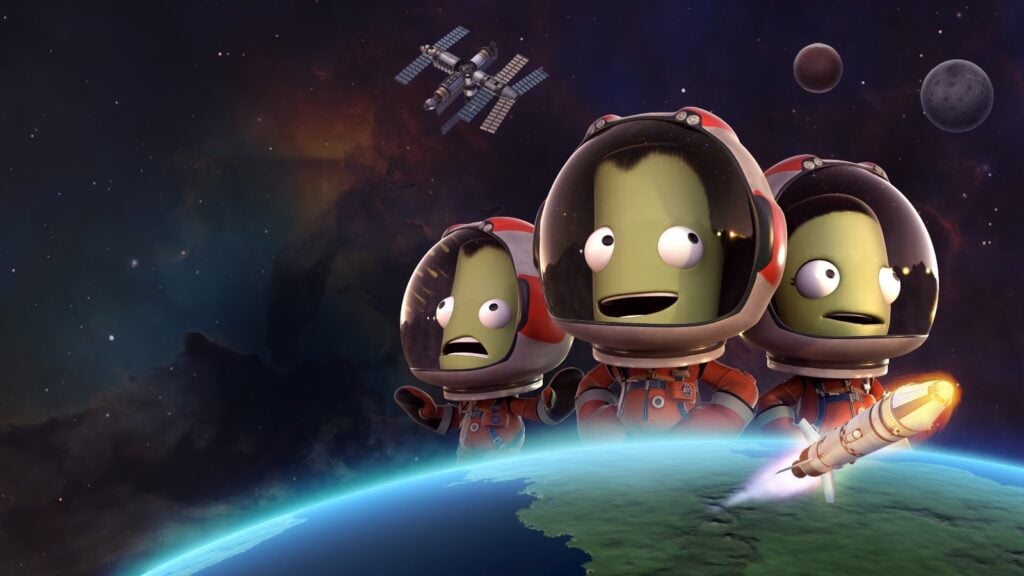
Kerbal Space Program is a physics simulation game where players direct a crew of green astronauts and have them build rockets. Kids can assemble engines, fuel tanks, control systems and other components before launching the finished spacecraft or watching it blow up on the launchpad. There’s a series of factors to consider when building a rocket and a single mistake is enough to turn the whole operation into a hilarious catastrophe.
Challenges continue after the first successful launch, including reaching orbit, landing on a moon and getting the crew home again. Sandbox Mode makes the base game’s parts available without the funding restrictions of Career Mode, leaving players free to concentrate on the design. But even here, the physics still take time to understand, making Kerbal Space Program a stronger recommendation for patient older kids and teens. Younger space enthusiasts can still enjoy working on a project alongside a parent.
Why Kids and Teens Will Love Kerbal Space Program
A successful mission gives players something to be proud of, whether they’ve reached orbit or landed their first rover. The Kerbals put faces on those achievements, adding some personality to the technical decisions.
- Price: $39.99 for the base game
- ESRB Rating: E for Everyone
- Platforms: Windows, macOS, Linux; Enhanced Edition on PlayStation 4, PlayStation 5, Xbox One, Xbox Series X|S
- Players: Single-player
- Content Descriptors: None
Fine-Tuning a Spacecraft in Juno: New Origins
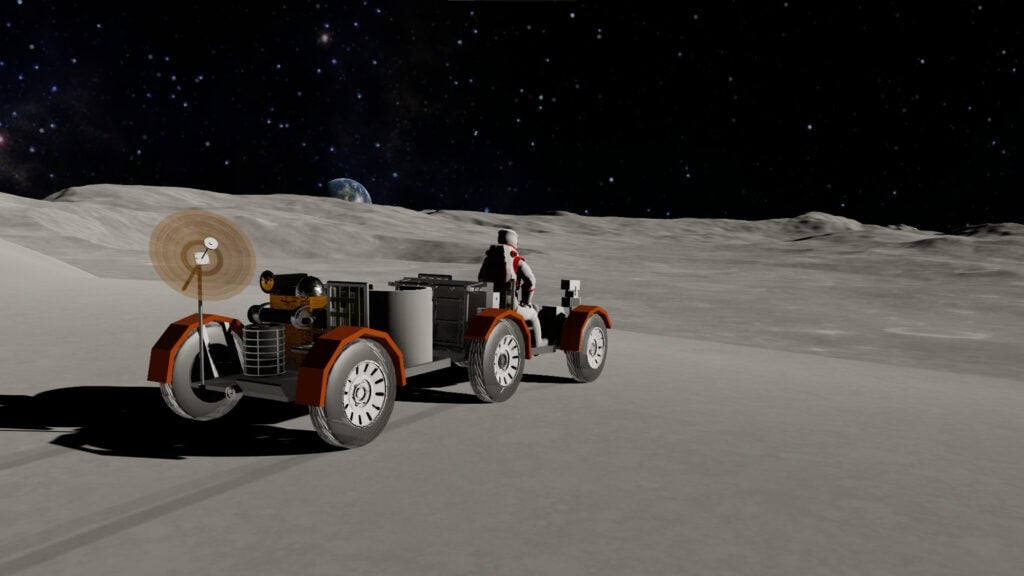
Juno: New Origins is a strong option for teens who want control over the parts themselves, down to a rocket engine’s fuel type and combustion pressure. Fuel tanks can be resized to suit the craft, while engine settings allow equipment to be designed for different conditions. An engine intended for launch won’t necessarily perform as well in the vacuum of space. Ready-made engines provide a good starting point, but players can jump in and make adjustments if needed.
The game’s attention to detail extends to the flight instructions. With Vizzy, a visual coding tool that uses connected blocks, players can write programs to automate their spacecraft. A test launch shows whether the instructions work, leaving them to revise the code as well as the vehicle when something goes wrong. Career Mode adds contracts and a technology tree, giving teens goals to pursue as their construction and programming skills develop.
Why Teens Will Love Juno: New Origins
Teens can take credit for both a spacecraft and the program guiding its flight. A successful automated launch gives them a chance to watch their engineering work without manually controlling every step.
- Price: $19.99 on Steam; $6.99 for the Complete Edition on iOS and Android; separate free mobile versions offer in-app purchases
- ESRB Rating: No ESRB rating listed for the PC version
- Platforms: Windows, macOS, iOS, Android
- Players: Single-player
- Content Descriptors: No ESRB descriptors listed for the PC version; vehicle crashes and explosions, with optional community sharing
Space Engineers Connects the Shipyard to the Mining Operation
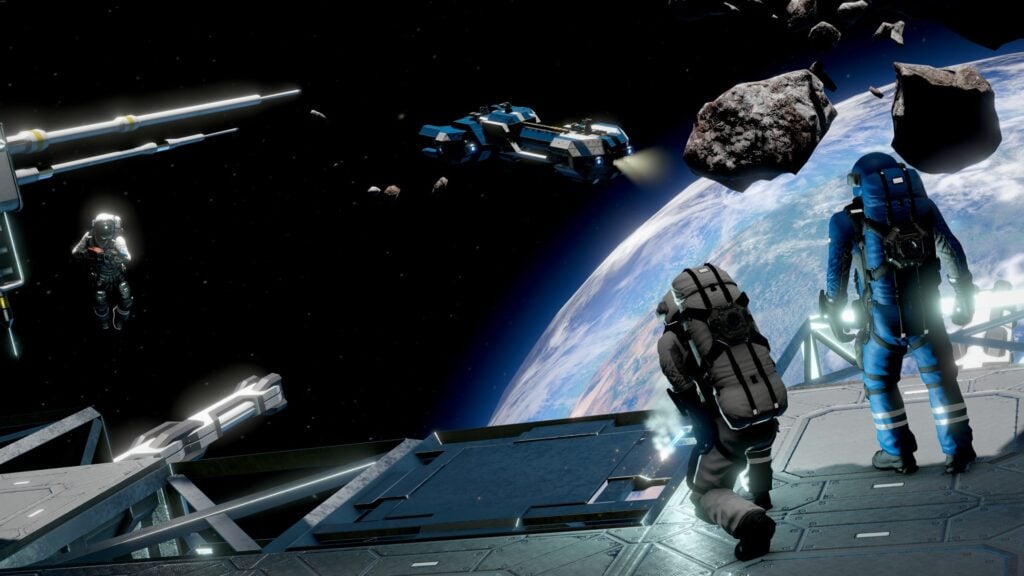
Once a mining ship is full, it still needs enough thrust to carry the haul home. Space Engineers makes the equipment inside a spacecraft worth as much thought as its exterior, since cargo space and power have to support the job it’s built for. Teens can connect drills to containers through conveyors, creating a working transport system inside the hull. As one might expect, the larger ships introduce more machinery to arrange and supply with electricity.
Friends can share their projects online, building a base and contributing different vehicles to the same fleet. Survival Mode gives the machines ongoing jobs through resource collection and maintenance, but a new builder may prefer Creative Mode’s unlimited resources and instant construction. There, teens can experiment with a ship’s handling or investigate pistons and rotors before committing materials to a project.
Why Teens Will Love Space Engineers
Finished spacecraft act as a moving base that teens can climb aboard and use, with working cargo systems and equipment inside. A shared fleet lets friends contribute their own inventions to an operation.
- Price: $19.99 for the base game on Steam and Xbox; other platform pricing varies
- ESRB Rating: T for Teen
- Platforms: Windows, PlayStation 4, PlayStation 5, Xbox One, Xbox Series X|S
- Players: Single-player; online cooperative and competitive multiplayer, with limits varying by platform and server
- Content Descriptors: Drug Reference, Fantasy Violence, Mild Language; Users Interact
Rescue Work Starts in the Workshop in Stormworks: Build and Rescue
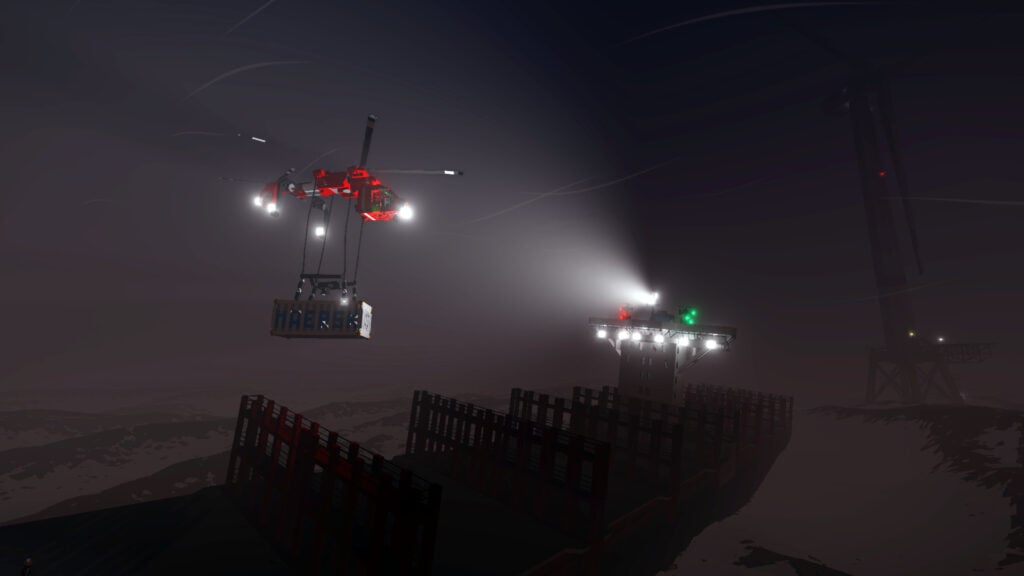
People stranded at sea need a rescue boat that can handle rough weather. It’s up to players to provide one. In Stormworks: Build and Rescue, players run a rescue service using vehicles they design themselves and use said vehicles to help people in need. The vehicle construction process is pretty in-depth and even includes the systems behind the controls. Similar to real vehicles, engines in-game need a fuel supply and cockpit switches need the right connections before they’ll be much help during an emergency.
For teens drawn to electronics, logic components and programmable microcontrollers allow elaborate controls and automated functions. Ideally, players should start with a small boat while they learn the editor since it’s a more manageable first project than a complicated helicopter. Custom Mode offers adjustable settings for experiments, whereas Career Mode introduces financial restrictions. Once a vehicle is ready, friends can take on cooperative missions together and find out how the design performs when a rescue is at stake.
Why Teens Will Love Stormworks: Build and Rescue
A successful rescue gives a homemade vehicle a practical purpose. Teens can see why details such as reliable controls and space for passengers deserve attention during construction.
- Price: $24.99 for the base game
- ESRB Rating: No ESRB rating listed
- Platforms: Windows, macOS
- Players: Single-player; online cooperative multiplayer
- Content Descriptors: No ESRB descriptors listed; rescue emergencies, fire, drowning, and character death, with online interaction; weapons-based combat available through optional DLC
From the Depths Takes Fleet Building Down to the Ammunition
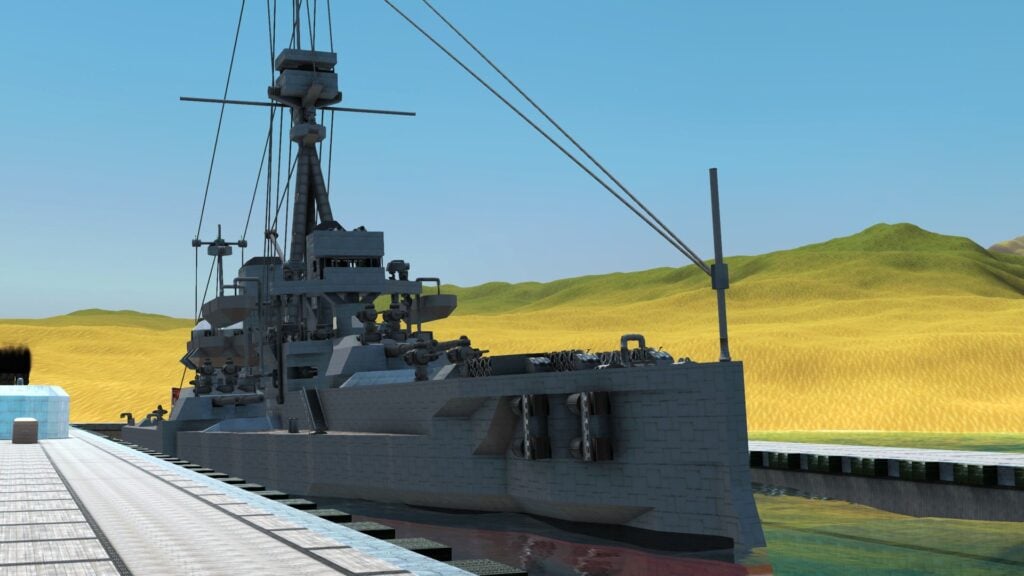
Few games on this list go into as much combat engineering detail as From the Depths. Even the ammunition for a custom cannon can be assembled from components. Meanwhile, AI systems determine how a completed craft behaves in battle. Players can take advantage of this to build unique warships, submarines, aircraft and other combat vehicles. However, a formidable weapons load is only one consideration. Armor adds weight, and a battleship still needs enough buoyancy and propulsion to function.
The vehicle designer provides space to test a modest craft against enemies before attempting a campaign. As teens learn the systems, they can improve one area at a time and see whether the changes help under fire. Campaign battles then place completed ships in a large-scale fight for territory, with cooperative play available for friends who want to design together. From the Depths is a pretty complex game designed for older teens who already enjoy intricate builders.
Why Teens Will Love From the Depths
Teens can command a fleet they’ve engineered themselves and watch how their ships fare against an opponent. Damage from a battle gives players something to investigate back in the designer.
- Price: $24.99 for the base game
- ESRB Rating: No ESRB rating listed
- Platforms: Windows, macOS, Linux
- Players: Single-player; online cooperative and competitive multiplayer
- Content Descriptors: No ESRB descriptors listed; extensive vehicle combat, weapons and explosions, with online interaction
Failed Siege Engines Can Be Fun in Besiege
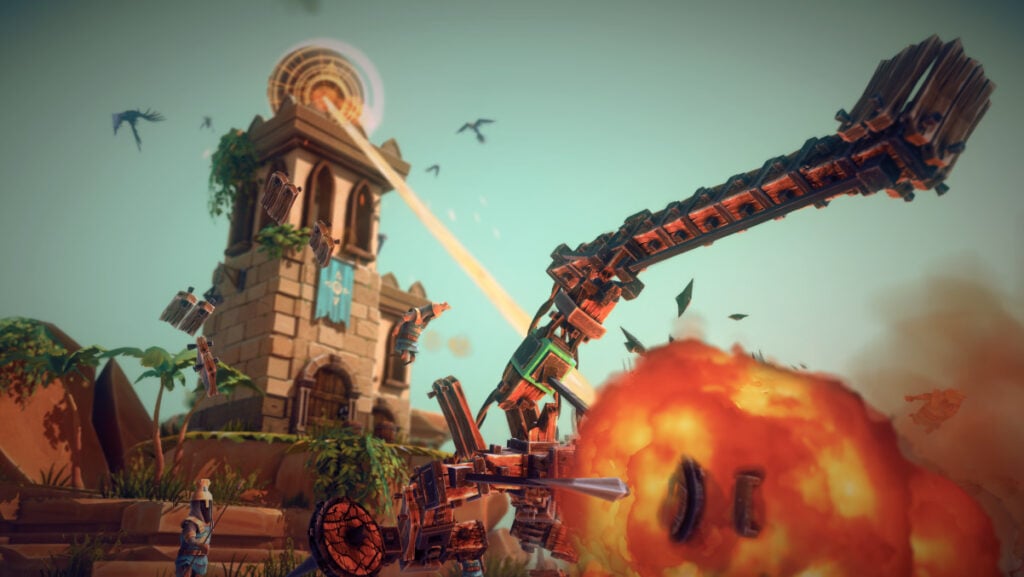
Sometimes the most dangerous thing about a siege engine is what it does to itself. In Besiege, a homemade machine can tear itself apart under the forces it generates before it ever reaches a castle. The game revolves around assembling wheeled contraptions with mechanisms, propellers and weapons to complete tasks in a medieval world. Considering the vehicle has to hold together during an attack, structural support deserves as much attention as the destructive attachments.
The campaign includes objectives such as destroying fortifications and transporting objects, which serve as tests for each design. Between attempts, teens can adjust components and slow the simulation to examine where things went wrong. Sandbox areas allow freer experiments and the PC version supports online multiplayer. The medieval violence featured in Besiege makes the game more suitable for teens comfortable with some level of fantasy blood and gore.
Why Teens Will Love Besiege
An absurd contraption can still be a clever solution if it completes the objective. Even a failed attempt can be entertaining enough to send teens back to the editor with a better idea.
- Price: $14.99 on Steam; $19.99 for console versions
- ESRB Rating: T for Teen
- Platforms: Windows, macOS, Linux, Nintendo Switch, PlayStation 4, PlayStation 5, Xbox One, Xbox Series X|S
- Players: Single-player; online multiplayer on PC
- Content Descriptors: Blood and Gore, Violence; Users Interact on PC
Banjo-Kazooie: Nuts & Bolts Mixes Vehicle Building With Cartoon Competition
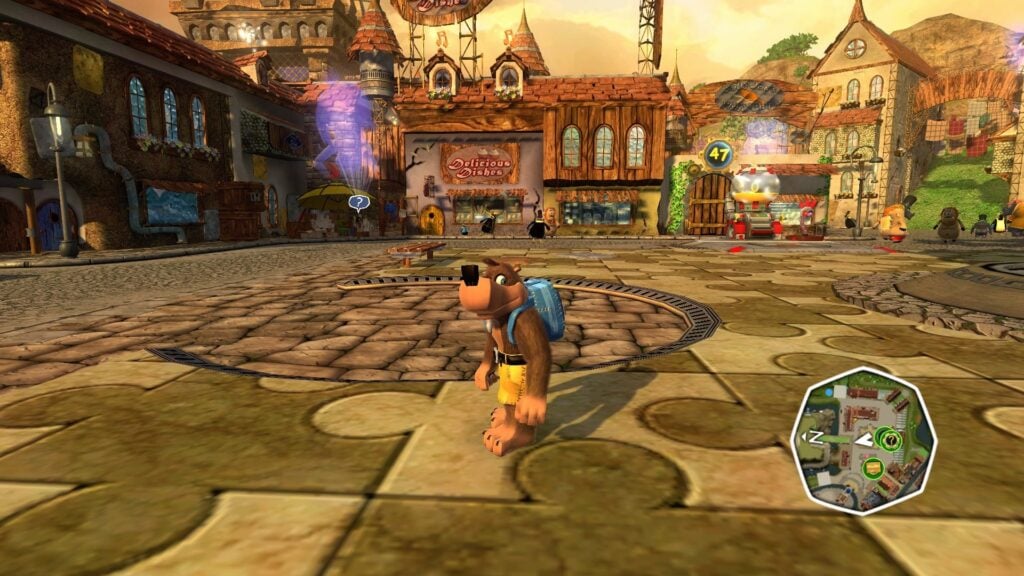
Banjo the bear and his bird companion, Kazooie, have a mountain to save and a garage full of parts to work with in Banjo-Kazooie: Nuts & Bolts. Their contest with Gruntilda takes place across worlds full of vehicle challenges where players get to assemble machines from collected parts before driving or flying them through the events. Some amount of care needs to go into the assembly because a design suited to one assignment may need a different arrangement for the next. But that encourages children to think about the job before choosing their equipment.
At Mumbo’s Motors, kids can save a successful vehicle as a blueprint and return to it when they need something similar. Purchased blueprints and video guides provide help with construction, giving newcomers examples to learn from. As players explore Showdown Town and earn more parts, they can expand their collection of homemade machines. Challenge victories earn Jiggies, puzzle-piece tokens that open access to later worlds.
Why Kids and Teens Will Love Banjo-Kazooie: Nuts & Bolts
A strange-looking vehicle can become the machine that wins a challenge for Banjo and Kazooie. Kids get to put their inventions to work in a cartoon world with characters worth cheering for.
- Price: $14.99 for the standalone digital game; included in Rare Replay, regularly $29.99
- ESRB Rating: E10+ for Everyone 10+
- Platforms: Xbox 360; playable on Xbox One and Xbox Series X|S through backward compatibility
- Players: Single-player campaign; local split-screen multiplayer and online multiplayer for up to 8 players
- Content Descriptors: Cartoon Violence, Comic Mischief; Users Interact
Bridges and Flying Machines Start Brick By Brick in LEGO Bricktales
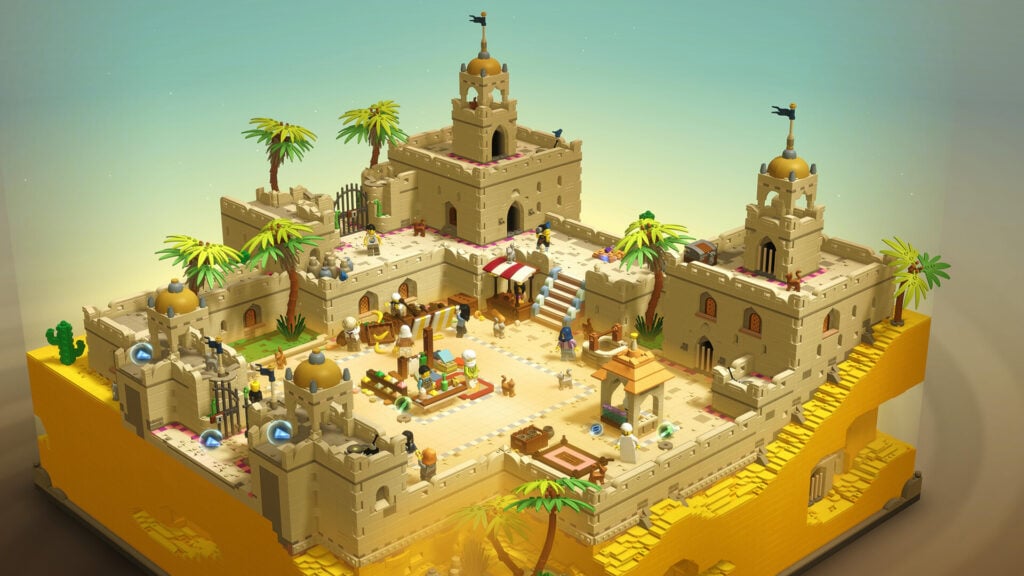
Every construction task in LEGO Bricktales starts with a set of bricks and a job to do. For instance, building a bridge that supports a digger or assembling a working gyrocopter, with the available pieces setting the limits of the design. Tasks can vary wildly, and there isn’t a single model to copy for every assignment. Kids are the ones who decide how the bricks should fit together, then check whether the finished construction can perform its intended function.
Story-wise, children play as a minifigure whose grandfather needs help restoring his amusement park. As they help residents in different LEGO dioramas, they collect happiness crystals to power the repairs. A completed construction spot unlocks Sandbox Mode, where extra bricks allow more elaborate revisions. Some of the engineering puzzles deserve an older child’s patience, but younger fans of LEGO games may appreciate help with planning a design.
Why Kids and Teens Will Love LEGO Bricktales
The bridge or flying machine children construct becomes a working object in the world they’re exploring. After solving the practical challenge, they can return with extra bricks and give it more personality.
- Price: $29.99 on Steam; $4.99 on iOS; pricing varies across other versions
- ESRB Rating: E for Everyone
- Platforms: Windows, macOS, Linux, Nintendo Switch, PlayStation 4, PlayStation 5, Xbox One, Xbox Series X|S, iOS, Android, Meta Quest
- Players: Single-player
- Content Descriptors: Mild Fantasy Violence
Contraption Maker Makes Simple Jobs Delightfully Complicated
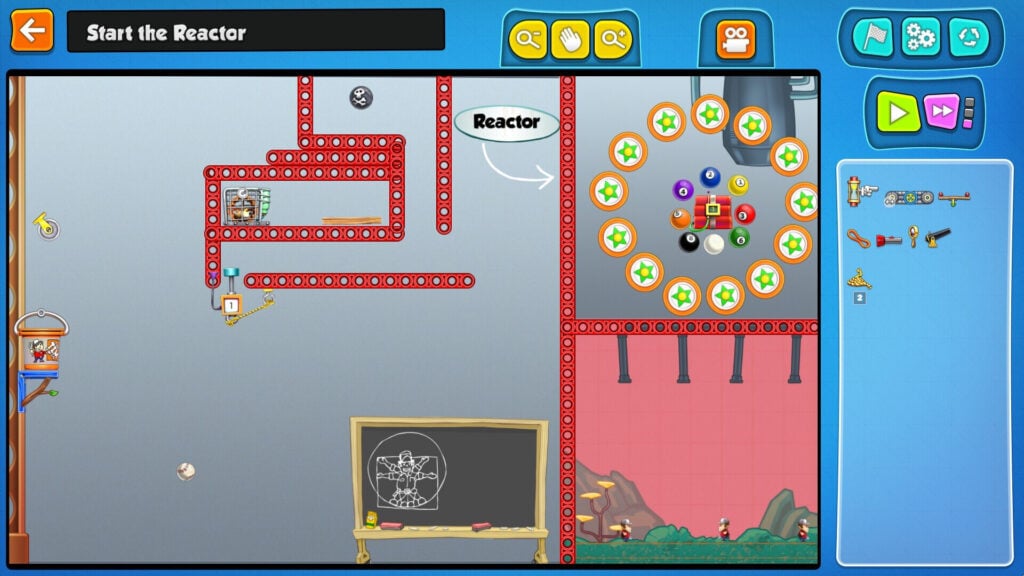
Contraption Maker follows The Incredible Machine’s tradition of making simple tasks needlessly complicated. From one of that game’s creators, this physics puzzler supplies an assortment of parts that includes gears, trampolines and hamster-powered motors. Children arrange these components so one action triggers the next, working out how a sequence can reach its intended result. The cartoon animals introduce some less predictable interactions, so the solution can require understanding their behavior as well as the machinery.
More than 200 official puzzles give kids a starting point before they attempt their own elaborate inventions. In the Maker Lab, up to eight players can build together online, allowing friends to contribute different sections of a shared contraption. Children who prefer designing challenges can create puzzles for someone else to solve. At the end of the day, a construction that works perfectly for its inventor can be a much tougher assignment for the next person.
Why Kids and Teens Will Love Contraption Maker
The fun comes from watching separate ideas connect into one ridiculous sequence. Kids can share the construction with friends or challenge them to figure out how the finished machine works.
- Price: $12.99 for the base game on Steam
- ESRB Rating: E10+ for Everyone 10+ (Epic Games Store listing)
- Platforms: Windows, macOS, Linux
- Players: Single-player; online cooperative building for up to 8 players in the Maker Lab
- Content Descriptors: Fantasy Violence, Mild Blood; Users Interact (Epic Games Store listing)
Crazy Machines 3 Takes the Engineering Down to Individual Parts
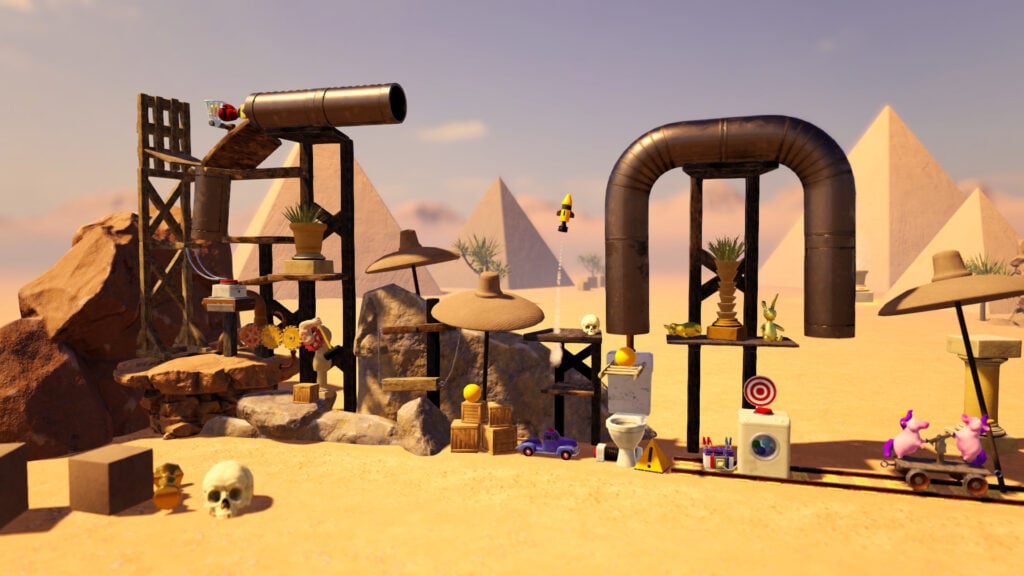
In Crazy Machines 3, the missing piece of a machine could be exactly what is needed to conduct electricity or redirect a laser beam. The game puts players in charge of completing such unfinished chain reactions, using the available objects to connect an initial action with the required result. Wind and explosions can affect the sequence, so a solution may combine several physical systems. Kids have to follow what happens through the whole construction to understand why an action never reaches its destination.
For older kids and teens who want to design the components themselves, the editor goes into much greater detail. Objects can use different materials, with adjustable size and rotation, while chips allow their individual properties to be changed. That control supports projects more involved than arranging a few ready-made parts. Players can build their own machines and puzzles, then share them through Steam Workshop or investigate constructions uploaded by other inventors.
Why Kids and Teens Will Love Crazy Machines 3
An elaborate chain reaction is satisfying to watch once every connection works. Teens who enjoy tinkering can go further by designing the parts that make their own inventions possible.
- Price: $9.99
- ESRB Rating: No ESRB rating listed
- Platforms: Windows
- Players: Single-player
- Content Descriptors: No ESRB descriptors listed; slapstick machinery, explosions and optional community content sharing
Bad Piggies Puts a Small Vehicle Workshop on a Phone or Tablet
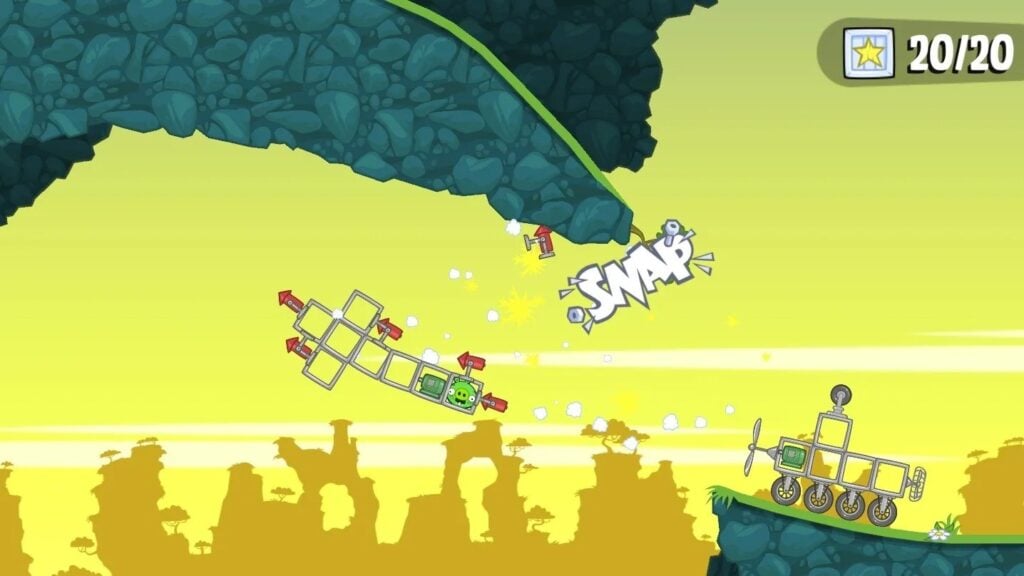
The pigs from Angry Birds are after eggs again and children have to engineer their transportation in Bad Piggies. Each level offers a collection of parts to arrange into a vehicle, with wheels, balloons, fans and bottle rockets among the available equipment. Once the pig is aboard, players set off toward the goal and operate the contraption’s powered parts. The route can call for a flying machine or something capable of surviving a rough descent.
Extra objectives encourage children to revisit a level with a different design. However, they don’t always need to complete every objective on the same trip, allowing them to concentrate on one engineering challenge at a time. Sandbox levels offer space for larger experiments once kids want more freedom. Bad Piggies is free to download, but it includes advertising and optional purchases, including random-item rewards, which parents should consider before letting them play.
Why Kids Will Love Bad Piggies
The pigs make entertaining passengers for a homemade flying machine, even when the landing is less than graceful. Short levels give children a chance to try a new idea without committing to a lengthy building project.
- Price: Free to download, with ads and optional in-app purchases
- ESRB Rating: E for Everyone (Android listing)
- Platforms: iOS, Android
- Players: Single-player
- Content Descriptors: In-Game Purchases (Includes Random Items); advertising, cartoon crashes and explosions

