

Some kids get frustrated with an activity when the instructions seem too complicated, the challenge feels overwhelming, or there’s simply too much waiting around required. A lot of video games come with all of those issues, even when they’re intended for children. Losing the same race repeatedly or struggling to work out what to do next can quickly put a child off playing.
Fortunately, there are plenty of games designed around taking things easy. The best video games for kids who get frustrated easily give players time to explore, experiment, and enjoy themselves without demanding quick reactions or punishing mistakes. Building a little town or decorating a room can be entertaining enough without adding a countdown or a score to beat.
For this list, we’ve picked 20 relaxing games covering everything from titles created for preschoolers to larger creative endeavors. Some offer complete freedom from the start, while others have settings that remove potentially frustrating challenges, such as Unpacking’s placement puzzles or Dorfromantik’s tile limits. We’ve highlighted those options throughout, helping parents choose a game and set it up for the kind of play your child enjoys.
Townscaper Turns A Few Clicks Into An Entire Seaside Town

A little house by the water can become a tower in a few clicks, with a bridge connecting it to the next building. Townscaper handles the architectural details of town building while kids choose colors and decide where to place blocks. Depending on how those blocks connect, the game adds roofs, arches, and stairways automatically. Children can start with a handful of houses and keep expanding until their town stretches across the water.
Building in Townscaper doesn’t cost money or use up materials, so kids can test an idea without saving up for it first. Removing a block changes the surrounding architecture immediately, making it easy to see what happens when a street opens up or a tower gets shorter. Parents can suggest a small project, such as a row of blue houses, if a completely blank canvas leaves their child wondering where to begin.
Why Kids Will Love Townscaper
Kids can build an impressive town without placing every roof tile or designing a bridge that will stay standing. Adding and removing blocks produces immediate changes, so trying something different is as simple as making the next click.
- Price: $5.99 on Windows and macOS (Steam)
- ESRB Rating: E for Everyone
- Platforms: Windows, macOS (Intel Macs for the Steam version), Xbox One, Xbox Series X|S, Nintendo Switch, iOS, Android
- Players: 1
- Content Descriptors: None
SUMMERHOUSE Leaves The Neighborhood Design Entirely Up To Kids
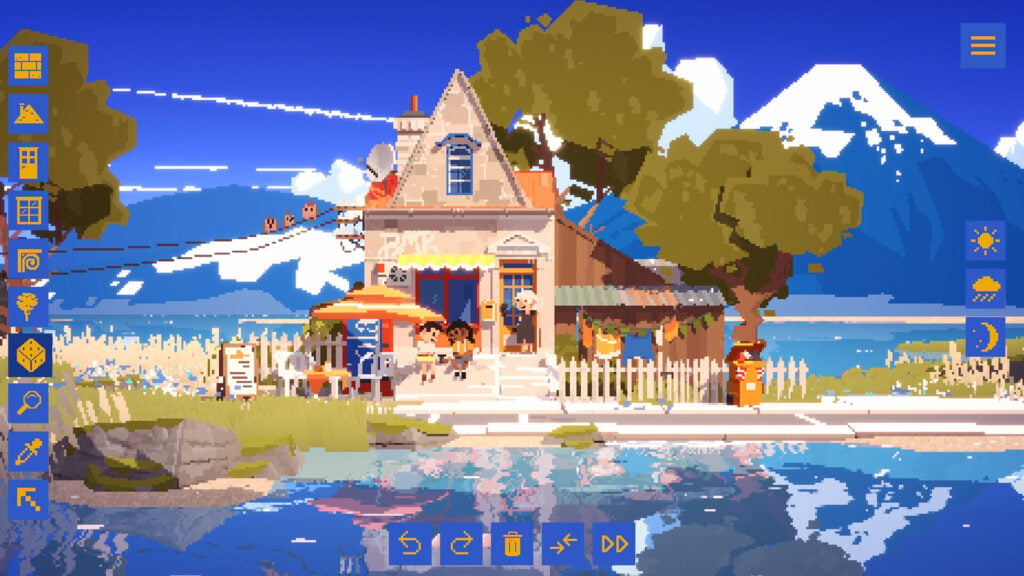
SUMMERHOUSE makes building a neighborhood about choosing what looks good together, without having to worry about residents demanding better roads or a bigger police station. The game lets kids pick building pieces and arrange them into homes, adding windows, doors, and decorations until the street looks the way they want. For instance, a seaside setting might inspire a row of holiday homes, while a mountain backdrop leaves room for somewhere a little more secluded. There’s no correct design to copy.
Likewise, the small details in SUMMERHOUSE can be just as entertaining as putting up a large building. Trying different arrangements can then uncover secret pieces and little scenes that make the houses look lived in. Those surprises encourage experimentation, though kids can keep building with the pieces they already have whenever they like. With no score or deadline deciding whether a neighborhood is finished, players can spend a session working on a single house or start an entirely new street.
Why Kids Will Love SUMMERHOUSE
Choosing each window, doorway, and decoration puts kids in charge of how their neighborhood looks. Hidden details reward trying different combinations, with no need to pass a building inspection before moving on to the next house.
- Price: $4.99 on Windows and macOS (Steam)
- ESRB Rating: E for Everyone
- Platforms: Windows, macOS, PlayStation 5, Xbox Series X|S, Nintendo Switch
- Players: 1
- Content Descriptors: None
Gourdlets Fills A Homemade Town With Very Easygoing Residents
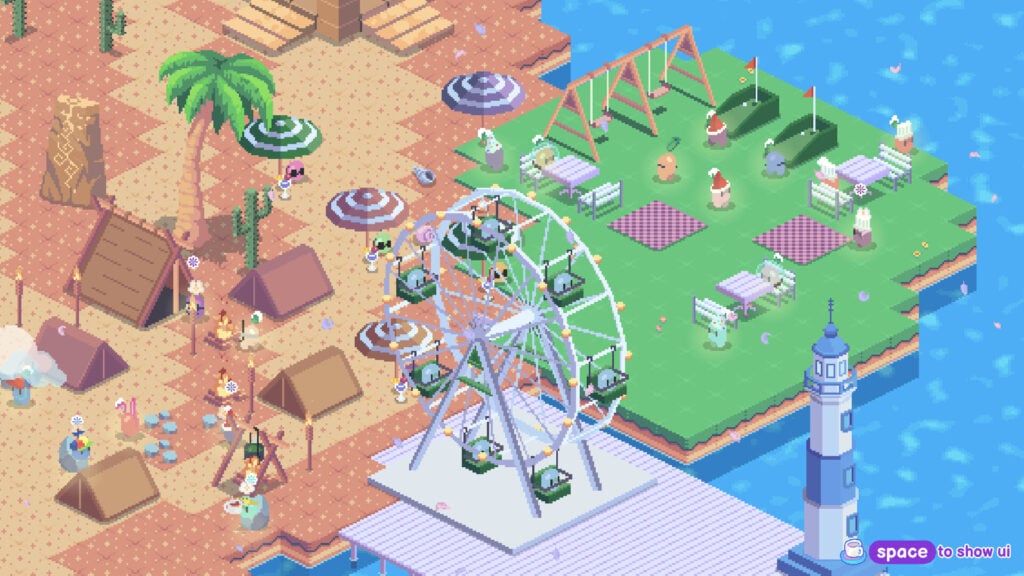
The little vegetable people in Gourdlets are happy to move into whatever town kids put together for them. In this cozy sandbox game, players arrange buildings, paths, and decorations around an island, then watch the residents fish, read, camp, or settle down for a nap. There’s no money to earn before placing a new building, and keeping the population happy doesn’t require balancing jobs and services. The gourdlets seem perfectly content to leave all the planning to someone else.
The decorating continues inside the buildings, too, where kids can arrange furniture to suit the homes and businesses they’ve created. Gourdlets has a large selection of objects to choose from, including cafes, lighthouses, fountains, and planters, so a tiny settlement can gradually become a bustling town. Players can also change the weather or time of day to alter the scenery while the residents carry on with their activities.
Why Kids Will Love Gourdlets
Watching residents use a town they’ve built makes each new addition feel fresh and exciting. Kids can furnish interiors and choose accessories for the gourdlets, personalizing both the neighborhood and the vegetable people living there.
- Price: $4.99 on Windows, macOS, and Linux (Steam)
- ESRB Rating: Not rated
- Platforms: Windows, macOS, Linux
- Players: 1
- Content Descriptors: No ESRB descriptors assigned
Tiny Glade Helps Kids Draw A Castle Without Laying Every Brick
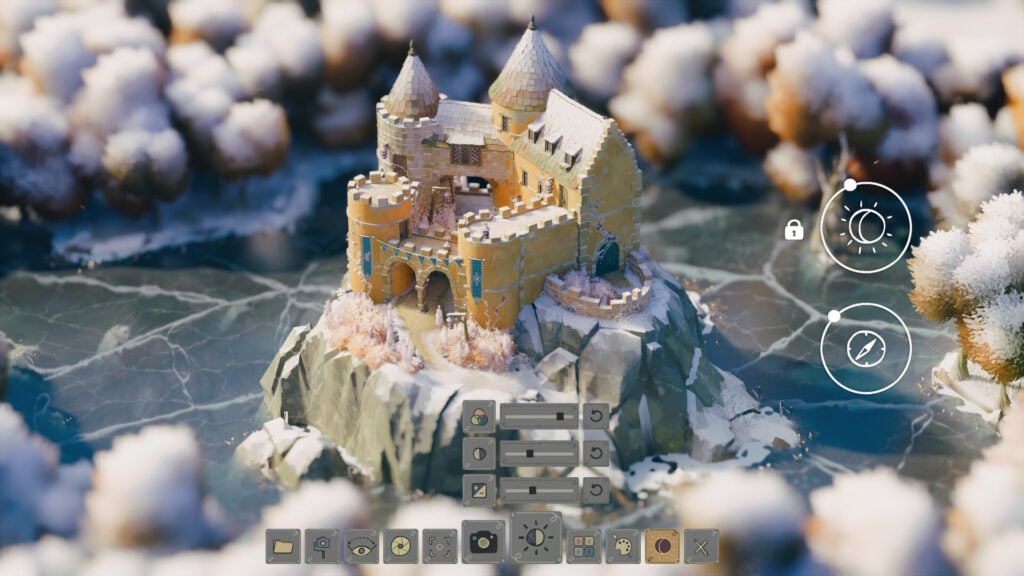
Drawing paths and walls in Tiny Glade can turn an empty meadow into a castle. The game handles details that would otherwise involve placing lots of little pieces, automatically adjusting buildings as kids change their designs. Draw a path through a building and a doorway appears to make room for it. Raise the structure off the ground and supporting beams and columns line up underneath, keeping everything connected as the design changes.
Tiny Glade has no battles or resource management to interrupt the building, and there’s no required layout to finish before moving on. After building a structure, kids can freely change their minds and keep adjusting a cottage or tower until they’re happy with it. Having said all that, the camera and building tools can take a little practice, so this is a better fit for children who already know their way around a mouse.
Why Kids Will Love Tiny Glade
A small change can transform a building, with doors and supports appearing as children adjust their designs. Kids who enjoy castles can concentrate on shaping the grounds and towers while the game takes care of the finer architectural details.
- Price: $14.99 on Windows, macOS, and Linux (Steam)
- ESRB Rating: Not rated
- Platforms: Windows, macOS (Apple silicon Macs), Linux
- Players: 1
- Content Descriptors: No ESRB descriptors assigned
Sago Mini Jinja’s Garden Makes Helping The Neighbors A Gentle First Game
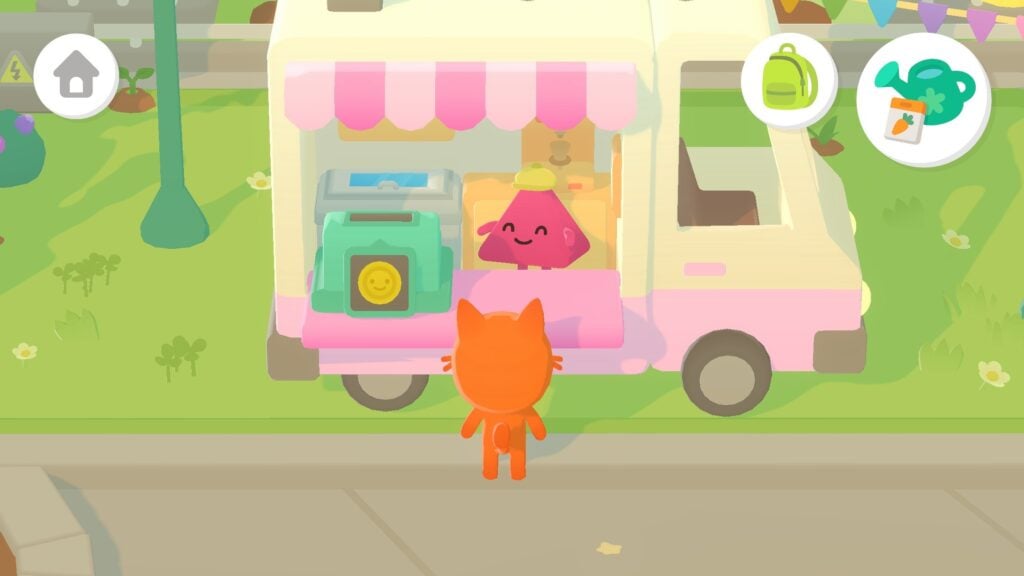
Preschoolers who get discouraged by complicated controls have a friendly place to start in Sago Mini Jinja’s Garden. Kids guide Jinja around a neighborhood, planting gardens and bringing food or flowers to her animal friends. Swiping moves her around on a touchscreen, and the simple interactions don’t require reading. Growing a carrot or a hot dog plant takes just a little attention, with crops appearing as soon as children water their seeds.
Helping a neighbor in Sago Mini Jinja’s Garden can involve harvesting ingredients and taking them to the kitchen to make a pizza, pie, or cake. The tasks introduce a sequence kids can easily follow, while leaving them free to wander off and play. Meanwhile, a bouncy castle and a garden in the clouds offer places to visit between requests. Designed for children as young as three, the game works offline after downloading, so a dropped connection won’t interrupt their gardening.
Why Kids Will Love Sago Mini Jinja’s Garden
Simple requests let preschoolers help their animal neighbors without reading instructions or learning a long list of controls. The quick-growing crops keep them involved in planting and harvesting, with time to wander off and investigate something silly.
- Price: Included with Apple Arcade, which costs $6.99 per month in the US
- ESRB Rating: Not rated; Apple App Store rating of 4+
- Platforms: iPhone, iPad, Mac, Apple TV
- Players: 1
- Content Descriptors: No ESRB descriptors assigned
Sago Mini Trips+ Sends Preschoolers Off In Some Very Silly Vehicles
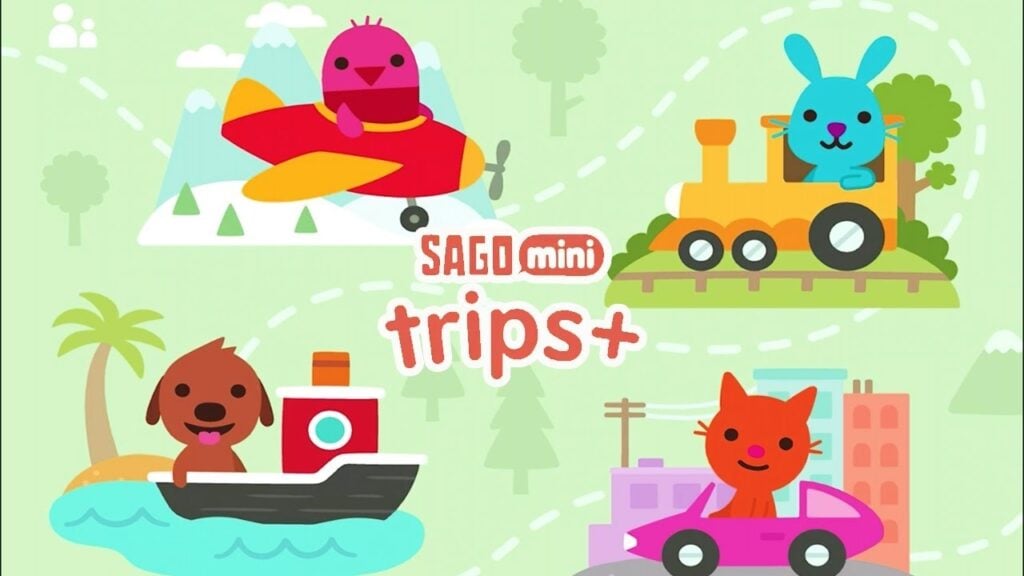
Sago Mini Trips+ has some interesting ideas about transport, including a chicken car that lays eggs and a boat shaped like a pickle. This game collection brings together Road Trip, Boats, Planes, and Trains, with kids choosing a character and a vehicle before setting off. Traveling only requires simple touchscreen interactions, and stopping to investigate the scenery is part of the fun. In Sago Mini Trips+, anything from a simple car wash to an encounter with a friendly sea monster can become the highlight of a trip.
Packing a suitcase and picking passengers make each outing feel like a little holiday that preschoolers get to organize themselves. Sago Mini Trips+ has no time limits or rules pushing players toward a destination, so there’s room to linger wherever something catches their attention. Once there, they can snap a picture before moving on to the next destination. This collection of Apple Arcade games is designed for ages two to five and works offline once downloaded.
Why Kids Will Love Sago Mini Trips+
Driving a chicken car or sailing a pickle boat makes getting anywhere entertaining in itself. Preschoolers can stop to investigate things along the route, with the freedom to take their passengers on a completely different trip afterward.
- Price: Included with Apple Arcade, which costs $6.99 per month in the US
- ESRB Rating: Not rated; Apple App Store rating of 4+
- Platforms: iPhone, iPad
- Players: 1
- Content Descriptors: No ESRB descriptors assigned
Toca Boca Jr Classics Makes Room For Some Very Creative Experiments

Cooking dinner, cutting hair, and looking after animals are all on the menu in Toca Boca Jr Classics. This collection bundles nine games, including Kitchen 2, Hair Salon, Pet Doctor, and Builders, all into one app. Each game centers on playing with a set of tools or characters, with no rules or time limits determining how things should turn out. Kids can try a strange food combination in the kitchen, then see what the person eating it thinks.
The range of activities in Toca Boca Jr Classics makes it easy to follow whatever interests your child that day. Builders and Blocks provide space to construct things, while Mini focuses on designing characters and Dance involves making music videos. There’s no need to work through the games in a particular order either. Children can spend all their time experimenting with a single activity or switch between several of them as they please.
Why Kids Will Love Toca Boca Jr Classics
Kids can follow an idea just to see what happens, from trying a new hairstyle to inventing an odd meal. Having nine games together means a change of activity can be as simple as swapping the kitchen for a building site.
- Price: Included with Apple Arcade, which costs $6.99 per month in the US
- ESRB Rating: Not rated; Apple App Store rating of 4+
- Platforms: iPhone, iPad, Mac
- Players: 1
- Content Descriptors: No ESRB descriptors assigned
Disney Coloring World+ Turns Finished Pictures Into Toys To Play With

Coloring Elsa or Mickey Mouse is only the start in Disney Coloring World+. Once kids finish decorating a character, it becomes a sticker they can place in an interactive 3D playset. The game combines a large digital coloring book with scenes where children can arrange their creations and make up stories. Brushes, crayons, glitter, and patterns provide different ways to decorate characters, with over 2,000 pages featuring iconic Disney and Pixar characters.
Small hands don’t always produce the picture a child had in mind, but the Magic Color tool can help with that. The tool fills in the colors neatly, helping kids who get discouraged when they struggle to color a character themselves. Disney Coloring World+ leaves room for free coloring and dressing up characters too, so the assistance is there when wanted, but it can be ignored when it’s not needed.
Why Kids Will Love Disney Coloring World+
Seeing a finished character become a sticker makes coloring part of creating a scene to play with. The Magic Color tool helps children get to that stage when carefully filling in a picture would be more frustrating than fun.
- Price: Included with Apple Arcade, which costs $6.99 per month in the US
- ESRB Rating: Not rated; Apple App Store rating of 4+
- Platforms: iPhone, iPad
- Players: 1
- Content Descriptors: No ESRB descriptors assigned
Crayola Create And Play+ Keeps The Art Supplies Within Easy Reach
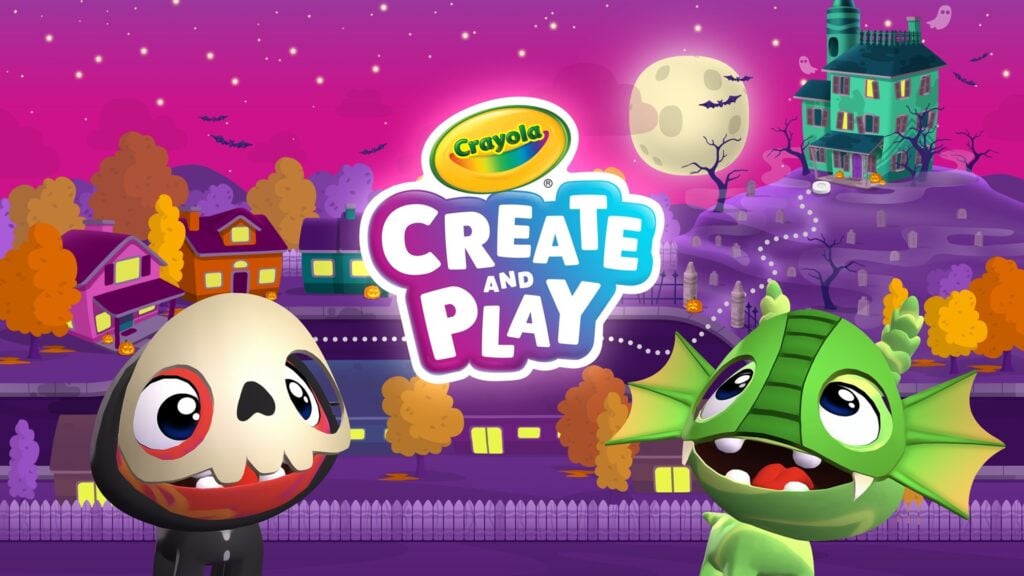
Crayola Create and Play+ allows players to draw a glowing picture, design a pet, and decorate a rocket, among other things. The game combines coloring pages with drawing tools and craft activities, so children can choose between decorating an existing picture and making something of their own from scratch. Crayons, stamps, glitter, and paint provide ways to try a different look without needing a table full of art supplies, while finished artwork can be kept in a personal gallery.
In Crayola Create And Play+, caring for a pet is a fun activity players can engage in between art projects. Kids design their animal, choose a home for it, and spend time feeding, washing, or playing with it. The title also includes puzzles and learning games alongside these activities, but the drawing, coloring, and pet care are its biggest selling points. Children can return to those activities whenever they want to make something without having a puzzle to solve first.
Why Kids Will Love Crayola Create and Play+
Kids can experiment with different art materials and keep the pictures they’re proud of in their gallery. At any time, players can take a break from drawing to feed or play with a pet they designed themselves.
- Price: Included with Apple Arcade, which costs $6.99 per month in the US
- ESRB Rating: Not rated; Apple App Store rating of 4+
- Platforms: iPhone, iPad
- Players: 1
- Content Descriptors: No ESRB descriptors assigned
LEGO DUPLO World+ Puts A Whole Toy Box On The Touchscreen
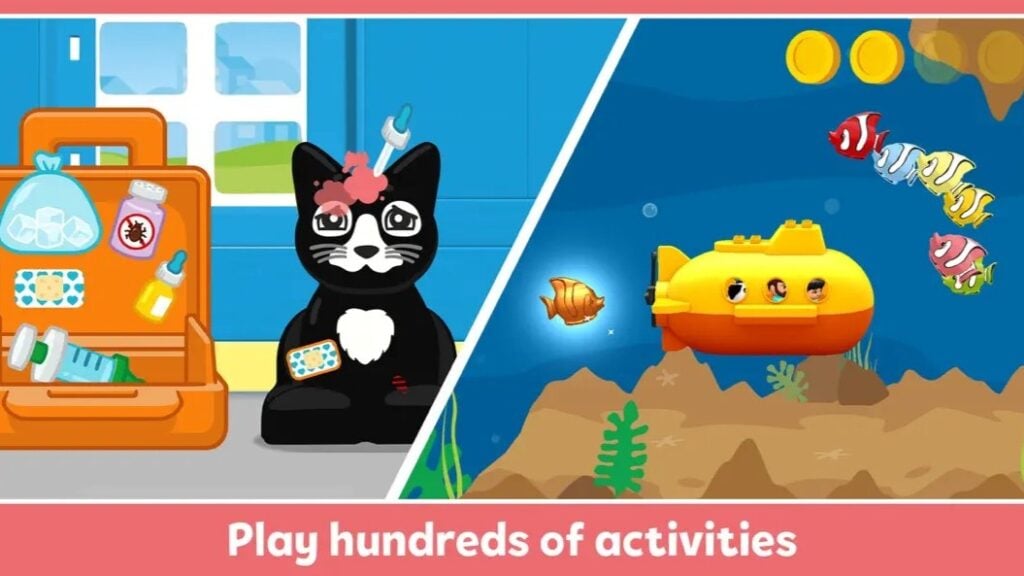
Building a train and taking it for a ride is one of the many activities preschoolers can tackle in LEGO DUPLO World+. The game brings together themed activities involving animals, vehicles, and the chunky bricks young LEGO fans may already have at home. Number Train and World Animals sit alongside scenes about farms, doctors, and space, giving kids places to explore as they build and play. All these activities are designed for ages three to six.
Free building is a good starting point in LEGO DUPLO World+ for children who would rather arrange things themselves than follow a set of instructions. The collection includes guided learning activities too, allowing parents to choose something that suits their child’s confidence with counting and matching. Multiple people can interact with the same touchscreen, so a parent or sibling can help with an activity while the child keeps playing.
Why Kids Will Love LEGO DUPLO World+
Preschoolers can build with digital bricks, play with animals, and take vehicles around themed scenes. Sharing a touchscreen lets a parent join in directly, helping with a tricky step while leaving the child involved in the activity.
- Price: Included with Apple Arcade, which costs $6.99 per month in the US
- ESRB Rating: Not rated; Apple App Store rating of 4+
- Platforms: iPhone, iPad
- Players: 1; supports shared play on one touchscreen
- Content Descriptors: No ESRB descriptors assigned
Little Mouse’s Encyclopedia Lets Kids Explore Nature At Their Own Pace
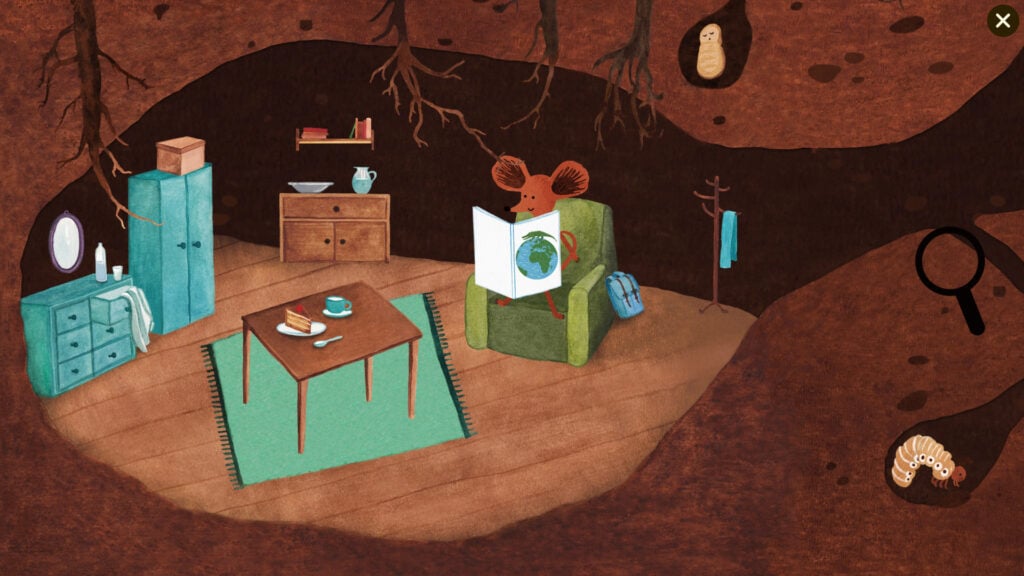
There’s a lot happening in the grass when you’re small enough to get a proper look. Little Mouse’s Encyclopedia follows a mouse through four habitats filled with plants and animals, with more than 160 species to investigate. Kids move around the illustrated scenery and use a magnifying glass to bring up information about whatever catches their attention. Simply walking through the forest or swimming in the pond is enough to find something worth examining, with birdsong and other nature sounds accompanying the trip.
Little Mouse’s Encyclopedia works well for children who enjoy animals but get discouraged by games that keep asking them to complete tasks. Exploring and learning are the activities here, with no battles or timed challenges interrupting the sightseeing. The information cards require reading, so parents of younger children should plan to join in. Kids can choose what to investigate while an adult reads the facts aloud.
Why Kids Will Love Little Mouse’s Encyclopedia
Taking a mouse through a world of insects, flowers, and pond life makes a nature walk feel much bigger. Kids can follow their curiosity, choosing which plants and animals deserve a closer look.
- Price: $4.99 on Windows and macOS (Steam)
- ESRB Rating: E for Everyone
- Platforms: Windows, macOS, PlayStation 4, Xbox One, Xbox Series X|S, Nintendo Switch, iOS, Android
- Players: 1
- Content Descriptors: None
Alba: A Wildlife Adventure Makes Helping Animals The Highlight Of A Holiday

Alba’s visit to her grandparents on a Mediterranean island turns into a campaign to protect its wildlife. In Alba: A Wildlife Adventure, kids help her photograph animals, clean up litter, and rally the community to save a nature reserve. Her friend Inés joins the effort, which involves gathering signatures to oppose a hotel planned for the reserve. Using Alba’s phone camera to identify animals turns a walk around the island into a chance to expand her wildlife guide.
There’s a story to follow in Alba: A Wildlife Adventure, but players can explore at their own pace without worrying much about it. Photographing wildlife and helping injured animals give children clear things to work toward without battles or a ticking clock. Younger kids may need help reading conversations and getting comfortable with moving the camera. Once they’ve got the hang of those controls, spotting an unfamiliar bird is often reason enough to keep them glued to the screen.
Why Kids Will Love Alba: A Wildlife Adventure
Cleaning up the island lets kids see the difference their help makes to its animals and community. Filling Alba’s wildlife guide gives them a collection to build through patient observation, with each new photograph recording something they found.
- Price: $16.99 on Windows (Steam)
- ESRB Rating: E for Everyone
- Platforms: Windows, PlayStation 4, PlayStation 5, Xbox One, Xbox Series X|S, Nintendo Switch; iPhone, iPad, Mac, and Apple TV through Apple Arcade
- Players: 1
- Content Descriptors: None
Unpacking Lets Kids Settle In Without Worrying About The Right Place For Everything
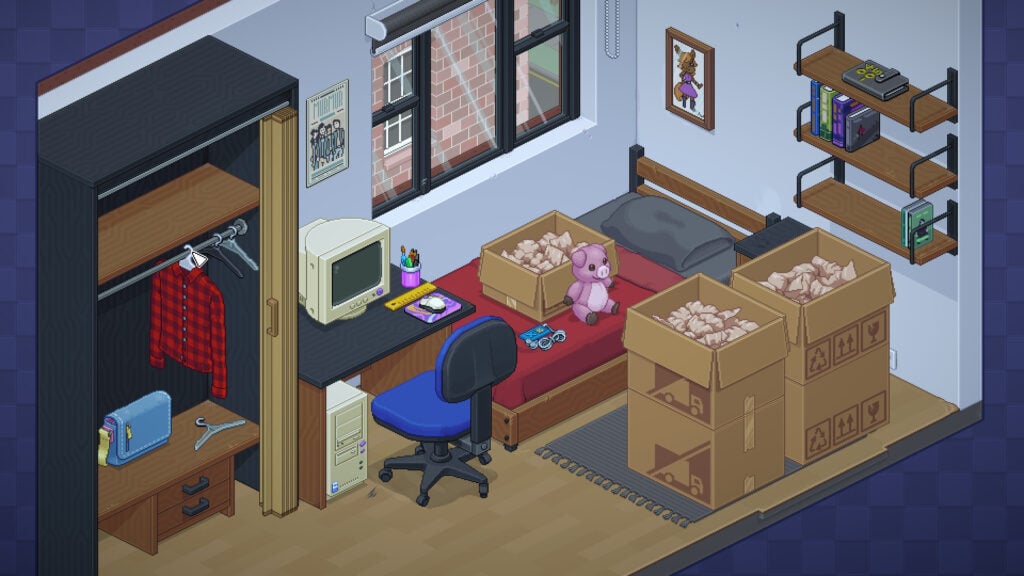
Opening moving boxes is more entertaining when someone else has already carried them upstairs. Unpacking tasks players with taking out possessions and arranging them in a series of homes, from a childhood bedroom to larger spaces later in the owner’s life. While the game can be played as is, we recommend turning on the “Allow items anywhere” option in the accessibility settings to make things a bit easier. The setting removes the placement puzzles, so kids can put things wherever there’s space without having to figure out which locations the game considers correct.
With the easy mode enabled, Unpacking becomes a simpler decorating game with a story told through belongings. Things like toys, books, clothes, and household objects communicate how the unseen owner’s life changes between moves. Children can concentrate on arranging shelves or finding a spot for a favorite stuffed animal, with no timer rushing them through the boxes. Noticing which possessions keep turning up in new homes can reveal what matters most to their owner.
Why Kids Will Love Unpacking
Opening each box reveals something new to find a home for, from kitchen supplies to treasured toys. “Allow items anywhere” lets kids make their own decisions about arranging those possessions and still move on to the next home.
- Price: $19.99 on Windows, macOS, and Linux (Steam)
- ESRB Rating: E for Everyone
- Platforms: Windows, macOS, Linux, PlayStation 4, PlayStation 5, Xbox One, Xbox Series X|S, Nintendo Switch, iOS, Android
- Players: 1
- Content Descriptors: None
Feather Lets Kids Fly For The Sake Of Flying

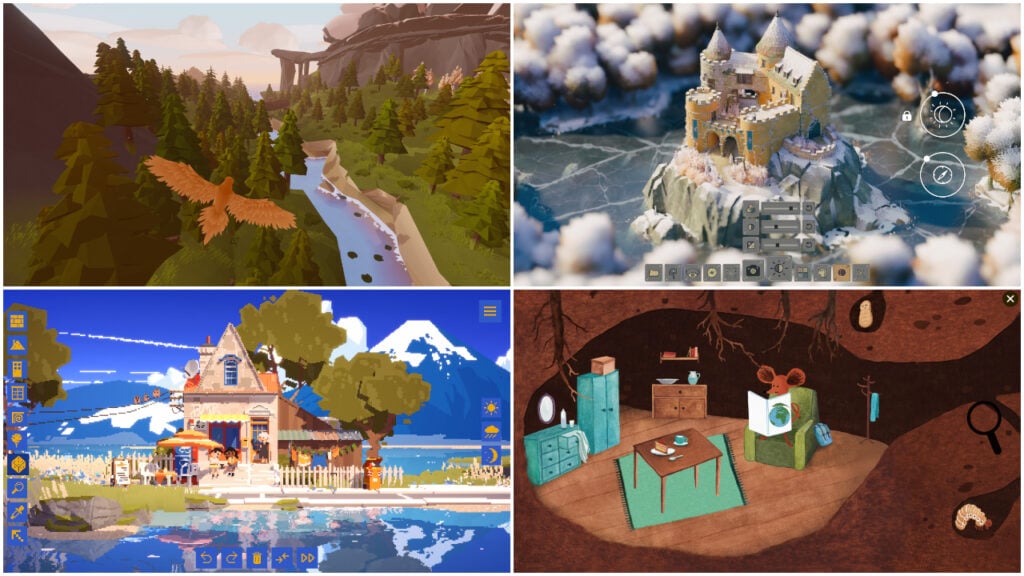
Feather hands kids a pair of wings and leaves the sightseeing up to them. There are no enemies to escape or missions to complete, leaving kids free to fly around an island and see what they can find. Players can skim along the coast, soar above the trees, or investigate a passage through the landscape. Music accompanies the flight, with new songs to discover around the world for children who want something to seek out while exploring.
Feather’s flying controls take some practice, so it’s worth helping a child get comfortable with steering before leaving them to explore. There’s no need to master a racecourse or perform tricks, since the game is just about flying around freely. Optional online multiplayer lets other birds share the sky, but playing alone is equally satisfying. If they want, kids can follow another bird for a while before going back to circling their favorite part of the island.
Why Kids Will Love Feather
Flying above the trees lets kids see the island from a bird’s perspective, with the freedom to change direction whenever something catches their eye. Finding a new song can give their next flight a different soundtrack.
- Price: $9.99 on Xbox One and Xbox Series X|S
- ESRB Rating: E for Everyone
- Platforms: Windows, macOS, PlayStation 4, Xbox One, Xbox Series X|S, Nintendo Switch
- Players: 1; optional online multiplayer
- Content Descriptors: None
My Dream Setup Gives Kids The Final Say On Their Room
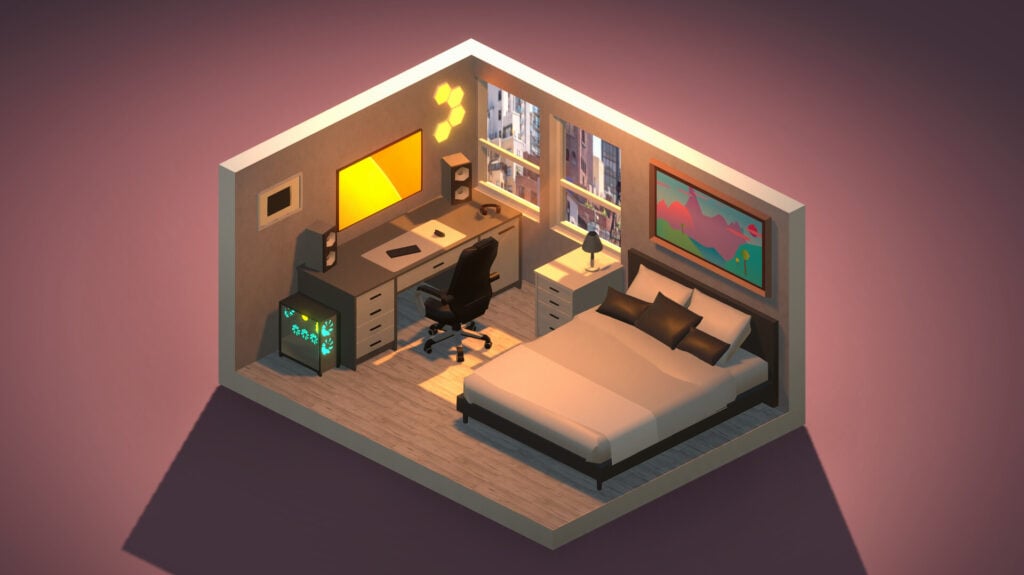
My Dream Setup lets kids design a room with space for their furniture, favorite colors, and perhaps a much bigger computer desk than they have at home. Players start by choosing where walls, windows, and doors go, then furnish the room with items such as chairs, computers, posters, and plants. Furniture can be moved freely rather than snapped to a grid, leaving children to decide how closely things should fit together. Meanwhile, individual items can be recolored to suit the design.
Changing your mind is easy in My Dream Setup, since even the room’s layout can be altered after decorating has begun. Kids can move a wall or replace a window without abandoning everything they’ve already arranged. Lighting and weather settings change how the finished room looks, from sunshine to rain against the windows. There’s no customer waiting to approve the design, so kids can keep adjusting it until they’re happy.
Why Kids Will Love My Dream Setup
Kids can plan a bedroom or computer corner around their own tastes, down to the colors of individual pieces of furniture. Rearranging a finished room lets them try a new idea whenever they feel like redecorating.
- Price: $5.99 on Windows and macOS (Steam)
- ESRB Rating: Not rated
- Platforms: Windows, macOS
- Players: 1
- Content Descriptors: No ESRB descriptors assigned
Little Corners Turns Sticker Books Into Tiny Worlds To Decorate
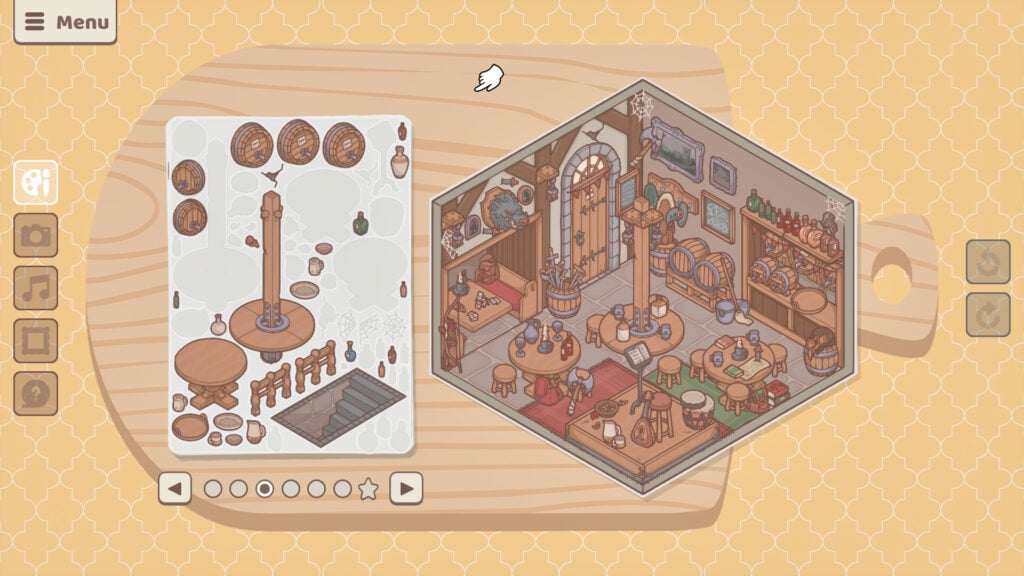
A sea captain’s quarters and an alchemist’s tower need rather different furnishings, but luckily Little Corners has stickers for both. In this game, kids get to decorate small illustrated rooms by peeling and placing furniture, ornaments, and animals, building up a scene one sticker at a time. The fantasy settings provide a starting point for imagining who lives there, while thousands of stickers leave plenty of choices about how to fill the space. Relaxed music accompanies the decorating, with no timer or score determining whether a room turned out well.
Little Corners hides extra stickers behind certain combinations of objects, giving curious children something to investigate as they arrange a room. Finding every secret is optional, so decorating can still remain the main attraction. Players can move things around as their ideas change and use the screenshot tool to keep a picture of a finished scene. Even the background and mat beneath the workspace can be customized if needed.
Why Kids Will Love Little Corners
Furnishing a sea captain’s room or a magical study lets kids imagine the person who might live there. Hidden stickers add surprises to experimenting with the objects, without requiring children to solve every secret before enjoying their creation.
- Price: $6.99 on Windows (Steam)
- ESRB Rating: Not rated
- Platforms: Windows
- Players: 1
- Content Descriptors: No ESRB descriptors assigned
Coloring Pixels Helps Kids Build A Picture One Square At A Time

Coloring Pixels breaks a picture into numbered squares, with each number matching a color in the palette. Players select a color and fill the corresponding squares, gradually turning the grid into a finished image. Knowing which color belongs where takes the guesswork out of getting started, making this a strong choice for children who prefer a clear task to a blank canvas. The computer version includes more than 90 free pictures, with additional themed packs available to buy.
It’s worth mentioning that there are a couple of settings in Coloring Pixels worth adjusting before a child starts. “Lock Completed Pixels” prevents them from accidentally painting over squares they’ve already colored correctly, while optional hints help locate the last uncolored squares. In addition, contrast and font options can make the numbers easier to distinguish. Smaller pictures are the best starting point for kids who lose patience with lengthy projects, since a large image can take quite a while to finish.
Why Kids Will Love Coloring Pixels
Watching a picture emerge from the numbered grid makes each patch of color part of a visible accomplishment. Protecting completed squares lets kids concentrate on filling the remaining spaces without undoing the work they’re proud of.
- Price: Free on Windows, macOS, and Linux (Steam); optional paid picture packs
- ESRB Rating: Not rated
- Platforms: Windows, macOS, Linux
- Players: 1
- Content Descriptors: No ESRB descriptors assigned
Capybara Spa Gives Its Guests Plenty Of Time To Be Pampered
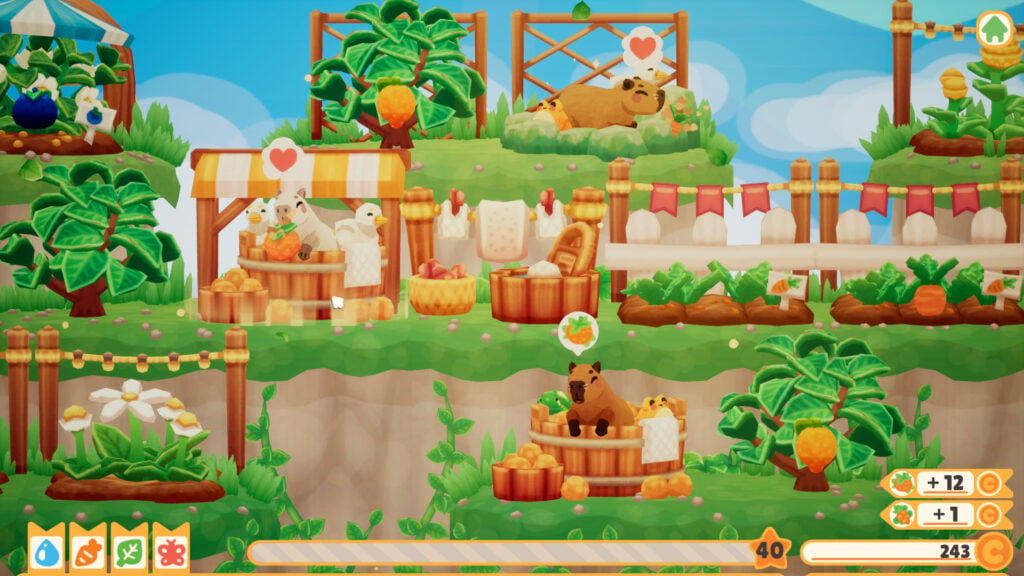
Capybaras apparently take their spa visits seriously enough to order snacks while soaking. In Capybara Spa, kids place the animals in baths and bring them fruit, flowers, towels, and soap when requested. Growing snacks and preparing supplies keep the spa running, with earnings going toward new facilities and decorations. The controls mainly involve clicking and dragging, so looking after a guest is a matter of bringing over the requested item and doesn’t require learning a complicated set of commands.
Capybara Spa has no timer or failure state, leaving kids as much time as they need to handle each request. As the spa grows, insect helpers can take over tasks such as delivering snacks and towels, reducing how much of the work children need to handle themselves. Expanding adds more baths and attracts visitors such as otters, frogs, and ducks. It’s worth adding facilities gradually so kids can enjoy caring for the animals without filling every bath before they’re ready.
Why Kids Will Love Capybara Spa
Giving a soaking capybara a snack or a flower for its head makes looking after guests entertaining just by itself. Smaller animals can share the baths, turning an ordinary visit into a gathering of unlikely bathing companions.
- Price: $7.99 on Windows (Steam)
- ESRB Rating: Not rated
- Platforms: Windows
- Players: 1
- Content Descriptors: No ESRB descriptors assigned
Bunny Park Rewards Kids For Making Rabbits Feel At Home
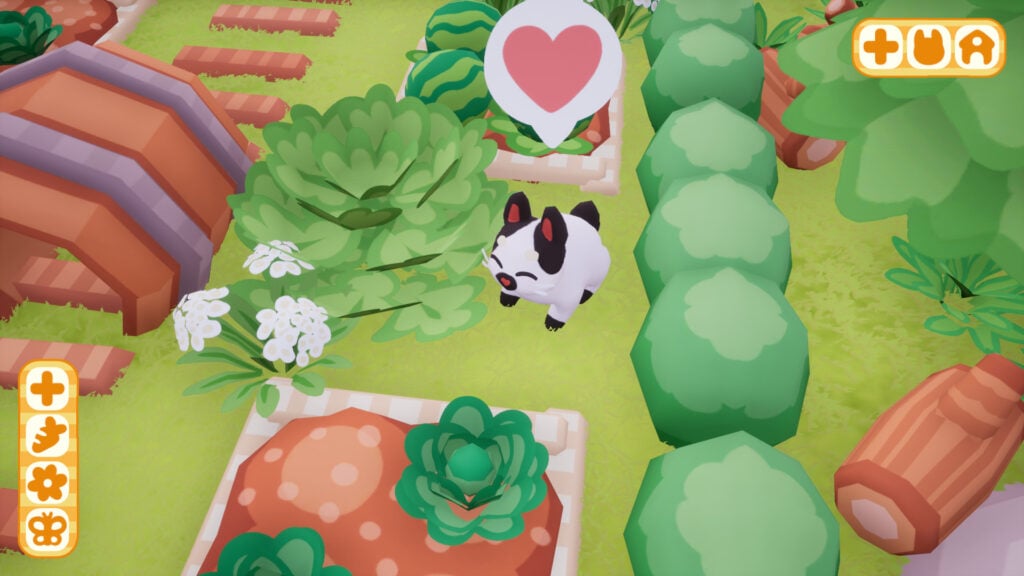
For starters, Bunny Park only gives players a patch of land and a rabbit who could use some company. Over time, kids can clear debris, put out snacks, and add toys and decorations to create a park that attracts more bunnies. Each newcomer has its own appearance and personality, making the growing collection more interesting than an increasing head count. Naturally, players can pet the rabbits whenever they want, but sleeping bunnies should be left to enjoy their naps. After all, even a well-meaning park owner needs to respect bedtime.
Coins collected around the park pay for improvements, so Bunny Park gives children something to build toward as they care for the residents. Progress comes through gradually expanding and decorating the grounds, with butterfly helpers available to handle chores such as collecting coins and clearing debris. The pace is slow, making this a better choice for kids who enjoy checking on animals than those expecting new activities every few minutes.
Why Kids Will Love Bunny Park
Seeing a new rabbit arrive makes an improved park feel like a welcoming home. Kids can get to know the different bunnies while choosing snacks, toys, and decorations for a place built around keeping them comfortable.
- Price: $4.99 on Windows (Steam)
- ESRB Rating: E for Everyone
- Platforms: Windows, PlayStation 4, PlayStation 5, Xbox One, Xbox Series X|S, Nintendo Switch
- Players: 1
- Content Descriptors: None
Dorfromantik’s Creative Mode Lets Kids Build Countryside That Keeps Going
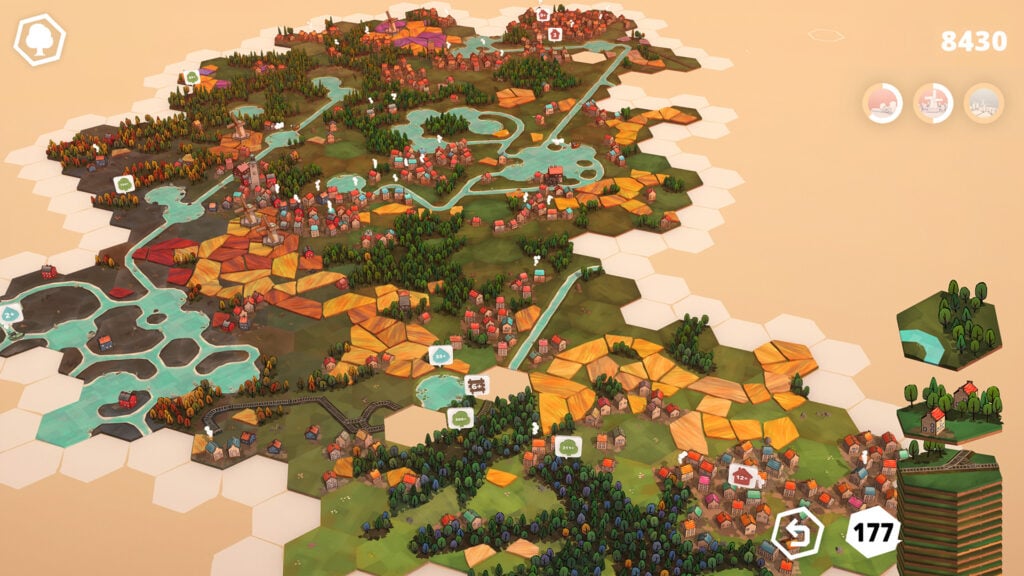
In Dorfromantik, players build countryside from hexagonal tiles showing cottages, fields, forests, and waterways. Kids can rotate each tile and attach it to the growing landscape, gradually joining little patches of scenery into villages and stretches of woodland. Since the game can get a bit complex in the latest stages, we’re primarily recommending Creative Mode, which supplies unlimited tiles and removes quests and scoring. In this mode, kids can concentrate on how their countryside looks without worrying about earning enough tiles or running out of building pieces.
The biggest selling point of Dorfromantik’s Creative Mode is watching the map take shape through small decisions. A few cottages can become a village beside a forest, with farmland spreading out beyond its edges. There are no battles, trading systems, or resource budgets to interrupt that process. Of course, the standard modes are also available for children who later want placement challenges, but Creative Mode is the best place to start.
Why Kids Will Love Dorfromantik
Joining a handful of tiles can produce a little village that gradually becomes part of a much larger landscape. Creative Mode lets children keep extending that world, with no score to judge their choices or tile supply to exhaust.
- Price: $13.99 on Windows and macOS (Steam)
- ESRB Rating: E for Everyone
- Platforms: Windows, macOS (Apple silicon), PlayStation 4, PlayStation 5, Xbox One, Xbox Series X|S, Nintendo Switch
- Players: 1
- Content Descriptors: None

