

Kids don’t need to be confident readers to enjoy a good video game. Following a character’s spoken instructions, copying a dance move, or figuring out where a puzzle piece belongs can get them involved long before they’re ready to work through pages of dialogue. For younger children, being able to understand what’s happening without constantly asking someone to read the screen can make playing much more enjoyable.
The best video games for kids that need little or no reading are more varied than you might expect. Preschoolers can grow a garden with Jinja or visit Peppa Pig, while children with more controller practice can race the family in Mario Kart or hunt for treasure with Captain Toad. Our 20 picks focus on games rated E for Everyone or a comparable age rating, with options for building, exploring, solving puzzles, and playing together.
From time to time, parents may still need to handle menus, explain a control, or read an occasional bonus objective. Some puzzles and jumping challenges will need a helping hand too, even when there’s barely a word on the screen. Each entry explains those demands alongside what makes the game fun, helping parents choose something that suits both their child’s reading level and their experience with video games.
Sago Mini Jinja’s Garden Lets Preschoolers Grow More Than Vegetables
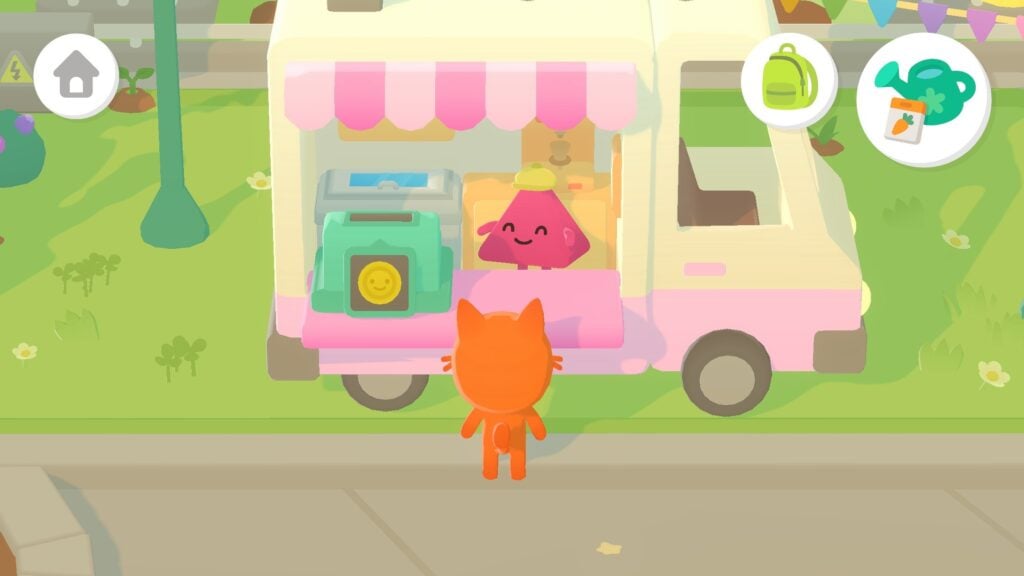
Growing carrots is a reasonable thing to do in a garden. Growing hot dogs is more ambitious, but Sago Mini Jinja’s Garden has room for both. In this cozy Apple Arcade game, kids guide Jinja around a neighborhood where they plant seeds, water crops, and share the harvest in order to help her animal friends. The game is designed for children as young as three, with simple interactions that don’t require reading. On a touchscreen, swiping moves Jinja around, keeping the controls manageable for small hands.
Harvested ingredients can become cakes, pies, or pizzas to share with the neighbors, so gardening leads naturally into cooking and visiting friends. Kids can head off to explore a cloud garden or spend time bouncing in a castle whenever they fancy a change. There’s no need to rush through the activities, and the game works offline once downloaded. That makes it easy to bring the game along on a family trip.
Why Kids Will Love Sago Mini Jinja’s Garden
Preschoolers can plant something and turn the harvest into food to share with the entire neighborhood. Wandering off to play is just as welcome, with gardens and neighbors waiting whenever they return.
- Price: Included with Apple Arcade, which costs $6.99 per month in the US
- ESRB Rating: Not rated; Apple App Store rating of 4+
- Platforms: iPhone, iPad, Mac, Apple TV
- Players: 1
- Content Descriptors: No ESRB descriptors assigned
My Friend Peppa Pig Invites Kids Into Their Favorite Cartoon

Peppa is looking for a new friend, and kids get to create the animal who joins her. My Friend Peppa Pig takes players around locations from the show, including Peppa’s house, the beach, and Potato City, with characters suggesting things to do along the way. From helping Daddy Pig find his glasses to going on a trip out with Peppa’s family, there are plenty of fun activities to look forward to. The characters and narrator speak aloud, so children can follow what’s happening without having to read the dialogue.
The controls mostly involve moving around and interacting with people or objects, leaving kids free to concentrate on where they want to go. Jumping in muddy puddles is, of course, on the agenda. My Friend Peppa Pig is best suited to preschoolers who already enjoy the show and want to take part in its outings. While kids shouldn’t have any problem with the game itself, parents may need to handle the opening menus before handing over the controller.
Why Kids Will Love My Friend Peppa Pig
Choosing their own animal character makes kids part of Peppa’s circle of friends. Spoken conversations carry them through visits and activities, with the same child-friendly humor they know from watching the family on television.
- Price: $39.99 for the standard edition on Windows (Steam)
- ESRB Rating: E for Everyone
- Platforms: Windows, PlayStation 4, PlayStation 5, Xbox One, Xbox Series X|S, Nintendo Switch
- Players: 1
- Content Descriptors: None
PAW Patrol: On A Roll! Helps Young Players Learn The Rescue Ropes
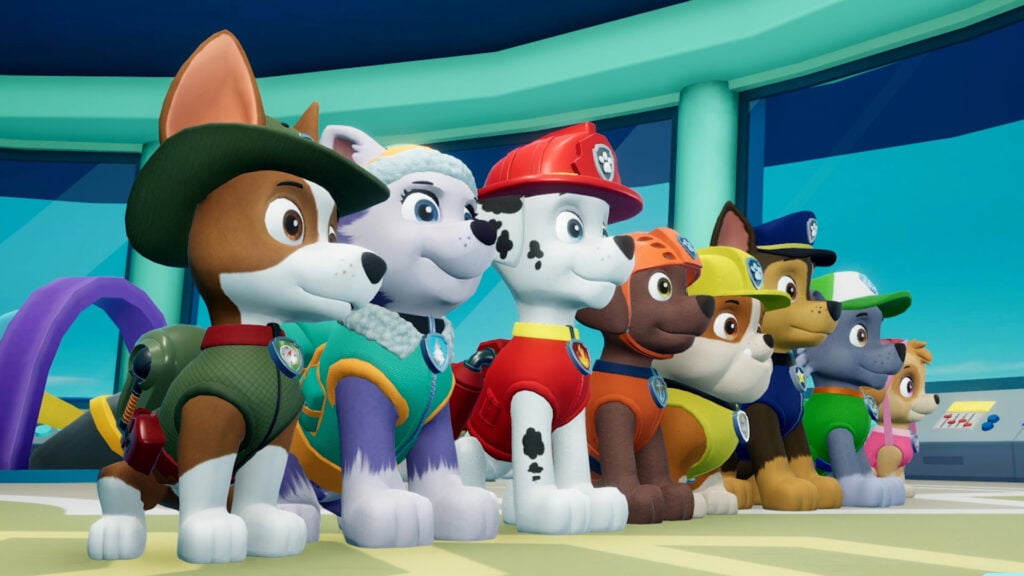
Ryder has a job for the pups, and he’s happy to explain what needs doing. PAW Patrol: On a Roll! sends kids on 16 rescue missions around Adventure Bay, with spoken instructions and on-screen button prompts guiding them through each task. The gameplay primarily revolves around moving along straightforward routes, jumping across gaps, and collecting Pup Treats while working toward someone who needs help.
Missions pair up pups such as Chase and Skye, with each dog’s rescue equipment used to clear different obstacles along the way. The guided missions are perfect for children learning to use a controller, since Ryder explains what to do at each task. Kids still need to practice steering and timing jumps, but reading instructions won’t hold them up. There are eight locations to visit in total, from Farmer Yumi’s Farm to snowy mountains, with minigames built around the pups’ rescue skills.
Why Kids Will Love PAW Patrol: On A Roll!
Using the pups’ rescue equipment puts kids in charge of helping Adventure Bay’s residents. Ryder’s guidance keeps the next task clear, while collecting treats along the route adds something extra to look for between rescues.
- Price: $29.99 on Windows (Steam)
- ESRB Rating: E for Everyone
- Platforms: Windows, PlayStation 4, Xbox One, Nintendo Switch
- Players: 1
- Content Descriptors: None
Putt-Putt Saves The Zoo Puts A Little Car On A Big Rescue Mission

Six baby animals have wandered off just as the Cartown Zoo is preparing to open its gates. Putt-Putt Saves the Zoo puts kids behind the wheel of a purple car that volunteers to bring them back. Finding the animals takes players through various habitats where they collect objects and work out how to reach anyone who’s stuck. Characters explain their troubles aloud, and items appear as pictures in Putt-Putt’s inventory, so children can attempt the rescues without reading.
Clicking around the scenery often triggers a joke or animation, making it worth investigating things that have nothing to do with the missing animals. Whenever they need a chance of pace, kids can pause the search to play ice hockey with a polar bear or watch penguins dance. The puzzles in this game are simple, but they do require kids to remember what they’ve seen and connect an object with a use. Parents can help by asking questions about a stuck animal instead of supplying the answer immediately.
Why Kids Will Love Putt-Putt Saves The Zoo
Reuniting a baby animal with its family makes each rescue worth celebrating. The zoo’s silly animations reward curious clicking, so even a detour that doesn’t advance the search can turn up something funny.
- Price: $6.99 on Windows, macOS, and Linux (Steam)
- ESRB Rating: E for Everyone
- Platforms: Windows, macOS, Linux, PlayStation 4, Nintendo Switch, iOS, Android
- Players: 1
- Content Descriptors: None
Freddi Fish And The Case Of The Missing Kelp Seeds Lets Kids Follow The Clues By Ear
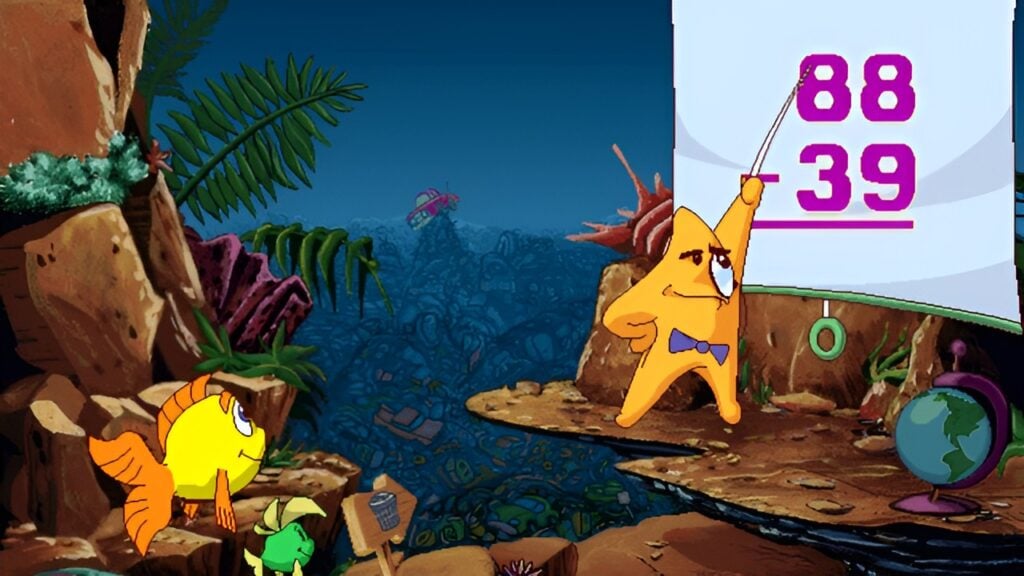
Grandma Grouper’s kelp seeds have disappeared, and the underwater community needs them to keep everyone fed. Freddi Fish and the Case of the Missing Kelp Seeds follows Freddi and her friend Luther as they search reefs, caves, and sunken wrecks for the missing supply. All the conversations in the game are voiced, while objects and clues can be recognized by looking at the scene. When they’re not listening to dialogue, kids spend their time gathering items and figuring out where those items might help.
As players follow the trail that leads to the missing supply, sometimes they’ll be tasked with swimming back to a place they’ve already visited with something new to try. Remembering a character’s request matters more than reading a quest log in this game, though younger children may appreciate a parent reminding them who needed what. There are hundreds of spots to click for animations, which make exploring entertaining even when the next step isn’t immediately obvious.
Why Kids Will Love Freddi Fish And The Case Of The Missing Kelp Seeds
Kids can piece together an underwater mystery by paying attention to what the characters say and trying out their own ideas. Freddi and Luther’s conversations keep them company while they search, with silly surprises tucked into the scenery.
- Price: $6.99 on Windows, macOS, and Linux (Steam)
- ESRB Rating: E for Everyone
- Platforms: Windows, macOS, Linux, PlayStation 4, Nintendo Switch, iOS, Android; released on Wii as Freddi Fish: Kelp Seed Mystery
- Players: 1
- Content Descriptors: None
Townscaper Lets Kids Build A Seaside Town One Block At A Time
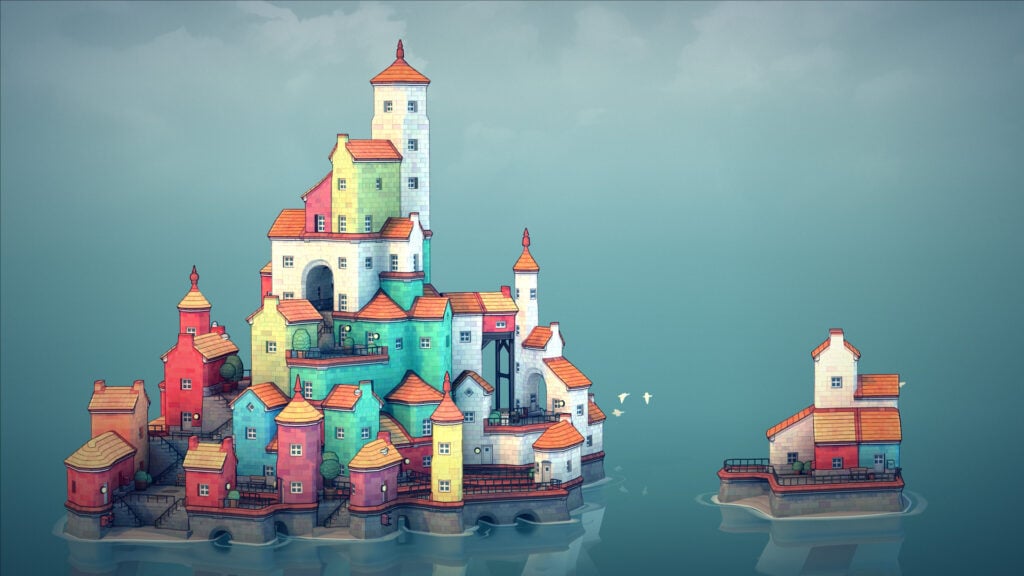
Townscaper starts with nothing but open water and leaves the rest to the player. From there, kids can choose a color and place blocks to create houses, then keep adding to them until a village becomes a town. Roofs, stairways, and arches appear automatically as the buildings change shape, so players can experiment without having to assemble every detail themselves. There are no conversations to follow or written missions telling them what to build next.
Placing blocks beside each other produces different results from stacking them into a tower, which encourages kids to try a new arrangement and see what happens. Players can remove pieces whenever they want to change their design, with no building budget to worry about. As a result, Townscaper feels closer to a box of building blocks than a traditional city management game. Young builders can spend all their time creating bridges, courtyards, and narrow streets without having to look after the residents afterward.
Why Kids Will Love Townscaper
Kids can start with a few houses and gradually turn them into a town of their own. Watching the buildings reshape themselves makes experimenting entertaining, even when players don’t have a particular design in mind.
- Price: $5.99 on Windows and macOS (Steam)
- ESRB Rating: E for Everyone
- Platforms: Windows, macOS (Intel Macs), Xbox One, Xbox Series X|S, Nintendo Switch, iOS, Android
- Players: 1
- Content Descriptors: None
Yoshi’s Crafted World Turns Cardboard Scenery Into A Treasure Hunt
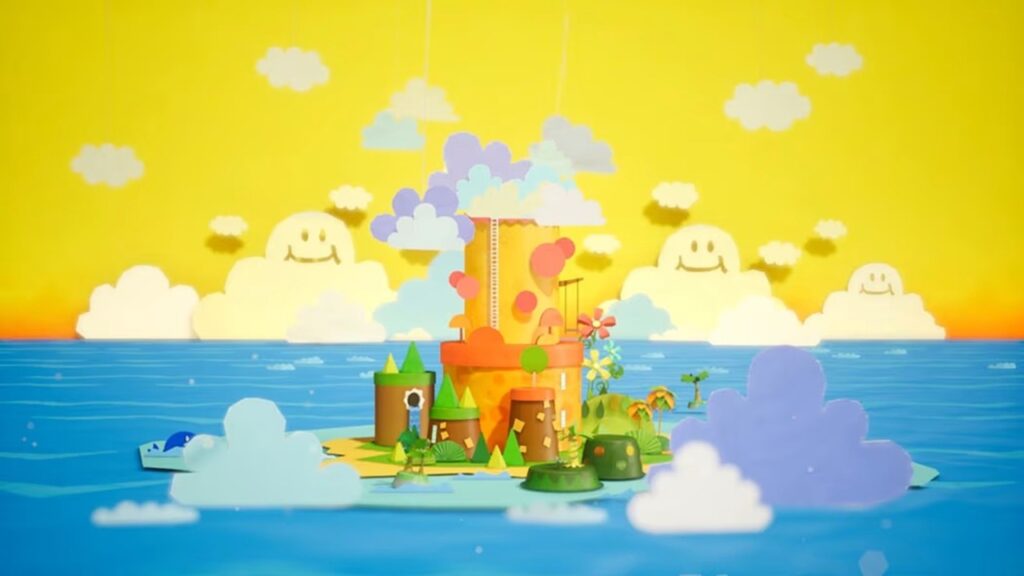
Cardboard boxes and paper cups make surprisingly good scenery when Yoshi is exploring them. Yoshi’s Crafted World takes kids through handmade-looking stages where they jump across platforms, swallow enemies, and throw eggs at targets tucked into the scenery. Meanwhile, looking beyond the path reveals coins or collectibles hiding in the background. Now, it is worth mentioning that while the basic gist of the game is easy to understand, parents may need to read conversations and requests for optional scavenger hunts.
The optional Mellow Mode gives Yoshi wings, allowing beginners to fly over gaps while they get comfortable with the controls. It’s also possible for a parent or sibling to join as a second Yoshi, allowing two players to search the stages together. Completed levels can be played from the opposite side to look for Poochy Pups, exposing the backs of the cardboard props along the route. Replaying levels and seeing how the scenery is put together adds to the fun of checking every corner for something hidden.
Why Kids Will Love Yoshi’s Crafted World
Throwing an egg at a suspicious piece of scenery can reveal a collectible kids would otherwise have missed. Mellow Mode makes reaching those hidden corners easier, while the reversed stages turn a completed level into a fresh search.
- Price: $59.99 on Nintendo Switch
- ESRB Rating: E for Everyone
- Platforms: Nintendo Switch
- Players: 1–2 locally
- Content Descriptors: Mild Cartoon Violence
Super Mario Bros. Wonder Keeps Kids Guessing About The Next Flower
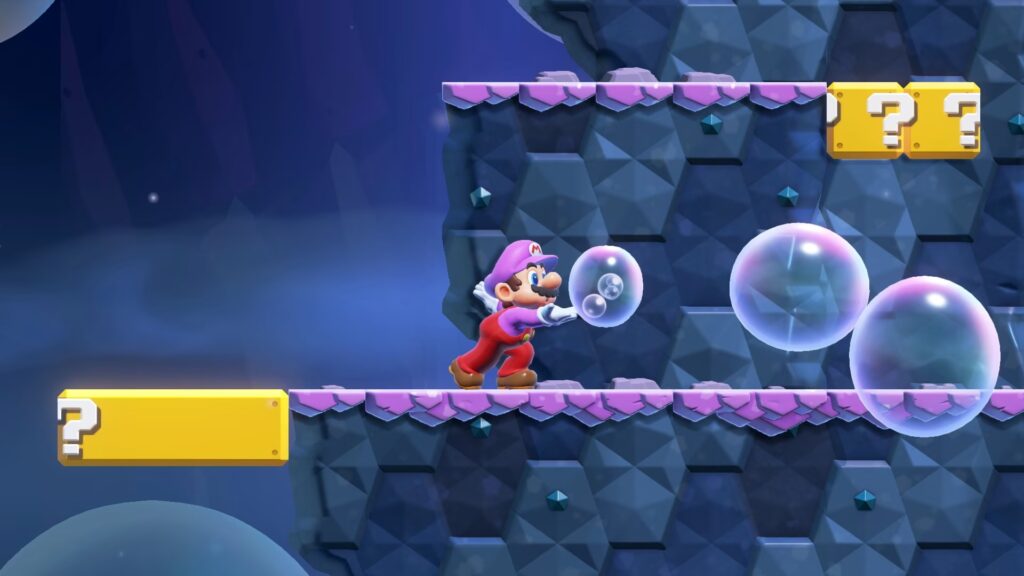
A pipe might start crawling away when Mario touches a Wonder Flower, or the entire level might suddenly turn into a musical number. Super Mario Bros. Wonder introduces surprises like those to the series’ running and jumping, with each flower temporarily changing the level. Kids can follow the action by watching the platforms and enemies, while talking flowers offer spoken comments along the route. Story dialogue and badge descriptions still call for some reading help, though.
Choosing Yoshi or Nabbit removes damage from enemies, so beginners can get past a troublesome Goomba without losing a life. Falling into a pit is still dangerous, however, and getting across gaps takes practice. Up to four people can play together on one system, with players able to revive a teammate after a mistake. At the same time, characters such as Mario and Peach can use power-ups to become elephants or blow bubbles that double as stepping stones.
Why Kids Will Love Super Mario Bros. Wonder
Wonder Flowers can transform a level just when kids think they know what to expect. The surprise of finding out what happens next rewards exploring, while Yoshi and Nabbit make enemy encounters more forgiving for beginners.
- Price: $59.99 for the Nintendo Switch game; $79.99 for the Nintendo Switch 2 Edition + Meetup in Bellabel Park
- ESRB Rating: E for Everyone
- Platforms: Nintendo Switch; Nintendo Switch 2 Edition + Meetup in Bellabel Park on Nintendo Switch 2
- Players: 1–4 locally in the main game; online play available
- Content Descriptors: Mild Fantasy Violence; In-Game Purchases
Mario Kart 8 Deluxe And Mario Kart World Let Kids Race Without Written Instructions

Unsurprisingly, keeping a kart on the road is pretty challenging when someone is throwing shells at it. Kids can race in Mario Kart 8 Deluxe and Mario Kart World without reading dialogue or following written objectives. Characters and courses have pictures in the selection screens, and the races communicate what’s happening through the track, item icons, and other drivers. If needed, parents can handle the mode selection and turn on assistance before starting.
Both games offer Smart Steering to help keep drivers on the course and Auto-Accelerate to move the kart without holding a button. Starting with 50cc races leaves kids more time to react to corners and obstacles. Mario Kart 8 Deluxe runs on Nintendo Switch, while Mario Kart World requires Nintendo Switch 2 and adds an interconnected world to explore between races. Four-player split-screen is available in both, so the whole family can compete with assistance set separately for each driver.
Why Kids Will Love Mario Kart 8 Deluxe And Mario Kart World
Kids can choose a favorite Mario character and join a family race while driving assists help them stay on track. Shells, mushrooms, and banana peels keep the competition unpredictable, giving them more to do than simply steer toward the finish.
- Price: $59.99 for Mario Kart 8 Deluxe; $79.99 for Mario Kart World
- ESRB Rating: E for Everyone for both games
- Platforms: Nintendo Switch for Mario Kart 8 Deluxe; Nintendo Switch 2 for Mario Kart World
- Players: 1–4 locally in split-screen; up to 12 online in Mario Kart 8 Deluxe and 24 online in Mario Kart World
- Content Descriptors: Comic Mischief in Mario Kart 8 Deluxe; Mild Fantasy Violence in Mario Kart World; both include Users Interact
Sackboy: A Big Adventure Lets Kids Jump Through A World Of Fabric And Music
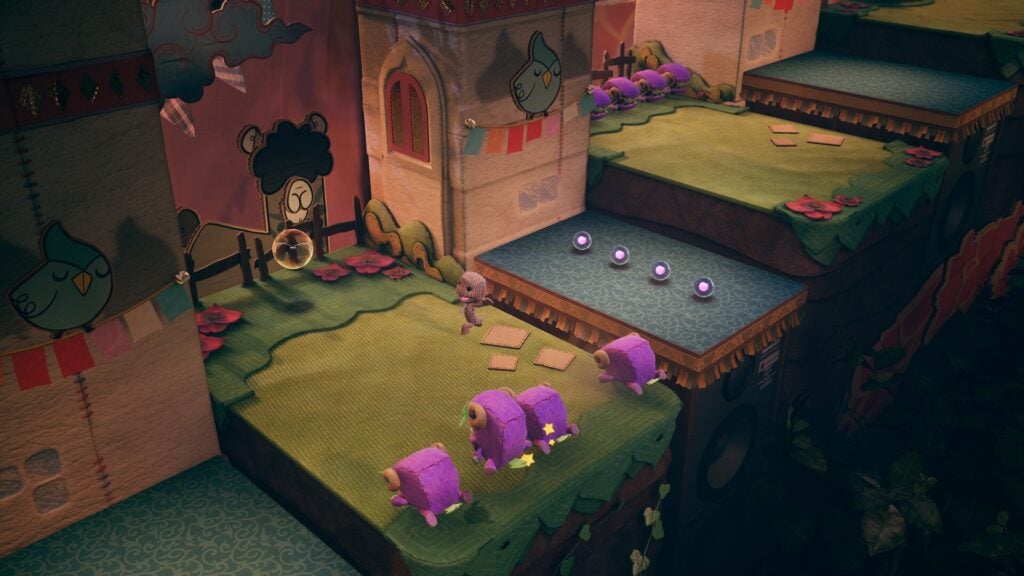
Vex has kidnapped Sackboy’s friends, leaving the knitted hero to rescue them across Craftworld. In Sackboy: A Big Adventure, kids jump between platforms, roll past hazards, and grab objects as they explore stages made from fabric and cardboard. The story scenes have spoken dialogue, so players can follow the characters without having to worry about reading subtitles. Menus and written tutorial prompts may need an adult’s help, but most of the action involves watching the surroundings and working out where to go.
Some levels use licensed songs, with platforms and enemies moving in time with the music. Up to four players can tackle the stages together through local or online co-op, including levels designed for teamwork. The jumping becomes more demanding later on, making this a stronger recommendation for children with some controller practice. Collecting costume pieces provides something extra to hunt for, with outfits to mix and match between levels.
Why Kids Will Love Sackboy: A Big Adventure
The musical stages make getting through a level feel like joining a performance, with Sackboy right in the middle of it. Dressing him in a ridiculous combination of costume pieces adds a personal touch before the family heads into the next stage.
- Price: $59.99 for the standard edition on Windows (Steam)
- ESRB Rating: E for Everyone
- Platforms: Windows, PlayStation 4, PlayStation 5
- Players: 1–4 locally or online
- Content Descriptors: Mild Cartoon Violence, Mild Lyrics; Users Interact
Super Mario 3D World + Bowser’s Fury Puts Cat Suits To Work
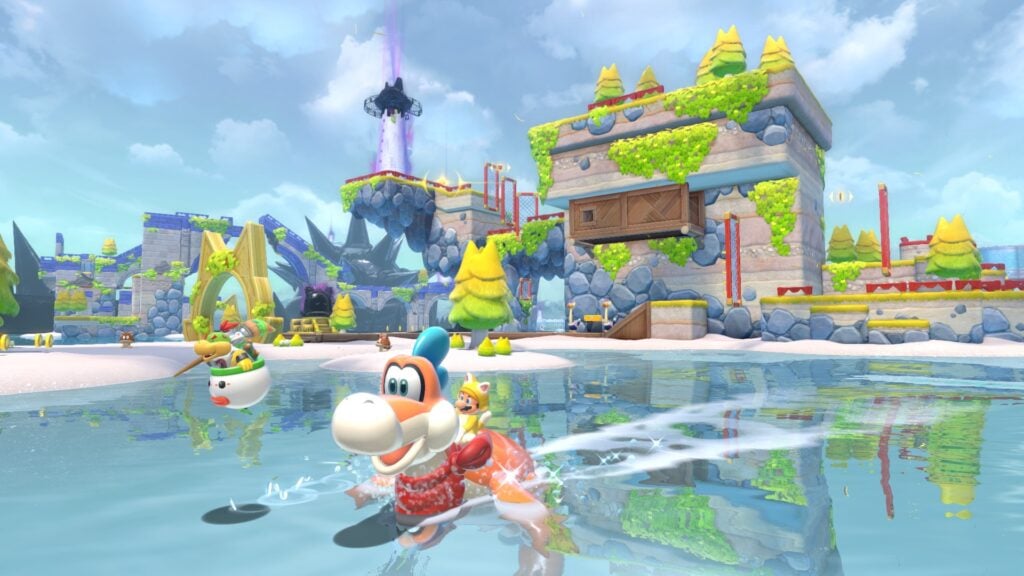
The Super Bell turns Mario and his friends into cats, with claws for climbing walls and swiping at enemies. Super Mario 3D World + Bowser’s Fury puts those abilities to work across courses full of moving platforms, hidden Green Stars, and flagpoles to reach. Most of the main game’s instructions come from the layout and obstacles themselves, with little dialogue to read. Kids learn what a new power-up does by trying it out and watching the result.
Up to four players can tackle Super Mario 3D World together, with Peach’s ability to float offering extra help when lining up a jump. The included Bowser’s Fury takes Mario across connected islands, where a second player can control Bowser Jr. and help fight enemies. A giant Bowser periodically interrupts the exploration with fiery attacks, making this part of the game more intense than some of the others. We recommend that younger children start with 3D World’s shorter, separate courses, just to get their feet wet.
Why Kids Will Love Super Mario 3D World + Bowser’s Fury
Climbing a wall in a cat suit opens routes that an ordinary jump won’t reach. Kids can search for hidden stars alongside older siblings, with different characters and power-ups giving them new ways to get through a tricky course.
- Price: $59.99 on Nintendo Switch
- ESRB Rating: E for Everyone
- Platforms: Nintendo Switch
- Players: 1–4 locally or online in Super Mario 3D World; 1–2 locally in Bowser’s Fury
- Content Descriptors: Mild Cartoon Violence; Users Interact
Captain Toad: Treasure Tracker Makes Looking Around Part Of The Puzzle
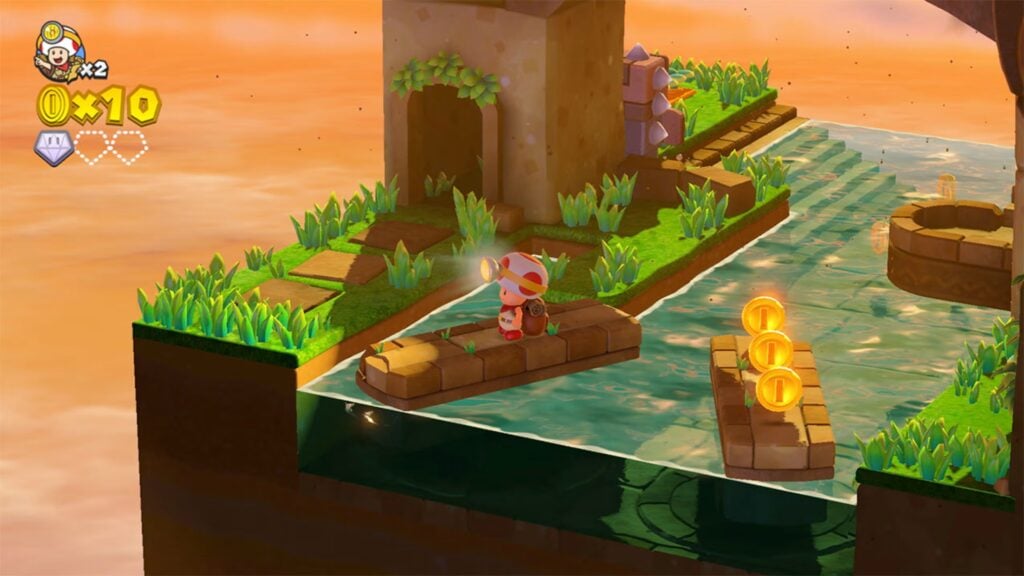
Captain Toad’s backpack is too heavy for jumping, which is a bit inconvenient in a world full of platforms. Captain Toad: Treasure Tracker sends the explorer through compact courses where reaching a Power Star means finding a route around that limitation. Kids can do so by climbing ladders, pulling switches, and rotating the camera to spot passages hidden behind walls. Meanwhile, looking at a stage from the other side can reveal the staircase they need or a gem’s location.
The Power Star marks the goal, so children can concentrate on the route without needing to read an explanation of the task. Optional bonus objectives are written, but parents can read those aloud if needed when kids want an extra challenge. Enemies and moving hazards still call for careful timing, though there are no running jumps to master. On Nintendo Switch, a second player can join the exploration, letting both players inspect the puzzle and suggest a different path.
Why Kids Will Love Captain Toad: Treasure Tracker
Turning the camera can uncover a path that was hiding in plain sight. Finding a way to reach the star without jumping makes each little course satisfying to figure out, with gems waiting for kids who investigate further.
- Price: $39.99 on Nintendo Switch
- ESRB Rating: E for Everyone
- Platforms: Nintendo Switch, Wii U, Nintendo 3DS
- Players: 1–2 locally on Nintendo Switch with the free update; 1 on Wii U and Nintendo 3DS
- Content Descriptors: Mild Cartoon Violence
Snipperclips Plus: Cut It Out, Together! Turns Paper Friends Into Puzzle Tools
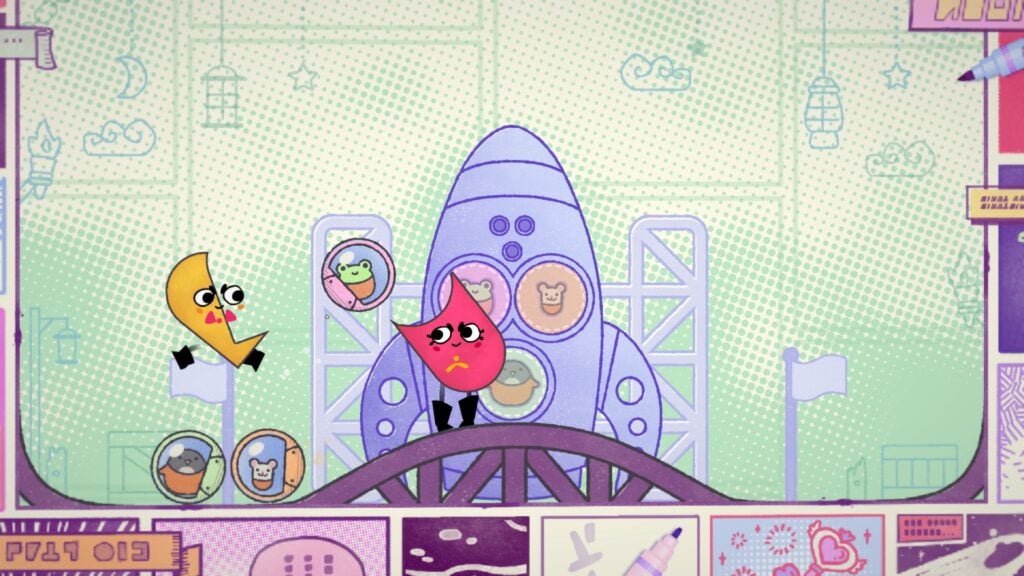
Snipperclips Plus: Cut It Out, Together! puts players in charge of Snip and Clip, two paper characters who trim pieces off each other to solve puzzles. For instance, a curved cut can create a scoop for carrying a ball, while a pointed edge can come in handy when players need to pop a balloon. The objects and outlines on the screen show what needs doing, with little to no reading required.
That said, parents may still need to explain some of the controls, and younger kids will benefit from a partner who can help plan the cuts. A badly shaped character can be restored, so there’s room to try an idea and adjust it after a mistake. Two players can work through World mode together, while Party mode supports up to four players at once. The Plus edition includes the original game and additional puzzles set in comic book and toy box worlds.
Why Kids Will Love Snipperclips Plus: Cut It Out, Together!
Kids can turn their character into the tool a puzzle needs, then test whether their homemade shape works. Cutting a partner into something ridiculous is part of the fun, with the option to restore them and have another go.
- Price: $29.99 for the full Snipperclips Plus game on Nintendo Switch
- ESRB Rating: E for Everyone
- Platforms: Nintendo Switch
- Players: 1–2 in World mode; 2–4 locally in Party and Blitz modes
- Content Descriptors: None
PHOGS! Gives Two Players Opposite Ends Of One Stretchy Dog
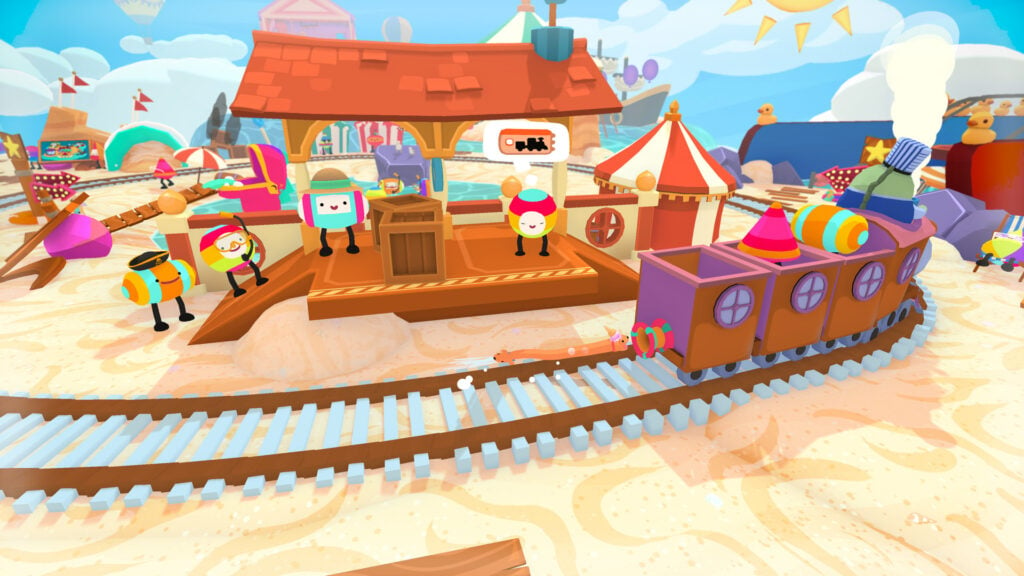
Red and Blue share a single stretchy body, making a simple walk more complicated than it should be. In PHOGS!, players guide this double-ended dog through puzzles by biting objects, stretching between ledges, and pulling both heads past obstacles. One head can hold on while the other reaches out, allowing their shared body to be used as a tool for getting around. The characters communicate without written conversations, so kids can work out the puzzles by just watching and experimenting.
The setup is pretty versatile, as one person can control both heads, or two players can take a head each through local or online co-op. A parent or older sibling consequently makes a good partner for younger players. Just be aware that coordinating Red and Blue’s movements takes some practice, since pulling in opposite directions won’t get either dog very far. Fittingly, the game’s worlds are themed around Food, Sleep, and Play, with chocolate rivers and giant cushions to explore.
Why Kids Will Love PHOGS!
Stretching a dog across a gap is ridiculous enough even before the two heads start disagreeing about where to go. Working out a route together gives kids a shared puzzle to solve, with hats to collect for their very strange pet.
- Price: $24.99 on Windows (Steam)
- ESRB Rating: E for Everyone
- Platforms: Windows, PlayStation 4, Xbox One, Nintendo Switch
- Players: 1–2 locally or online
- Content Descriptors: Mild Cartoon Violence
LEGO Voyagers Sends Two Tiny Bricks After A Very Big Dream
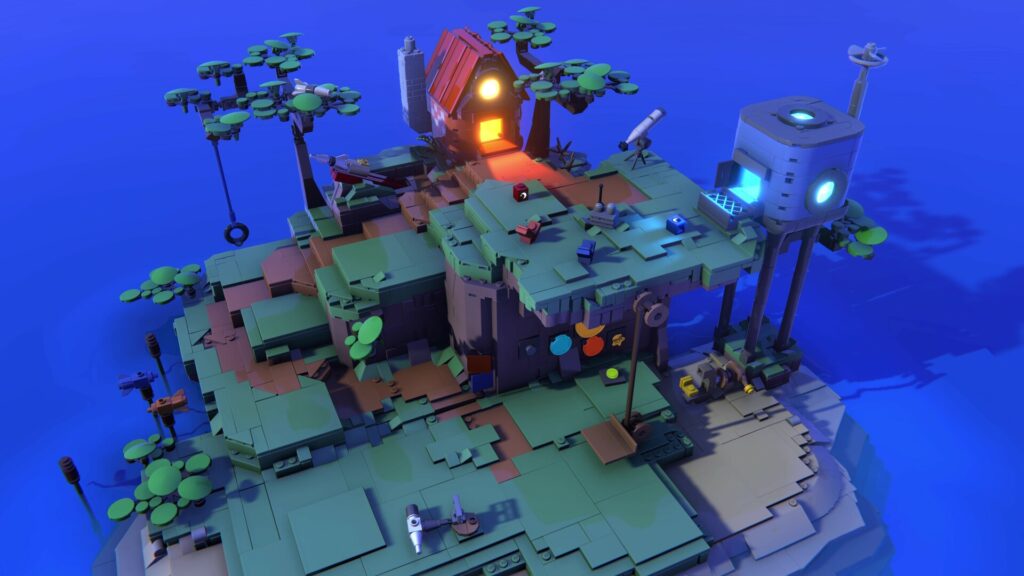
Two players control one brick each in LEGO Voyagers, tumbling through a world built from LEGO pieces and snapping together to get past obstacles. Their size turns the scenery into climbing and building challenges, with cooperation needed to keep both friends moving. The story is told without words, so kids follow the friendship through the characters’ movements and squeaks instead of reading dialogue.
LEGO Voyagers requires two players throughout, so kids will need a friend, sibling, or parent to join them. Some obstacles give each brick a separate job, so players need to plan together and coordinate their actions. Occasionally, younger children may need some help figuring out what to try when the game leaves them to experiment. Local co-op in LEGO Voyagers uses a single screen, while the free Friend’s Pass allows an online partner to join someone who owns the full game.
Why Kids Will Love LEGO Voyagers
Playing as a tiny brick makes a LEGO world feel enormous, with everyday pieces becoming things to climb over or build with. Getting both friends past an obstacle requires them to work together, so each player has a part in the success.
- Price: $24.99 for the standard edition on Windows (Steam)
- ESRB Rating: E for Everyone
- Platforms: Windows, PlayStation 4, PlayStation 5, Xbox Series X|S, Nintendo Switch, Nintendo Switch 2
- Players: 2 required, locally or online
- Content Descriptors: None
Unpacking Lets Kids Make A Home One Box At A Time
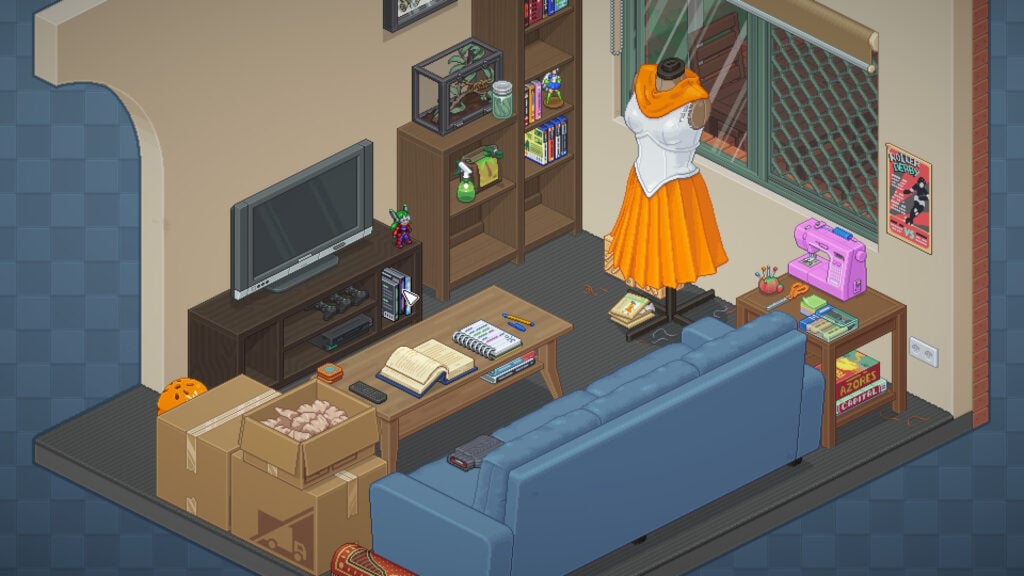
Opening a moving box is a bit like unwrapping a present, even when all it contains are kitchen utensils. Unpacking tasks kids with taking belongings out of boxes and finding places for them in a home, from arranging toys to putting plates away in cupboards. Each move introduces different rooms and possessions, with a character’s life taking shape through the things they keep. Reading isn’t required at all to play or complete the game.
Some objects in Unpacking only belong in certain places, so kids need to think about what an item is and where someone would use it. If needed, parents can enable “Allow items anywhere” to remove those placement rules, turning the rooms into spaces children can furnish however they like. Unpacking gives players all the time in the world to rearrange a shelf, try a different spot for a favorite toy, or inspect the next object coming out of the box. There are no timers or penalties pushing them to finish.
Why Kids Will Love Unpacking
Kids get to decide how shelves, cupboards, and bedrooms should look as each box reveals something else to put away. The option to place items anywhere gives younger decorators freedom to arrange a home according to their own ideas.
- Price: $19.99 on Windows, macOS, and Linux (Steam)
- ESRB Rating: E for Everyone
- Platforms: Windows, macOS, Linux, PlayStation 4, PlayStation 5, Xbox One, Nintendo Switch, iOS, Android
- Players: 1
- Content Descriptors: None
LEGO Builder’s Journey Makes A Few Bricks Go A Long Way
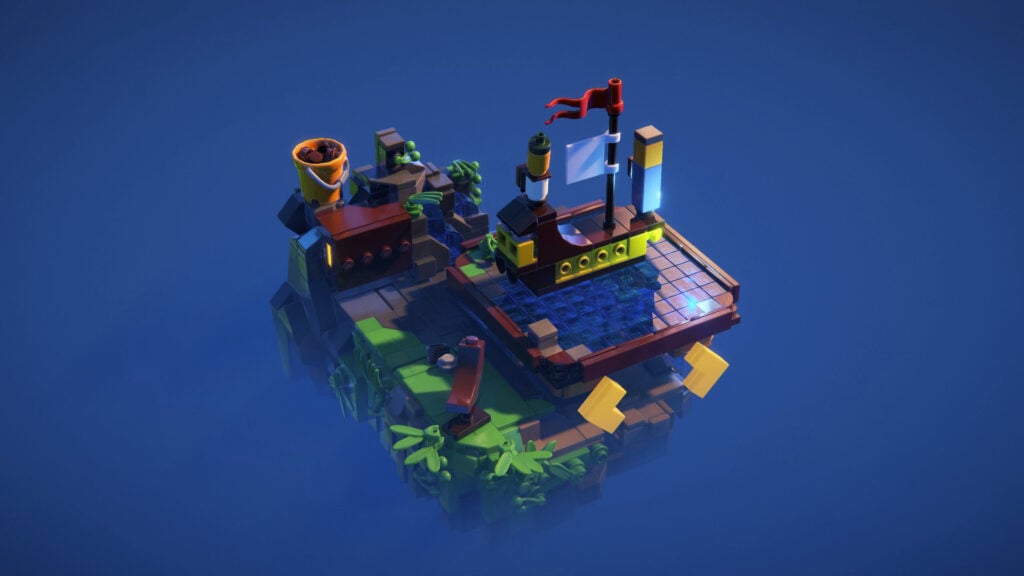
LEGO Builder’s Journey features puzzles built around the idea that a handful of pieces can become a bridge when someone needs to cross a gap, asking kids to pick up, rotate, and place bricks to create a route through scenes. Players work with the available pieces, testing how their shapes fit together and where a stepping stone might help. The story follows a parent and child whose relationship is shown through movement and actions rather than written conversations.
Early puzzles introduce building gradually, but later stages require more thought about arranging the pieces. Kids who enjoy working out a construction challenge will get more from the story mode than children who only want to stack bricks freely. Creative Mode caters to that second group, offering building plates for making models of their own. Photo Mode lets them change the camera angle and lighting to show off their finished models.
Why Kids Will Love LEGO Builder’s Journey
Finding a way across a gap with just a few pieces gives kids the satisfaction of making their own solution work. Creative Mode offers room to keep building after the puzzles, with models they can photograph from different angles.
- Price: $19.99 on Windows (Steam); Apple versions are included with Apple Arcade
- ESRB Rating: E for Everyone
- Platforms: Windows, PlayStation 4, PlayStation 5, Xbox One, Xbox Series X|S, Nintendo Switch; iPhone, iPad, Mac, Apple TV, and Apple Vision Pro through Apple Arcade
- Players: 1
- Content Descriptors: None
A Little To The Left Hides Puzzles In Everyday Clutter

A Little to the Left asks kids to straighten pictures, line up stationery, and arrange household objects until the mess starts making sense. The challenge is spotting which pattern the game wants, whether that means sorting things by size or lining up their shapes. Some puzzles accept multiple arrangements, encouraging players to look again after finding one of the answers. The clues are in the objects themselves, so children can tackle the sorting without reading instructions for every task.
The hint system reveals a picture of the solution, with players choosing how much to uncover. Parents may need to show younger kids how to open the hints or use “Let It Be” to skip a puzzle that’s frustrating. A Little to the Left is a great choice for children who enjoy matching and spotting patterns, since some arrangements take more thought than the controls suggest. To spice things up a bit, a mischievous cat occasionally gets involved, disrupting their tidy arrangements.
Why Kids Will Love A Little To The Left
Finding the arrangement that makes everything fit turns a small mess into a satisfying puzzle. Picture hints offer help without a written explanation, while the interfering cat brings some silliness to the sorting.
- Price: $14.99 for the base game on Windows and macOS (Steam)
- ESRB Rating: E for Everyone
- Platforms: Windows, macOS, PlayStation 4, PlayStation 5, Xbox One, Xbox Series X|S, Nintendo Switch, iOS, Android
- Players: 1
- Content Descriptors: None
Just Dance 2026 Edition Gets Kids Following The Moves Instead Of The Words
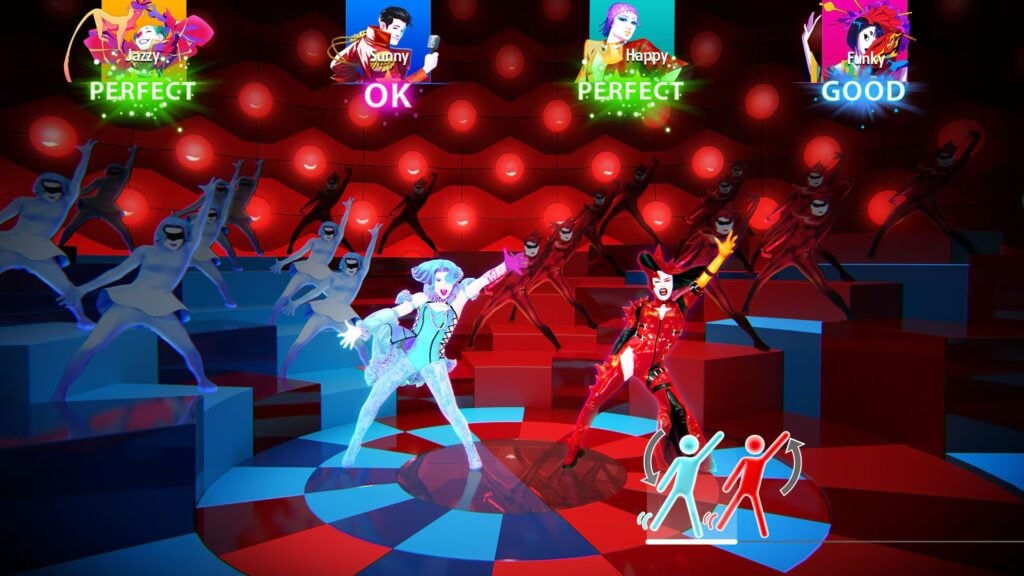
Kids don’t need to read a song’s lyrics to dance along with it because Just Dance 2026 Edition shows dancers performing each routine, with scrolling picture prompts previewing the next move. Players copy what they see and earn points for keeping time, making observation and movement the main skills to practice. The 40-song selection includes a Bluey Medley featuring Bluey and Bingo, alongside pop songs they may recognize from home.
Up to six people can dance together locally, so parents and siblings can join in when a child wants company. On Nintendo Switch, a Joy-Con can track their movements, while PlayStation and Xbox players use a compatible smartphone with the Just Dance Controller app. Adults should handle setup and help choose songs and routines suited to the children playing. The optional Just Dance+ subscription adds more music, but the songs included with the 2026 Edition can be played without a subscription.
Why Kids Will Love Just Dance 2026 Edition
Copying a dancer turns a favorite song into something kids can take part in with the family. Bluey and Bingo provide a starting point for younger fans, while repeating a routine lets them learn more of the moves each time.
- Price: $49.99 for the standard edition on Nintendo Switch
- ESRB Rating: E for Everyone
- Platforms: Nintendo Switch, Nintendo Switch 2, PlayStation 5, Xbox Series X|S
- Players: 1–6 locally or online; compatible controllers or smartphones required
- Content Descriptors: Mild Lyrics; Users Interact and In-Game Purchases
Flower Lets Kids Bring A Landscape Back To Life

Flower puts players in control of the wind, carrying a petal across fields and gathering more petals as they pass through blossoms. Following groups of flowers changes the landscape, bringing life and color back to the surroundings as the trail grows. There’s no dialogue or quest text, so children can concentrate on steering through the grass and watching what happens. The music responds to their progress as they sweep through the flowers.
Learning to steer the breeze takes practice, with motion controls used on PlayStation and mobile versions. The early fields leave room to get comfortable, but Flower doesn’t stay sunny throughout. Later stages introduce dark industrial areas and electrical hazards that make the route more tense. Parents may want to stay nearby for those sections, even if a child handles the opening independently. Restoring each area lets kids watch the grass and flowers reclaim places that had looked lifeless.
Why Kids Will Love Flower
Watching a trail of petals grow as kids sweep across a field makes movement itself entertaining. Player actions change the landscape around them, with patches of revived grass showing where the breeze has already made a difference.
- Price: $6.99 on Windows (Steam)
- ESRB Rating: E for Everyone
- Platforms: Windows, PlayStation 3, PlayStation 4, PlayStation Vita, iOS, iPadOS
- Players: 1
- Content Descriptors: None

