


Simulation and management games let kids try their hand at everything from flying a plane to running a theme park. Some recreate real jobs in detail, while others give players the freedom to build a city or design a home. With so many different subjects to choose from, these games can be a great way for kids and teens to explore something they’re already interested in.
The best simulation games make learning the controls and completing a job enjoyable, whether that means harvesting a field or restoring an old car. Management games take that a step further by putting players in charge of the bigger decisions. Buying new equipment or expanding a business gives them something to work toward, and seeing those choices pay off can keep them coming back.
We’ve chosen a mix of the best simulation and management games for kids and teens, including easygoing titles and more detailed games for those who enjoy a challenge. Some are simple enough to start with little help, while others take patience and a willingness to learn. Each entry covers what players can expect, along with age ratings, multiplayer options, and platforms to help you find the best fit for your young gamers.
Farming Simulator 25 Lets Kids Run A Farm With Real Machinery

Farming Simulator 25 puts players behind the wheel of the tractors, harvesters, and other machines that keep a working farm going. They get to prepare fields, plant crops, and bring in the harvest, then decide how to spend the money they’ve earned. Rice farming adds flooded paddies to the usual fields, while goats and water buffalo give animal lovers more livestock to care for.
Farming Simulator 25 is easily one of the best farming games for kids and teens who are especially interested in the equipment and day-to-day work of agriculture. In addition to everything else, there’s also a business to run here. Buying a bigger machine might speed up the harvest, but players still need enough money for their other expenses. The methodical pace of the game will suit patient kids who like learning how things work and sticking with a project.
Why Kids And Teens Will Love Farming Simulator 25: Players can operate impressive machinery, look after livestock, and build a farm around the jobs they enjoy most. Sharing the workload makes it a good option for families who want to play together online.
- ESRB Rating: E for Everyone
- Content Descriptors: None
- Players: Single-player; online co-op with cross-play
- Available Platforms: Windows PC, macOS, PlayStation 5, Xbox Series X/S
Microsoft Flight Simulator 2020 Offers An Entire World To Explore

Microsoft Flight Simulator gives young aviation fans a chance to take off from real airports and explore the world from above. Players can fly small aircraft over recognizable cities, follow a coastline, or work toward handling a passenger jet. The 40th Anniversary Edition of the game released in 2020 includes helicopters and gliders, too, so there’s plenty to try beyond a conventional airplane. For kids fascinated by aircraft, this is one of the best simulation games for exploring that interest in detail.
Learning the controls takes some patience, but flight training and assistance settings help beginners get started on the right foot. Microsoft Flight Simulator 2024 is the newer installment in the series, but the 2020 game has stronger overall Steam player feedback, which is why we’ve chosen it for this list. The game’s sightseeing and flight challenges still give aspiring pilots plenty to work toward.
Why Kids And Teens Will Love Microsoft Flight Simulator: Flying over places players recognize makes the experience personal, while different aircraft give them new skills to practice. The game is particularly easy to recommend to teens willing to spend time learning the instruments and controls.
- ESRB Rating: E for Everyone
- Content Descriptors: None
- Players: Single-player; online multiplayer
- Available Platforms: Windows PC, Xbox Series X/S
Euro Truck Simulator 2 Turns Deliveries Into A Growing Business
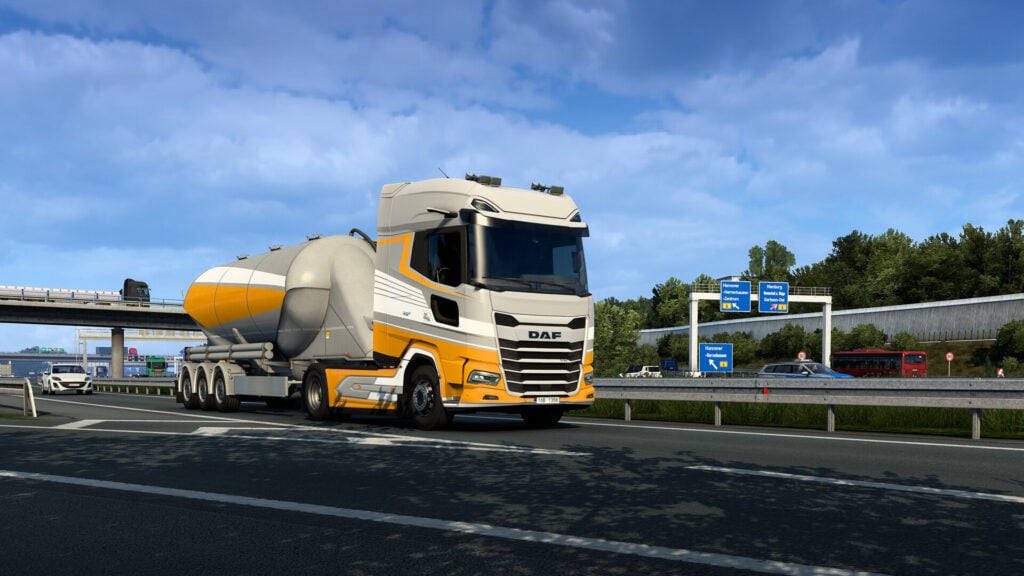
Euro Truck Simulator 2 tasks players with collecting a trailer and delivering its cargo to another city. Doing it well means paying attention to traffic, managing turns in a large vehicle, and getting the load to its destination safely. A long journey gives players time to enjoy the scenery, while backing a trailer into a delivery space provides a more difficult challenge that requires a fair bit of skill to pull off properly.
As their earnings grow, players can buy trucks, expand their garages, and hire drivers to take on additional work. The combination of driving and business decisions earns it a place among the best simulation games for teens who like vehicles. There’s no need to buy a steering wheel to get started, although compatible driving equipment is an option for enthusiasts. Younger players may need help with the controls and menus before they can manage a job independently.
Why Kids And Teens Will Love Euro Truck Simulator 2: Choosing and customizing a truck gives players something to save for, and each completed delivery helps their company grow. This is a good match for players who enjoy careful driving and long road trips.
- ESRB Rating: No ESRB rating listed on the checked PC storefront; PEGI 3
- Content Descriptors: No ESRB descriptors listed
- Players: Single-player; online Convoy multiplayer
- Available Platforms: Windows PC, macOS, Linux
SnowRunner Turns Every Delivery Into A Driving Puzzle
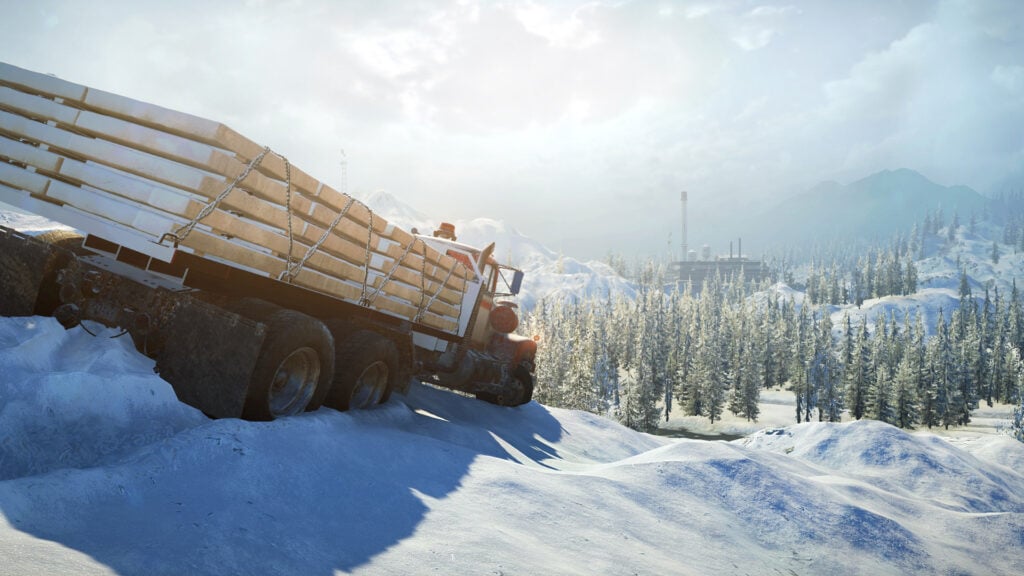
Getting a truck across a muddy field sounds easy until the wheels start sinking. SnowRunner builds its challenges around that sort of problem, sending players through rough terrain with cargo that needs to reach its destination. Before setting off, players will need to consider their vehicle, equipment, and route. A shortcut through deep water could save them some time, but it could also leave them using a winch to pull themselves out.
Completing contracts opens up more opportunities to improve the fleet and explore. Scouting a road before taking a loaded truck down it can prevent a difficult rescue later, and different vehicles are useful for different jobs. Thanks to the four-player online co-op mode, a friend can bring a second truck to help when things go wrong.
Why Kids And Teens Will Love SnowRunner: Big trucks, difficult routes, and rescue attempts give players plenty of memorable moments. Figuring out how to cross an obstacle is rewarding, especially when players work out a solution with a friend.
- ESRB Rating: E for Everyone
- Content Descriptors: None
- Players: Single-player; online co-op for up to 4 players
- Available Platforms: Windows PC, macOS, Nintendo Switch, PlayStation 4, PlayStation 5, Xbox One, Xbox Series X/S
PowerWash Simulator 2 Makes Cleaning Up Surprisingly Enjoyable
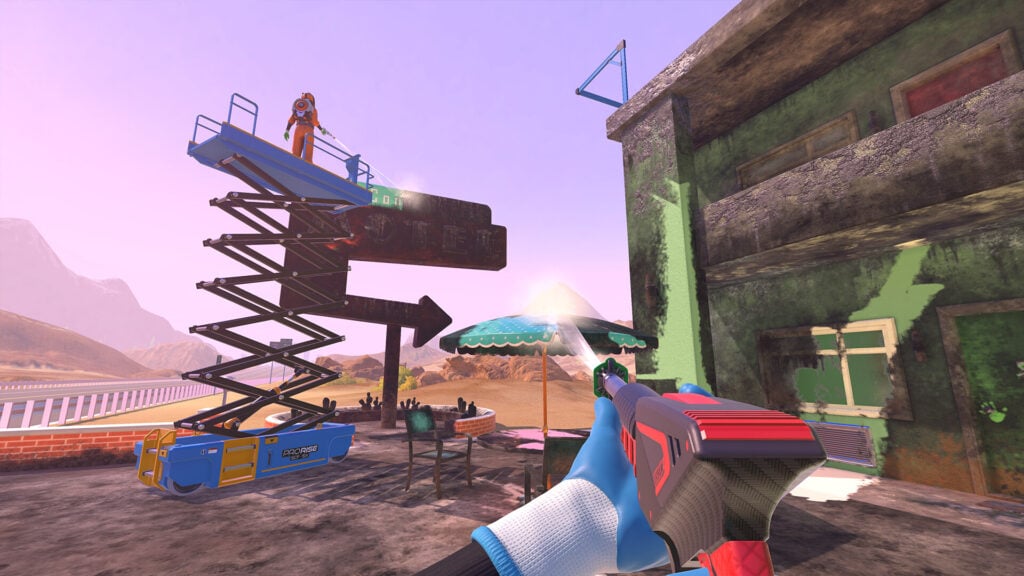
PowerWash Simulator 2 gives players a pressure washer and a series of very dirty places to clean. Sweeping away the grime reveals the surfaces underneath, with each finished section bringing the job closer to completion. Different nozzles and tools help with broad areas, stubborn marks, and awkward corners. Larger jobs can unfold across several stages, so cleaning the outside of something isn’t necessarily the end of the job.
Kids can concentrate on one small section at a time, and there’s room to choose their own approach to a job. Earnings go toward equipment, while a customizable home base gives them somewhere to arrange furniture between jobs. The sequel’s split-screen co-op mode allows two players to clean together on the same screen without each needing a separate system. Online co-op supports an even larger cleaning crew.
Why Kids And Teens Will Love PowerWash Simulator 2: The before-and-after changes are immediate and easy to appreciate. Cleaning a huge job with a parent or sibling turns a simple activity into something they can finish together.
- ESRB Rating: E for Everyone
- Content Descriptors: None
- Players: Single-player; 2-player split-screen co-op; online co-op for up to 4 players
- Available Platforms: Windows PC, Nintendo Switch 2, PlayStation 5, Xbox Series X/S
House Flipper 2 Gives Budding Designers A House To Transform
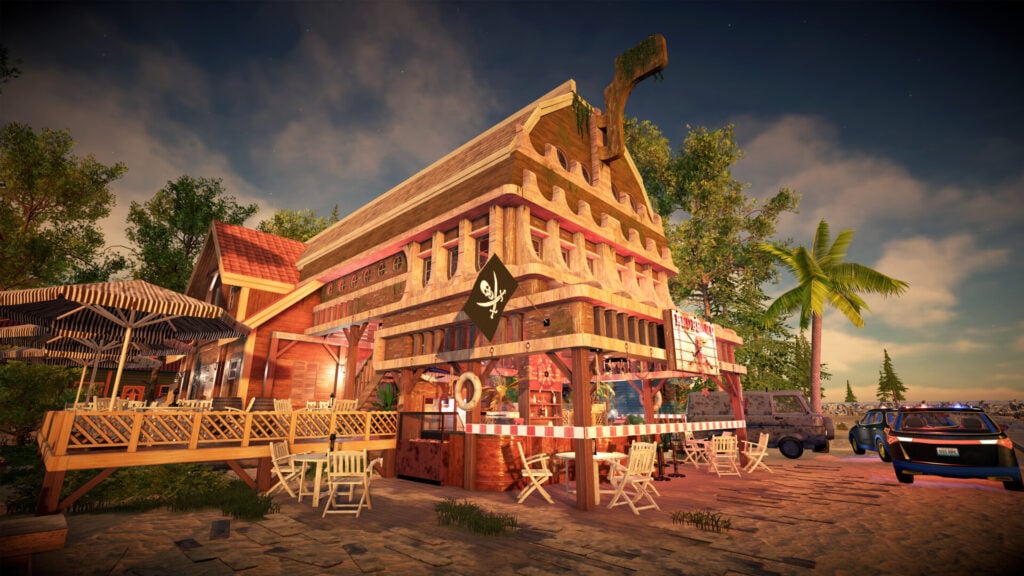
House Flipper 2 lets players take a neglected property and turn it into a place they’d actually want to live. The work starts with practical tasks such as clearing rubbish and cleaning surfaces, then moves on to painting, changing layouts, and furnishing rooms. Following a client’s requests gives each job a purpose, while buying and renovating properties introduces a simple business goal where players need to think about what they’re spending as they improve the house.
The building tools offered by House Flipper 2 leave plenty of room for personal taste. A teen who enjoys choosing furniture can spend most of their time decorating while another could get absorbed by the process of moving walls and reworking a floor plan. Sandbox mode goes further by letting players build houses from scratch. Online co-op supports up to four people across PC and consoles, so friends can divide the work or tackle a shared design.
Why Kids And Teens Will Love House Flipper 2: Players can try out decorating ideas and see an entire house change through their work. The combination of guided jobs and free building suits both players who want instructions and those with their own plans.
- ESRB Rating: E for Everyone
- Content Descriptors: None
- Players: Single-player; online co-op for up to 4 players, with cross-play
- Available Platforms: Windows PC, PlayStation 5, Xbox Series X/S
Car Mechanic Simulator 2021 Lets Car Fans Get Under The Hood
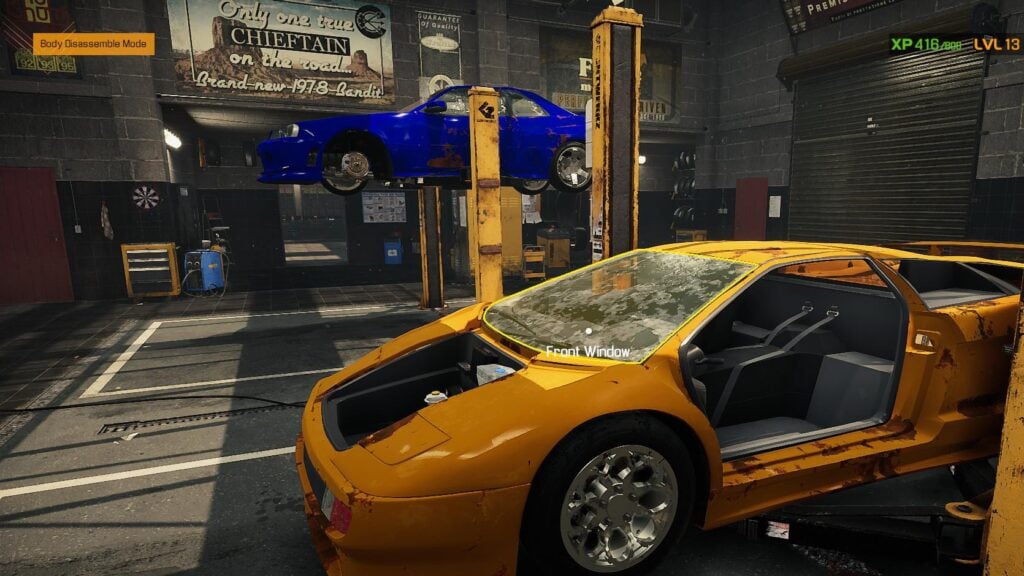
Car Mechanic Simulator 2021 puts players in charge of a garage where each customer brings another vehicle to inspect and repair. They’ll investigate faults, remove worn components, and fit replacement parts before sending the car back out. Working through an engine or suspension assembly takes more attention than simply selecting a repair from a menu. The game is a good fit for teens who want to know what’s underneath a car’s bodywork and who enjoy methodical tasks.
Customer jobs help pay for better equipment and a larger workshop. Players can then take on their own restoration projects, buying tired vehicles from places such as auctions and junkyards and getting them back into shape. The many components can be intimidating at first, so it helps to start with smaller repairs before attempting a major rebuild. Although it introduces real automotive terminology, this is still a simplified game rather than a substitute for practical instruction.
Why Teens Will Love Car Mechanic Simulator 2021: Restoring a battered car gives players a project they can follow from diagnosis to the finished vehicle. Car enthusiasts will particularly enjoy choosing which models to buy and improve for themselves.
- ESRB Rating: E for Everyone
- Content Descriptors: None
- Players: Single-player
- Available Platforms: Windows PC, PlayStation 4, Xbox One; playable on PlayStation 5 and Xbox Series X/S through backward compatibility
PC Building Simulator Makes Computer Hardware Less Mysterious
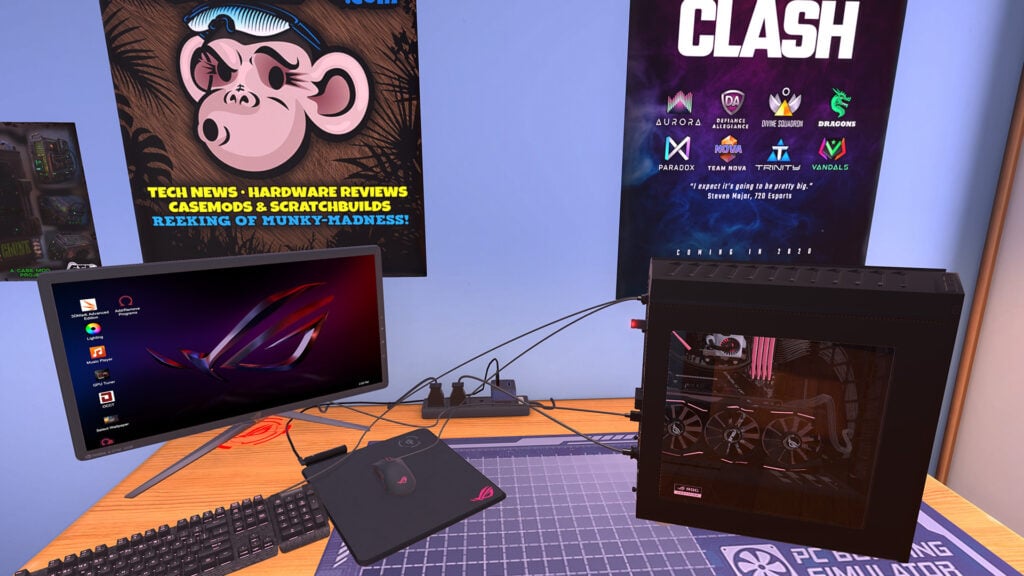
PC Building Simulator gives players a repair shop full of computers that need their attention. Customers send in jobs, and it’s up to the player to work out what’s wrong, order suitable parts, and get each machine running properly. Players will get to handle components such as processors, graphics cards, and memory, with licensed hardware from real manufacturers. Budgets and deadlines add a management element, as the most expensive upgrade isn’t always the right answer to a customer’s request.
For teens interested in building a gaming PC, the guided assembly is a fantastic introduction to where the major components go and how they fit together. Meanwhile, Free Build mode lets them experiment with a dream machine without the career mode’s financial restrictions. The game simplifies the physical work, so it shouldn’t be treated as a complete guide to assembling a real computer, but it can still make unfamiliar hardware easier to recognize.
Why Teens Will Love PC Building Simulator: Players can explore the hardware behind their favorite hobby and put together computers they’d love to own. Running a repair business gives that experimentation a series of clear, manageable goals.
- ESRB Rating: E for Everyone
- Content Descriptors: None
- Players: Single-player
- Available Platforms: Windows PC, Nintendo Switch, PlayStation 4, Xbox One; console versions also playable on compatible newer systems
Two Point Museum Combines Exhibit Hunting With Museum Management
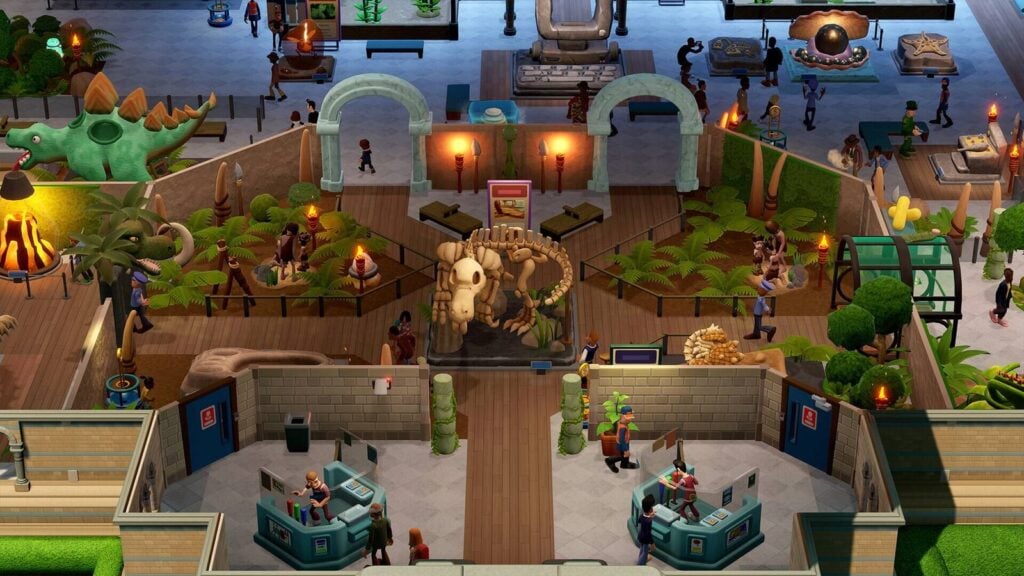
Two Point Museum lets players create the sort of museum that could only exist in a video game. Sending experts on expeditions brings back unusual exhibits, which then need suitable displays, maintenance, and staff to look after them. Building the collection is only half the job, though. Visitors need clear routes, useful facilities, and enough interesting things to see if they’re going to leave impressed and help keep the museum funded.
The expeditions give players a reason to look beyond their current building. A new discovery might inspire the creation of a room, but sending an expert away means thinking about who will handle the work at home. Within the museum, arranging exhibits and improving tours lets kids experiment with how visitors experience the collection. The game’s silly discoveries and visual jokes make it one of the best management games for families who like a little humor with their planning.
Why Kids And Teens Will Love Two Point Museum: Bringing home a strange new exhibit makes expansion exciting. Players can build themed displays, follow their experts’ discoveries, and shape a museum that’s as unusual as its collection.
- ESRB Rating: E for Everyone
- Content Descriptors: Crude Humor, Mild Language
- Players: Single-player
- Available Platforms: Windows PC, Nintendo Switch 2, PlayStation 5, Xbox Series X/S
Planet Zoo Is All About Management And Animal Welfare
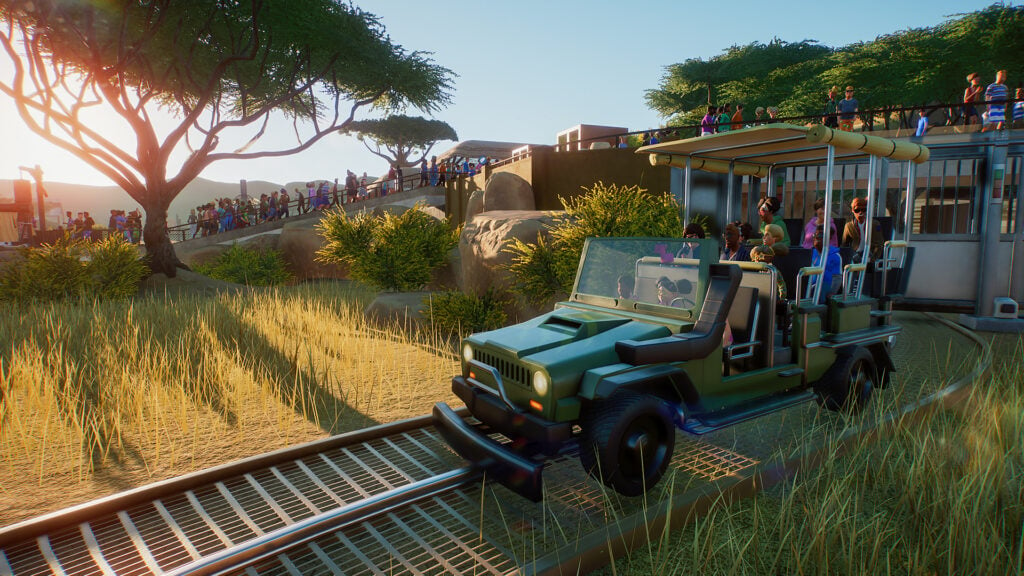
Planet Zoo tasks players with building a zoo that works for the animals as well as the visitors. Designing a habitat means checking what its residents need, from the right terrain and temperature to enough space and suitable companions. Keepers, veterinarians, and other employees help care for the collection, while guest facilities bring in the money needed to support it.
The level of detail found here allows Planet Zoo to stand out as of the best animal games for kids and teens. Career scenarios introduce zoo management through set objectives, while Sandbox mode gives players more freedom to concentrate on the habitats they want to create. It’s a demanding game once the zoo grows, but younger animal lovers can still enjoy choosing animals and decorating while an adult helps manage finances and staffing.
Why Kids And Teens Will Love Planet Zoo: Players can observe detailed animals up close and design places for them to live in. Kids who enjoy researching wildlife will have plenty of fun checking each species’ needs before adding it to their zoo.
- ESRB Rating: E10+ for Everyone 10 and Older
- Content Descriptors: Crude Humor, Mild Blood, Mild Violence
- Players: Single-player
- Available Platforms: Windows PC, PlayStation 5, Xbox Series X/S
Jurassic World Evolution 3 Puts Dinosaur Fans In Charge Of The Park
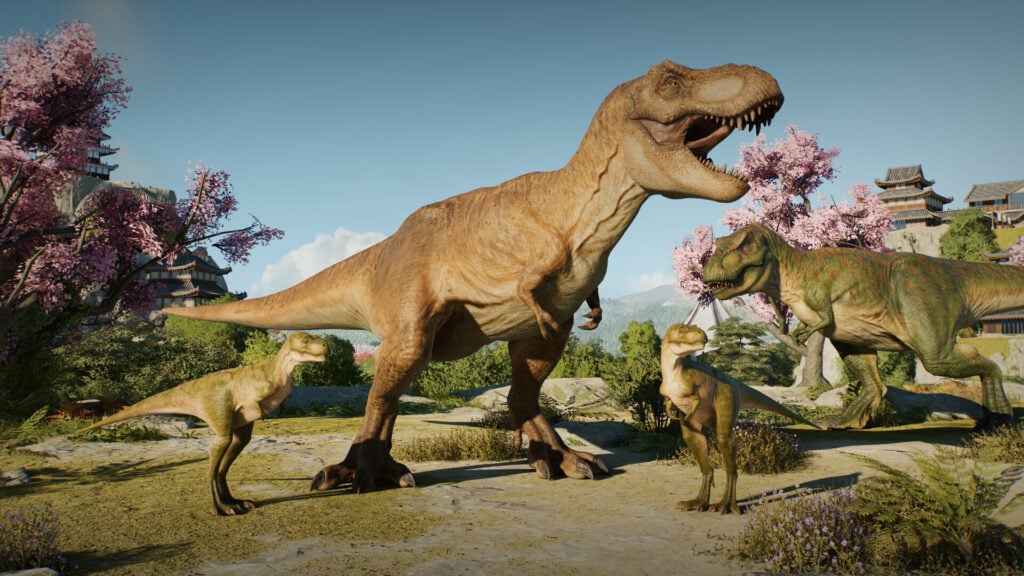
Jurassic World Evolution 3 lets players build a dinosaur park, then deal with the responsibilities that come with keeping it open. Habitats need to suit their prehistoric residents, visitors need facilities and attractions, and the staff need the equipment to keep everything under control. Dinosaur breeding adds another reason to watch the enclosures closely, with juveniles growing alongside the adults.
There’s plenty of freedom to shape the park, from arranging enclosures to creating the routes guests use to see them. The campaign provides goals and a story, while the Sandbox mode is perfect for players who want to build their own version of Jurassic World. This is a livelier option compared to the more conventional zoo game, as dinosaurs can fight, escape, and threaten people. Jurassic World Evolution 3 works best for teens, but the fantasy violence is mild enough to make it a suitable recommendation for slightly younger players as well.
Why Kids And Teens Will Love Jurassic World Evolution 3: Raising young dinosaurs and seeing them grow makes the park feel active. Fans can create their own collection of prehistoric animals and build attractions that show them off.
- ESRB Rating: E10+ for Everyone 10 and Older
- Content Descriptors: Mild Blood, Mild Language, Mild Violence
- Players: Single-player; online sharing of creations
- Available Platforms: Windows PC, PlayStation 5, Xbox Series X/S
Planet Coaster Lets Kids Build The Theme Park They’d Want To Visit

Planet Coaster gives young theme park fans all the tools they need to design their own rides and everything around them. Players can lay down roller-coaster track, decorate the queues, and build themed areas with shops and smaller attractions. Testing a coaster from a passenger’s viewpoint makes it easy to appreciate what they’ve created. A ride’s appearance is only part of the challenge, though, since it needs to be something guests actually want to ride.
Career scenarios introduce the business side through specific objectives, including keeping visitors happy and managing the park’s money. Sandbox mode is a better starting point for kids who mainly want to build without worrying about the budget. The detailed scenery tools make Planet Coaster one of the best simulation games for creative players happy to spend hours perfecting every single attraction. Planet Coaster 2 adds newer features, including water parks, but the original is still the stronger game overall.
Why Kids And Teens Will Love Planet Coaster: Players can turn an idea for a roller coaster into a ride they can experience on screen. Decorating the surrounding park gives creative kids just as much to do as designing the track.
- ESRB Rating: E for Everyone
- Content Descriptors: Crude Humor, Mild Violence
- Players: Single-player
- Available Platforms: Windows PC, macOS, PlayStation 4, PlayStation 5, Xbox One, Xbox Series X/S; sold as Console Edition on consoles
Parkitect Pays Attention To What Happens Behind The Rides
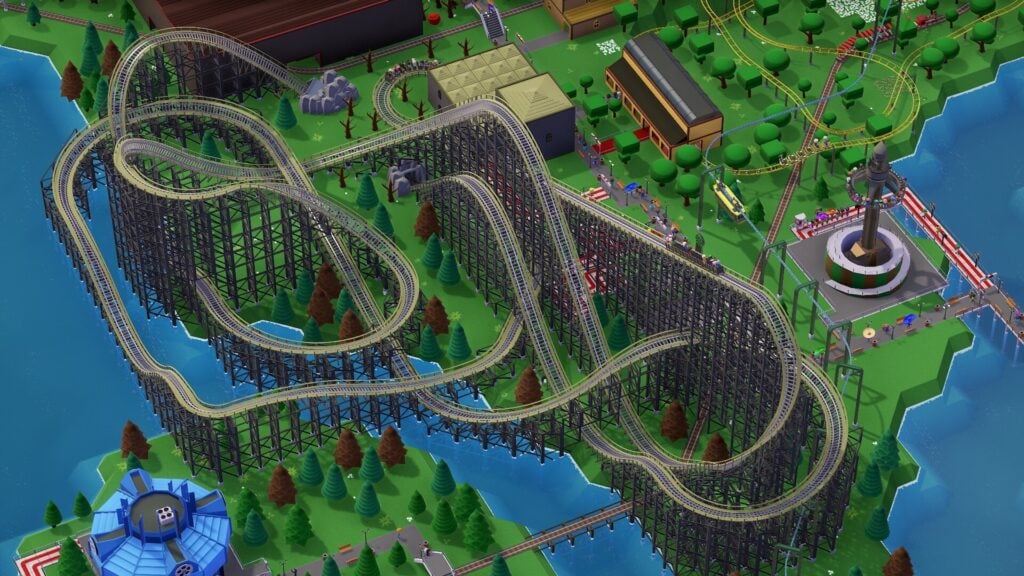
Parkitect is a theme park builder with a particular interest in the work that keeps an attraction running. Players still design roller coasters and arrange rides, but they need to think about how supplies reach the shops and where employees travel behind the scenes. Guests don’t want a view of the delivery operation while they’re enjoying the park, so hiding those practical areas with scenery and planning sensible staff routes becomes part of the design challenge.
The attention to everyday operations helps Parkitect stand out among the best management games for teens who enjoy getting a business to run efficiently. A park can look inviting and still have problems that need fixing, from unhappy visitors to badly arranged facilities. The campaign offers different situations to work through, while sandbox play leaves more room for experiments. On PC, up to eight players can build together online, allowing friends to share the planning and construction process. The console edition is single-player only.
Why Kids And Teens Will Love Parkitect: It combines the fun of building rides with problems they can solve by rearranging their park. Players who enjoy inspecting details will appreciate seeing how the visitor areas and backstage operations fit together.
- ESRB Rating: Not yet verified for the console edition; confirm before publication
- Content Descriptors: Not yet verified; confirm before publication
- Players: Single-player; online co-op for up to 8 players on computers; single-player on consoles
- Available Platforms: Windows PC, macOS, Linux, PlayStation 4, PlayStation 5, Xbox One, Xbox Series X/S; sold as Deluxe Edition on consoles
Megaquarium Turns An Aquarium Into A Full-Fledged Business
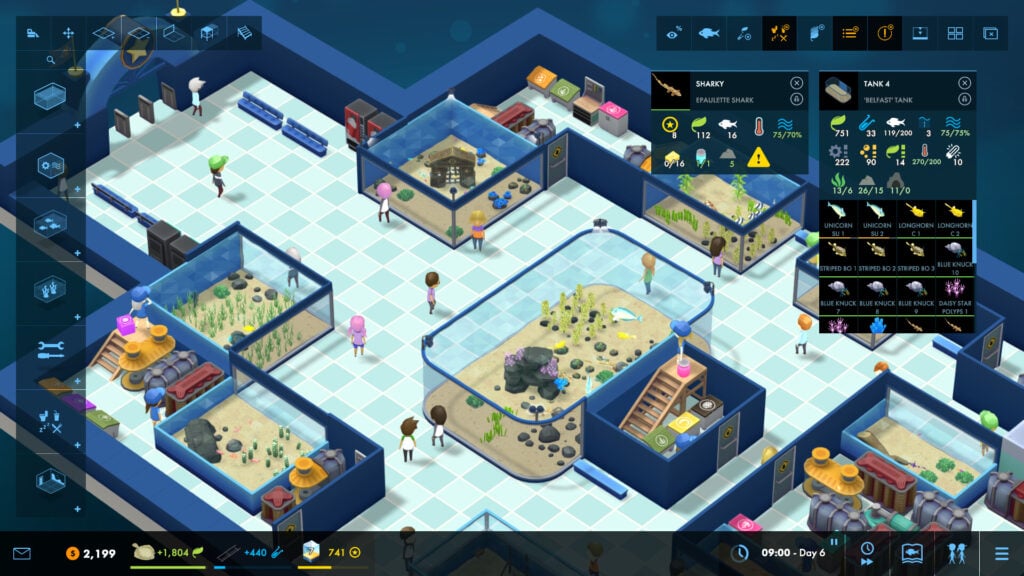
Megaquarium begins with a small aquarium and gradually gives players the means to create a much larger attraction. Water conditions, available space, and compatibility with other animals are all aspects that need to be considered. Even choosing a fish means checking its requirements before adding it to a tank. The equipment keeps the tanks running, but players have to rely on employees to handle feeding and maintenance.
Visitors bring in the money for expansion, so their route through the aquarium deserves attention as well. Players can arrange tanks, add facilities, and decide when they can afford another exhibit. The campaign introduces new responsibilities over time, making it a good place to learn before trying a less structured aquarium in Sandbox mode. Older kids who enjoy looking after a collection will get a kick out of Megaquarium, although they’ll still need to read the animal information and watch their spending.
Why Kids And Teens Will Love Megaquarium: Each new species gives players a reason to improve their aquarium. Building a suitable tank and then watching visitors enjoy it connects the animal care directly to the attraction they’ve created.
- ESRB Rating: E for Everyone
- Content Descriptors: None
- Players: Single-player
- Available Platforms: Windows PC, macOS, Linux, Nintendo Switch, PlayStation 4, Xbox One
Cities: Skylines Lets Teens Find Out What Makes A City Work

Cities: Skylines is a management game that gives players a tremendous amount of freedom in designing their dream city. Players decide where people will live, where businesses can open, and how essential services will reach them. As the population grows, the city becomes gradually more complex. Due to its high level of complexity, Cities: Skylines is one of the best management games for teens who enjoy planning and problem-solving.
Players can test a road change, watch what happens, and revise their plans, much as they would in some of the best strategy games for kids and teens. The sequel, Cities: Skylines II, is also available on PC, but the original has a stronger overall reception and remains the better game of the two. Cities: Skylines’ console adaptations offer additional ways to play, including via the Remastered edition on PlayStation 5 and Xbox Series X/S.
Why Teens Will Love Cities: Skylines: Players can build a city around their own ideas and investigate why parts of it aren’t working. Fixing a traffic jam or successfully opening a new neighborhood gives their planning a visible result.
- ESRB Rating: E for Everyone
- Content Descriptors: None
- Players: Single-player
- Available Platforms: Windows PC, macOS, Linux, Nintendo Switch, PlayStation 4, Xbox One; Remastered edition on PlayStation 5 and Xbox Series X/S
Let’s School Gives Students A Turn At Running The School
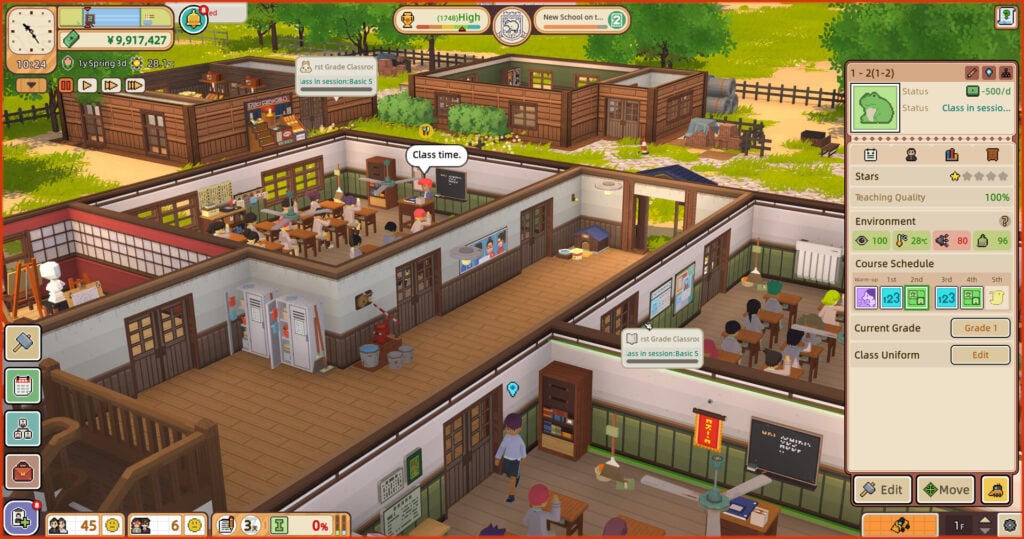
Let’s School puts players in the principal’s office and asks them to rebuild a struggling school. They’ll design classrooms, hire teachers, and choose how to develop the facilities as more students arrive. The students have different interests and ambitions they want to pursue, so a successful school needs more thought than simply adding desks. Recruiting and training staff helps improve the teaching, while the timetable and courses influence what students can achieve.
The game’s familiar setting makes management decisions easy for school-age players to relate to. They already know why a crowded corridor or an inconveniently placed bathroom can be annoying. Here, they get to change the layout themselves. They also need to respond to issues such as bullying, truancy, and student stress, which gives the school more to manage than just exam results. Having this many responsibilities makes Let’s School a better fit for older kids and teens who enjoy organizing things and are curious about the work that happens around the classroom.
Why Kids And Teens Will Love Let’s School: Players can make decisions about a place they know well, from its layout to the opportunities available to students. Building a school their own way is a fun reversal of the usual routine.
- ESRB Rating: E for Everyone
- Content Descriptors: Mild Language, Mild Violence, Use of Tobacco
- Players: Single-player
- Available Platforms: Windows PC, Nintendo Switch, PlayStation 4, PlayStation 5, Xbox One, Xbox Series X/S
Little Big Workshop Builds A Factory On A Tabletop
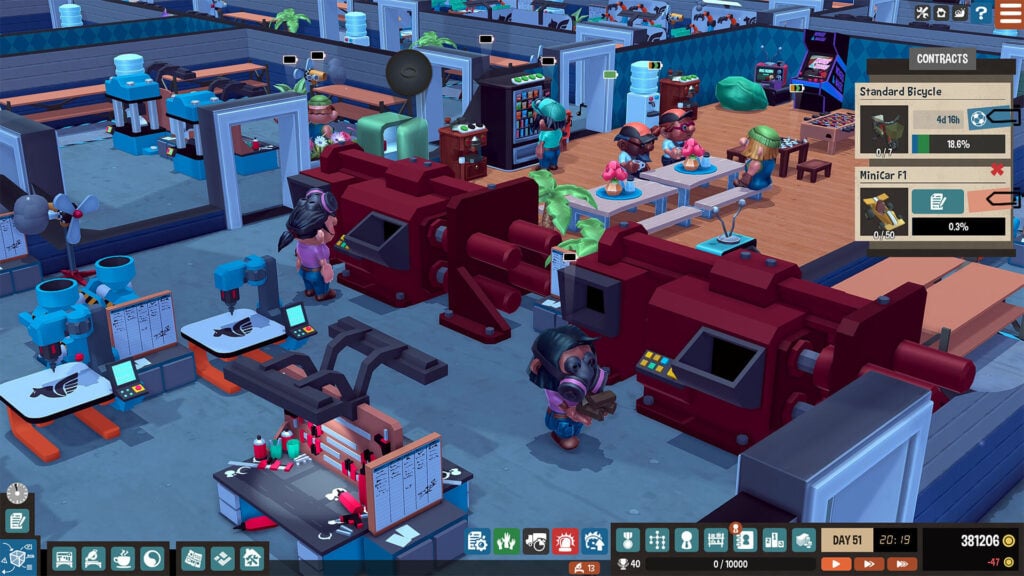
Little Big Workshop presents its factory as a miniature business sitting on a table. Inside, small workers turn materials into products such as furniture, toys, and musical instruments. Players plan the manufacturing steps, buy suitable machines, and decide where the work should happen. A finished product usually needs several operations, so arranging the workshop well helps keep jobs alive and orders on schedule.
Growing the business means adding space and equipment, but more machinery is just the beginning. Workers need breaks, materials need room, and taking on too much can leave the factory struggling to finish what it has promised. The miniature art style makes all that activity enjoyable to follow, even when the decisions become fairly involved. Little Big Workshop is a particularly good fit for players who like making things and working out the steps between an order and a finished item.
Why Kids And Teens Will Love Little Big Workshop: Players can watch their tiny workforce make recognizable products and gradually fill a much bigger factory. Every new order gives them another opportunity to change the layout and improve how their workshop runs.
- ESRB Rating: E for Everyone
- Content Descriptors: Mild Cartoon Violence
- Players: Single-player
- Available Platforms: Windows PC, macOS, Nintendo Switch, PlayStation 4, Xbox One, iOS, Android
Game Dev Tycoon Lets Teens Run Their Own Game Studio
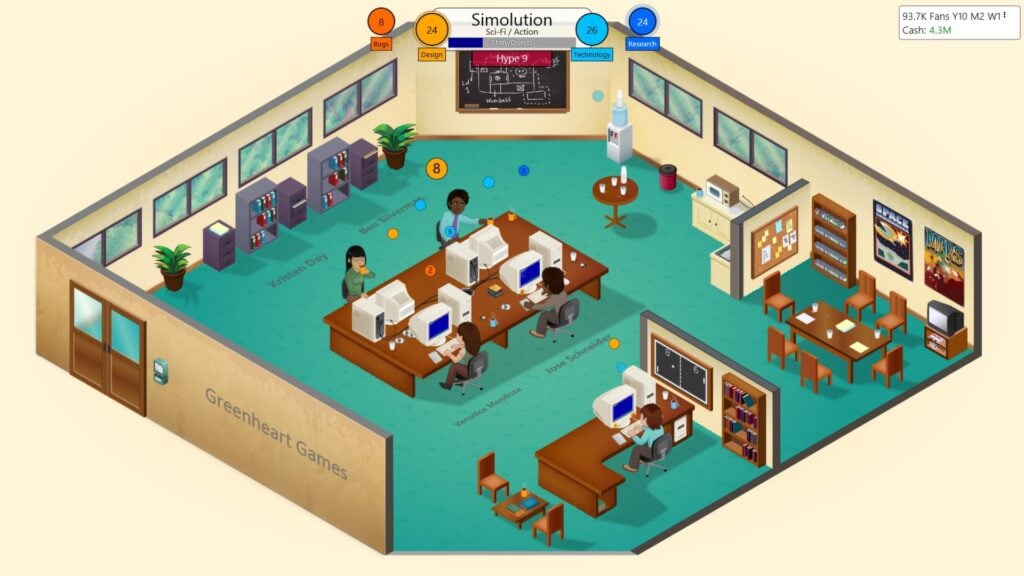
Game Dev Tycoon revolves around a small developer working in a garage. Players choose a game’s topic, genre, and platform, then decide which parts of development deserve the most attention. Reviews and sales show how the project performed, giving them information to use when planning the next one. Earning enough money opens the way to a larger office, employees, and more ambitious projects.
For teens interested in how games get made, it’s a great introduction to the business decisions that go into development. The title doesn’t exactly teach programming or let players create a playable game inside the game, but it does let them choose projects, research technology, and keep the studio financially healthy as the industry changes. A successful release can fund the next experiment, while a disappointing one may call for a smaller, less expensive project next time.
Why Teens Will Love Game Dev Tycoon: Players can name their studio, plan their own releases, and follow a tiny developer’s rise into a larger company. Trying to improve on the previous game’s reviews makes each new project interesting.
- ESRB Rating: E for Everyone
- Content Descriptors: None
- Players: Single-player
- Available Platforms: Windows PC, macOS, Linux, Nintendo Switch, iOS, Android
The Sims 4 Gives Teens A Household Full Of Possibilities
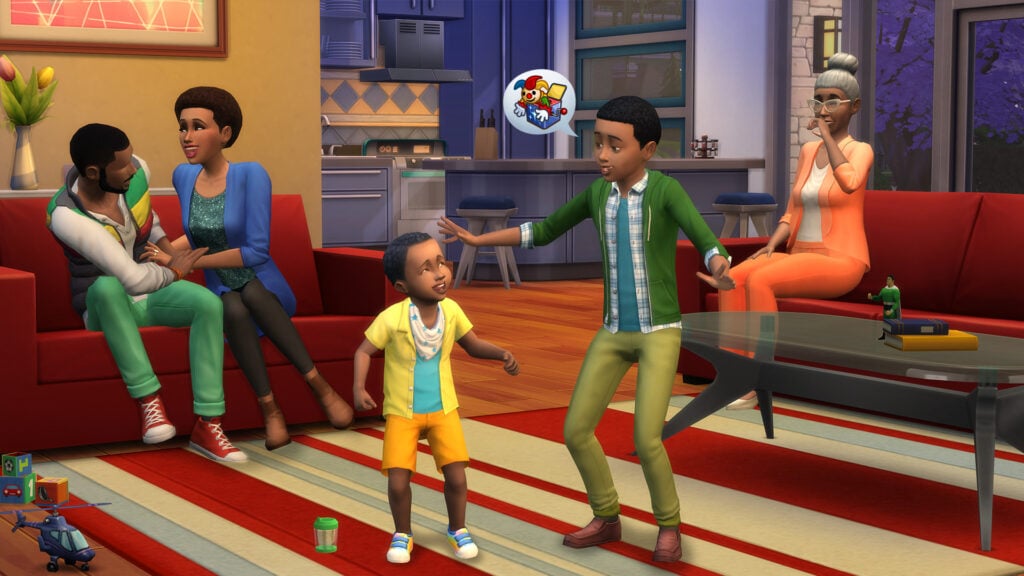
The Sims 4 lets players create people, build their homes, and guide their everyday lives. Choosing a Sim’s appearance and personality is just the beginning, though. The Sims need to eat, sleep, socialize, and earn money while pursuing the interests the player gives them. This can include everything from careers and a bigger home, to friendships, creative hobbies, and the small dramas that arise when different personalities live together.
The freedom offered by The Sims 4 makes it one of the best simulation games for teens who enjoy inventing characters and stories. Some players spend hours perfecting a house. Others become more interested in the family living inside it. The base game is free to play, but the many paid packs can add up quickly if you’re not careful. Luckily, they’re not mandatory for simply playing the game.
Why Teens Will Love The Sims 4: Players can create characters with different personalities and decide what kind of lives they lead. The building and decorating tools give them just as much freedom to design where those stories happen.
- ESRB Rating: T for Teen
- Content Descriptors: Crude Humor, Sexual Themes, Violence
- Players: Single-player; online sharing through the Gallery
- Available Platforms: Windows PC, macOS, PlayStation 4, Xbox One; playable on PlayStation 5 and Xbox Series X/S through backward compatibility
Animal Crossing: New Horizons Lets Kids Make An Island Their Own
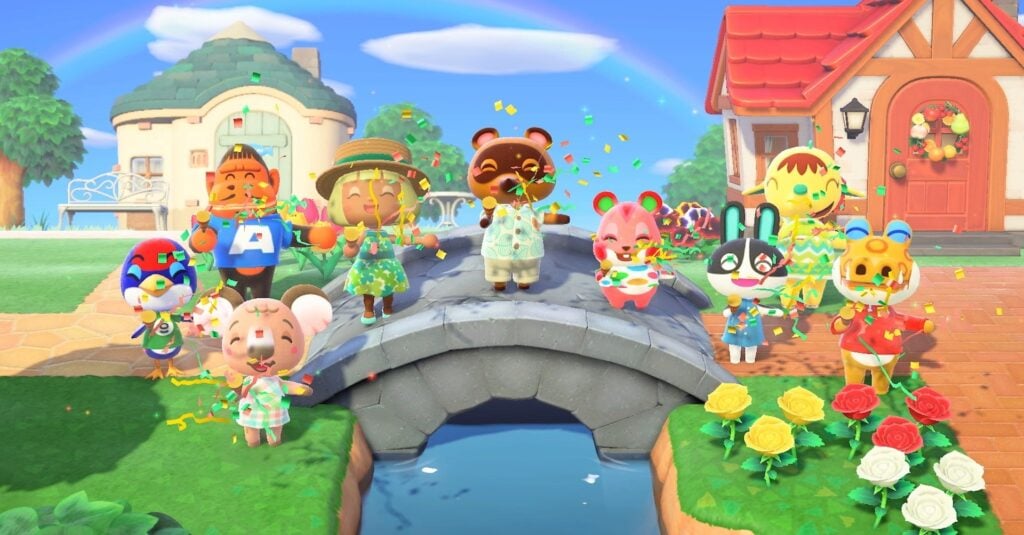
Animal Crossing: New Horizons gives players a cozy island to settle and a friendly group of animal neighbors to get to know. Players can catch fish, collect insects, gather materials, and furnish a home that starts small and grows over time. Selling what they find earns Bells to spend on furniture, clothing, and improvements. Donating new discoveries to the museum gives collectors reasons to explore throughout the year.
The simulation elements here are a bit simpler compared to running a busy city or business. Kids can choose a small project, such as planting a garden or arranging a room, and leave bigger changes for another day. Later tools let them reshape the island more extensively, opening up ambitious decorating projects for older players. Because time follows the real-world clock, seasons and different times of day bring changes to look for.
Why Kids And Teens Will Love Animal Crossing: New Horizons: Players can make a welcoming place full of things they’ve collected and created. Younger kids can enjoy the daily activities, while teens can take on elaborate island designs and visit friends to share their work.
- ESRB Rating: E for Everyone
- Content Descriptors: Comic Mischief, Mild Fantasy Violence
- Players: Single-player; up to 4 on one system; up to 8 via local wireless or online; up to 12 online when everyone uses the Nintendo Switch 2 Edition
- Available Platforms: Nintendo Switch, Nintendo Switch 2

