

Finding a good iPad game for kids without ads takes a bit more effort than simply checking whether the download is free. Some free games support themselves with advertising, while others sell extra characters, levels, or virtual currency through in-app purchases. A free download can even be a trial, with only the opening portion available before parents need to pay. Those differences aren’t always obvious when a child spots something they want to play.
Fortunately, there are plenty of ways to enjoy iPad games without commercials interrupting the fun. Some games are entirely free, with no ads or purchases, while others charge once for the full game. Subscriptions offer another option. Apple Arcade includes a collection of games without ads or in-app purchases, but parents need to keep their subscription active to continue playing. The best choice depends on what children enjoy and whether parents prefer individual purchases or access to a larger library.
For this list, we’ve selected 20 of the best iPad games for kids without ads, covering everything from preschool activities to puzzles and strategy games for older children. Price alone hasn’t determined which games made the cut. For each entry, we’ve explained subscription requirements and paid unlocks where they apply, along with caveats such as shops and branded promotions. After all, “no third-party ads” doesn’t necessarily mean there won’t be anything for sale.
Khan Academy Kids Puts A Bear In Charge Of Early Learning

Kodi the bear has a lot to teach young children, from recognizing letters to figuring out which shapes belong together. Khan Academy Kids combines learning games with books, songs, and creative activities for ages two through eight. The game’s personalized learning path adjusts to a child’s progress, building future activities on what they’ve already practiced. Kids can head into the library to choose something themselves, too, whether they’re in the mood for a story or would rather spend some time drawing.
Everything in Khan Academy Kids is free, with no ads, subscriptions, or paid extras interrupting the activities. Parents do need an email address and an internet connection to set up an account before children start playing, though. For trips without Wi-Fi, Kodi’s Suitcase contains a selection of offline activities, though players shouldn’t expect the entire library to be available without an internet connection.
Why Kids Will Love Khan Academy Kids
Having Kodi explain an activity helps young children try things for themselves. Choosing a book or drawing activity from the library lets them follow their interests when they want a break from the learning path.
- Price: Free
- ESRB Rating: No ESRB rating listed; Apple App Store rating of 4+
- Platforms: iPad, iPhone, Android, Amazon Fire tablets
- Players: 1
- Content Descriptors: No ESRB descriptors listed
PBS KIDS Games Brings Favorite Shows To The Touchscreen
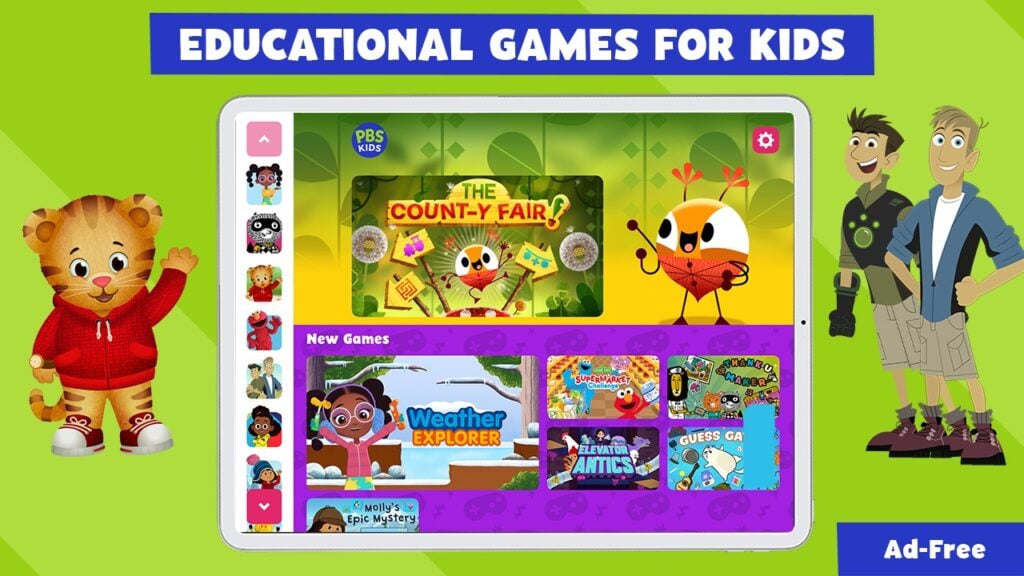
Daniel Tiger, the Wild Kratts, the Odd Squad, and more are all featured in PBS KIDS Games, a collection of hundreds of games starring characters from the broadcaster’s shows, with activities aimed at children ages two through eight. Kids can solve puzzles, build something, or practice counting, depending on which game they choose. Having so many characters and activities together makes this a strong starting point for parents who haven’t figured out what their child likes playing yet.
The PBS KIDS Games collection is free and ad-free, so trying a different game doesn’t involve buying another pack or watching a commercial first. Parents can download games for offline play, too, which takes some preparation before leaving home. Just make sure the games your child wants are downloaded while the iPad is connected to the internet because installing the main app alone won’t put the whole collection at their fingertips during a flight or roadtrip.
Why Kids Will Love PBS KIDS Games
Characters children recognize from television can make choosing a first game less daunting. The variety lets kids switch from a puzzle to an art activity or counting game when they fancy doing something different.
- Price: Free
- ESRB Rating: No ESRB rating listed; Apple App Store rating of 4+
- Platforms: iPad, iPhone, Android, Amazon Fire tablets
- Players: 1
- Content Descriptors: No ESRB descriptors listed
Pok Pok Turns The iPad Into A Box Of Digital Toys

A busy board covered in switches and buttons is a pretty good invitation to start poking the screen. And that’s just one of the toys in Pok Pok, a collection designed around letting young children work things out by playing. Kids can draw, build with blocks, or move people around a town, with no prescribed sequence of tasks to complete. Meanwhile, the marble machine adds tubes and moving parts to experiment with, so changing a piece can send a marble along a different route.
Pok Pok doesn’t have ads or sell individual toys during play, but access to the collection requires a subscription after the seven-day trial. The trial renews into a paid plan unless canceled, so parents should check the terms when signing up. Once the app is downloaded and the subscription is active, children can play offline, with an internet connection needed only to receive updates.
Why Kids Will Love Pok Pok
Pressing a button or rearranging a toy produces something kids can see and hear immediately. Children can keep experimenting with a favorite toy without having to finish a lesson before moving on to the next one that catches their eye.
- Price: Free download; paid subscription after a 7-day trial. The US App Store lists a $9.99 monthly option; available plans and prices vary.
- ESRB Rating: No ESRB rating listed; Apple App Store rating of 4+
- Platforms: iPad, iPhone, Android, compatible Amazon Fire tablets
- Players: 1
- Content Descriptors: No ESRB descriptors listed
Sago Mini World Gives Preschoolers Plenty Of Places To Play
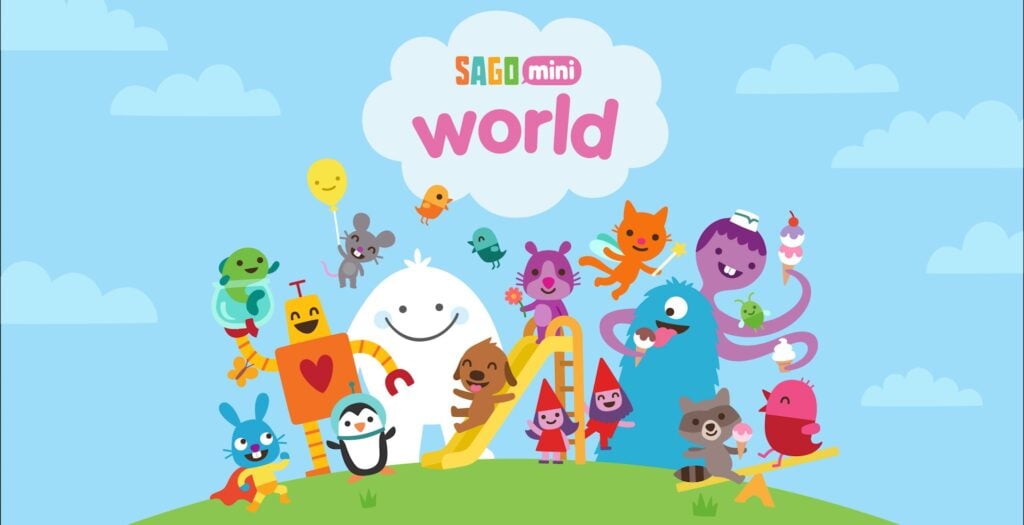
Running a bakery and looking after babies are very different jobs, but Sago Mini World lets children try both. This collection of games for ages two through six has settings to explore and characters to play with, including dinosaurs and a busy city. Among other things, kids can bake a cake or invent a story around the characters they move through a scene. The activities leave room for children to decide what happens, making this a good fit for preschoolers who enjoy playing pretend.
The free download comes with a trial, while continuing access to the full collection requires a paid subscription that renews unless canceled. Subscribers can play without ads or purchases popping up inside the games. Parents can download favorite games to use offline, but you should check whether you’re choosing the Sago Mini World plan or the broader Piknik bundle, since they have different prices.
Why Kids Will Love Sago Mini World
Taking charge of a bakery or caring for a baby lets preschoolers act out jobs they’ve seen adults do. In addition, kids can invent their own small dramas with the characters instead of following a fixed story.
- Price: $7.99 per month or $59.99 per year for the Sago Mini World plan on iPad after the free trial; Piknik bundle priced separately
- ESRB Rating: No ESRB rating listed; Apple App Store rating of 4+
- Platforms: iPad, iPhone, Android
- Players: 1
- Content Descriptors: No ESRB descriptors listed
Toca Boca World Lets Kids Direct The Whole Neighborhood
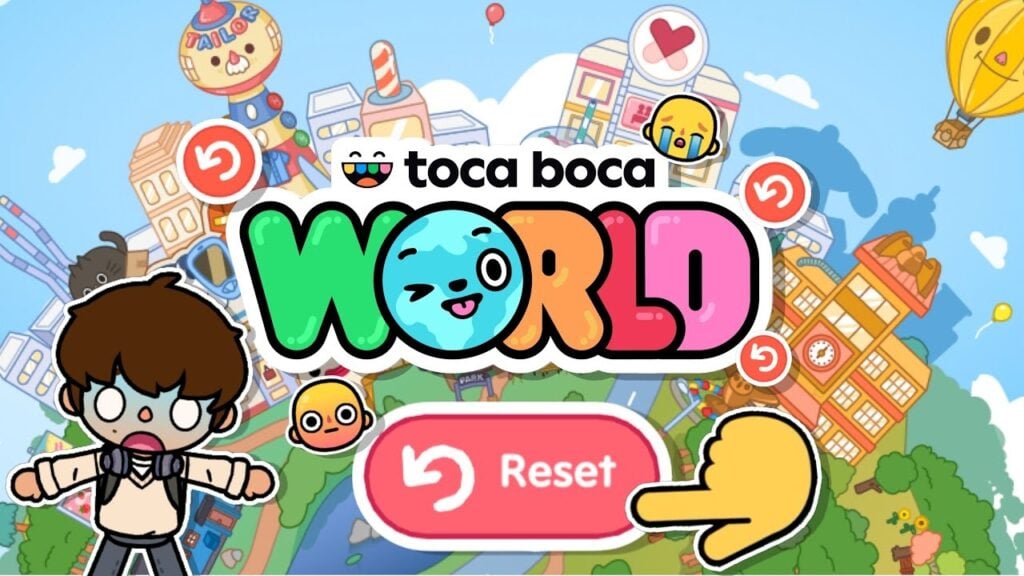
A trip to the hair salon can turn into a sleepover if the player in charge decides that’s where the story is going. Toca Boca World lets kids transfer characters between locations, dress them up, and arrange homes to suit whatever they’re imagining. Creating a cast and furnishing their rooms makes the world theirs to play with, while everyday objects become props for the next scene. There’s no fixed plot to follow, so children supply the conversations and decide what happens next.
Toca Boca World is free to download and has no third-party ads, but its commercial side comes with a caveat. Namely, the app includes a shop selling extra locations, furniture, and character packs, along with branded collaborations. Children can still play with the included content without buying extras and collect free gifts at the Post Office. Paid packs remain visible, so parents may want to restrict in-app purchases through the iPad’s settings.
Why Kids Will Love Toca Boca World
Making a character’s home and deciding who visits gives kids control over their own stories. Transferring the same cast between locations lets a small idea grow into a whole day’s worth of pretend play.
- Price: Free download with optional paid content packs
- ESRB Rating: No ESRB rating listed; Apple App Store rating of 4+
- Platforms: iPad, iPhone, Android
- Players: 1
- Content Descriptors: No ESRB descriptors listed
LEGO DUPLO World+ Gives Little Builders A Whole Toy Box
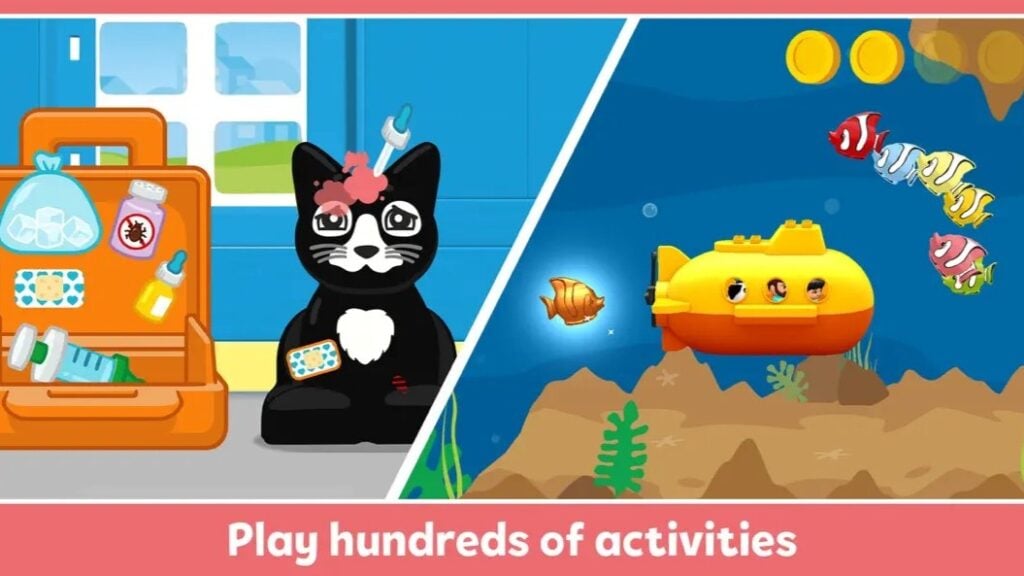
Building a train is only the beginning when there’s an entire world waiting beyond the station. LEGO DUPLO World+ brings everyone’s favorite chunky bricks to the touchscreen, with activities built around vehicles, animals, and everyday jobs. Preschoolers can put bricks together, play with the figures, or explore settings ranging from a farm to outer space. The collection is aimed at ages three through six, and its multi-touch controls let parents join in on the same iPad instead of taking the screen away to demonstrate something.
We’re recommending the Apple Arcade version, identified by the plus sign in its name. The subscription includes its play packs without ads or separate purchases, but access depends on keeping that subscription active. The regular LEGO DUPLO World app is a separate download with paid extras, so parents should check which version they’re installing before handing the iPad over.
Why Kids Will Love LEGO DUPLO World+
Building something and then playing with it lets preschoolers invent stories around their creations. Shared touchscreen play gives a parent room to help with a tricky step while keeping the child involved.
- Price: Included with Apple Arcade, which costs $6.99 per month or $49.99 per year in the US
- ESRB Rating: No ESRB rating listed; Apple App Store rating of 4+
- Platforms: iPad, iPhone, Apple Vision Pro
- Players: 1; multi-touch supports shared play on one device
- Content Descriptors: No ESRB descriptors listed
Thinkrolls 2 Makes Every Obstacle A Little Science Experiment
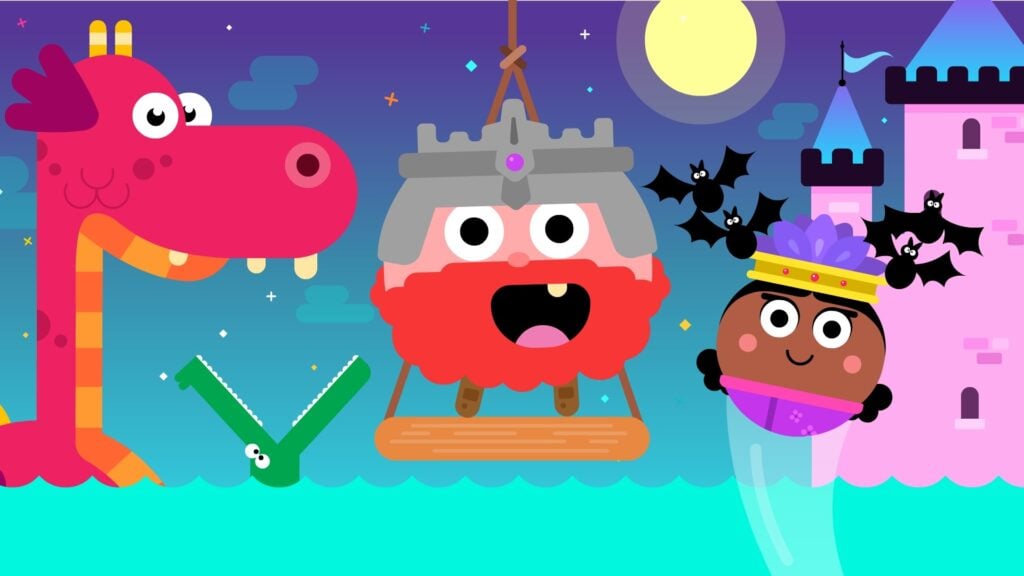
Getting a round character through a maze sounds straightforward until the route involves water, fans, and a suspiciously fragile egg. Thinkrolls 2 has kids swiping their character through puzzles where the objects along the path determine how they can proceed. A floating barrel can help them cross water, while an accordion can stretch into a bridge or staircase. Learning what each object does is essential, since later puzzles combine those objects in ways that require some planning.
Thinkrolls 2 has 135 easier puzzles for ages three through five and another 135 aimed at children ages five through nine. Those harder levels need more thought, so parents should choose the appropriate set rather than assuming the cheerful characters mean every puzzle is simple. The standalone purchase includes the whole game, with no third-party ads or in-app purchases. Up to six profiles let siblings keep their progress separate.
Why Kids Will Love Thinkrolls 2
Working out how to use an object turns a blocked route into something kids can solve themselves. Unlocking more rolling characters adds a silly little incentive to keep thinking through the next maze.
- Price: $5.99 on iPad
- ESRB Rating: No ESRB rating listed; Apple App Store rating of 4+
- Platforms: iPad, iPhone, Android
- Players: 1; up to 6 separate profiles
- Content Descriptors: No ESRB descriptors listed
Train Kit Lets Kids Construct The Railway And Drive The Trains
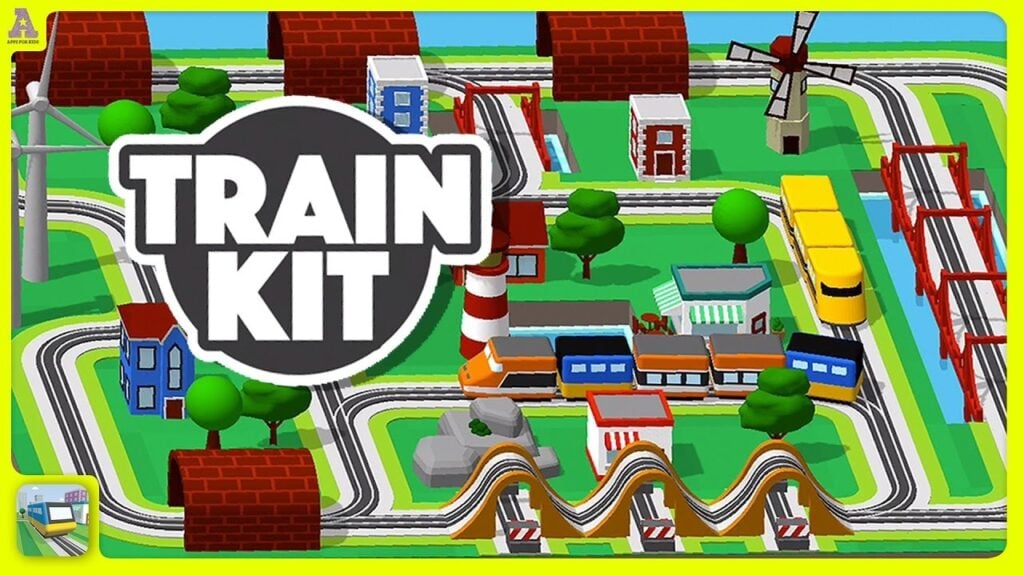
A train set can take over the living room surprisingly quickly. Luckily, Train Kit keeps the tracks on an iPad, where kids snap pieces together on a grid and add bridges, tunnels, and scenery around their railway. Switching tracks allows trains to follow different routes, so a layout can become more involved as children add branches and work out where they should connect. Mixing locomotives and carriages lets them decide what travels along those tracks once construction is finished.
Kids can control a train’s speed, reverse it, and switch to the driver’s view to see their railway from inside the cab. That change in perspective makes constructing a tunnel more interesting when they can ride through it afterward. Train Kit is a paid download with no in-app purchases or third-party ads. A separate collection page showcases the developer’s other apps, so there is some promotion of its own games. Despite, this is one of the best games for kids who love trains.
Why Kids Will Love Train Kit
Driving through a railway they’ve built lets kids inspect their work from the train itself. Changing a junction or adding a bridge gives them something new to try on the next trip around the track.
- Price: $6.99 on iPad
- ESRB Rating: No ESRB rating listed; Apple App Store rating of 4+
- Platforms: iPad, iPhone, Macs with Apple silicon
- Players: 1
- Content Descriptors: No ESRB descriptors listed
Townscaper Builds A Seaside Town One Tap At A Time

Townscaper does most of the architectural work for its players, which is good news for children who want a tower without studying how to build one. Kids choose a color and tap to place blocks, watching the game turn their arrangement into houses, bridges, and winding streets. Stacking blocks builds upward, while spreading them across the water creates a larger neighborhood. The buildings adjust to the surrounding blocks automatically, so experimenting with their placement can produce something the player hadn’t planned.
There’s no budget to balance or population to keep happy in Townscaper. Children supply their own projects, whether that’s building a tiny island village or seeing how tall they can make a tower. Kids who prefer missions may miss having an objective, but those who enjoy construction can get straight to it. The iPad version is a one-time purchase, with no ads, subscriptions, or paid building packs.
Why Kids Will Love Townscaper
A few taps can turn an empty stretch of water into a town kids designed themselves from scratch. The automatic changes to roofs and pathways make it fun to test different arrangements just to see what appears.
- Price: $4.99 on iPad
- ESRB Rating: E for Everyone on consoles; Apple App Store rating of 4+
- Platforms: iPad, iPhone, Android, Windows, macOS, Nintendo Switch, Xbox One, Xbox Series X|S
- Players: 1
- Content Descriptors: None
Hidden Folks Fills Every Scene With People To Find And Things To Poke
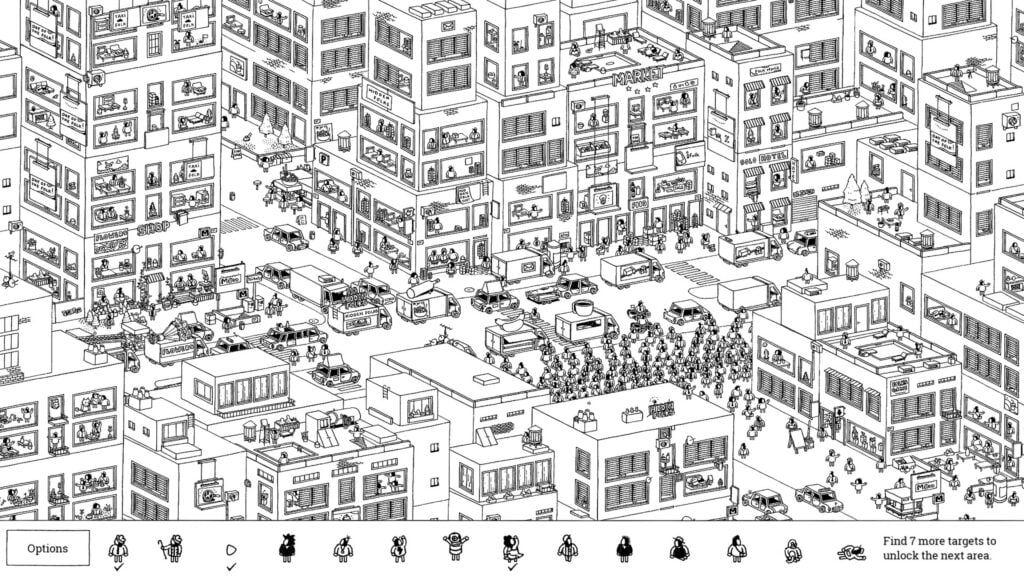
Someone is hiding in the drawing, and tapping a tent might be the only way to find them. Hidden Folks fills hand-drawn scenes with people, animals, and objects to search for, giving players a strip of targets to identify. Opening a door or moving vegetation can reveal something that wasn’t visible at first. Other interactions trigger a joke, accompanied by sound effects made with human voices. Even the machinery sounds like someone having far too much fun near a microphone.
The detailed drawings benefit from an iPad’s screen, though some targets still take patience to find. Tapping a target provides a written clue, so younger kids may need someone to read it aloud and help interpret the hint. But there are no time limits rushing the search. Buying Hidden Folks on iPad gets you the whole game without ads or extra purchases, including areas that were previously sold separately.
Why Kids Will Love Hidden Folks
Finding someone behind a tent flap makes investigating the scenery part of the search. The ridiculous sound effects keep even an unsuccessful tap entertaining, with plenty of tiny scenes to inspect between finds.
- Price: $4.99 on iPad
- ESRB Rating: E for Everyone on Nintendo Switch; Apple App Store rating of 4+
- Platforms: iPad, iPhone, Apple TV, Android, Windows, macOS, Linux, Nintendo Switch
- Players: 1
- Content Descriptors: None listed
Monument Valley 3 Makes Impossible Buildings The Key To Saving A Community
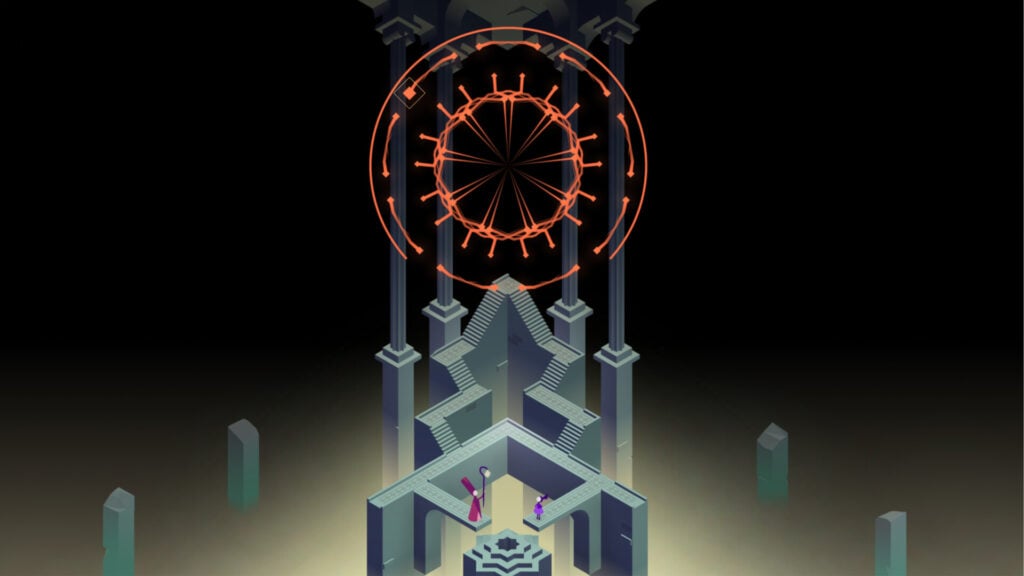
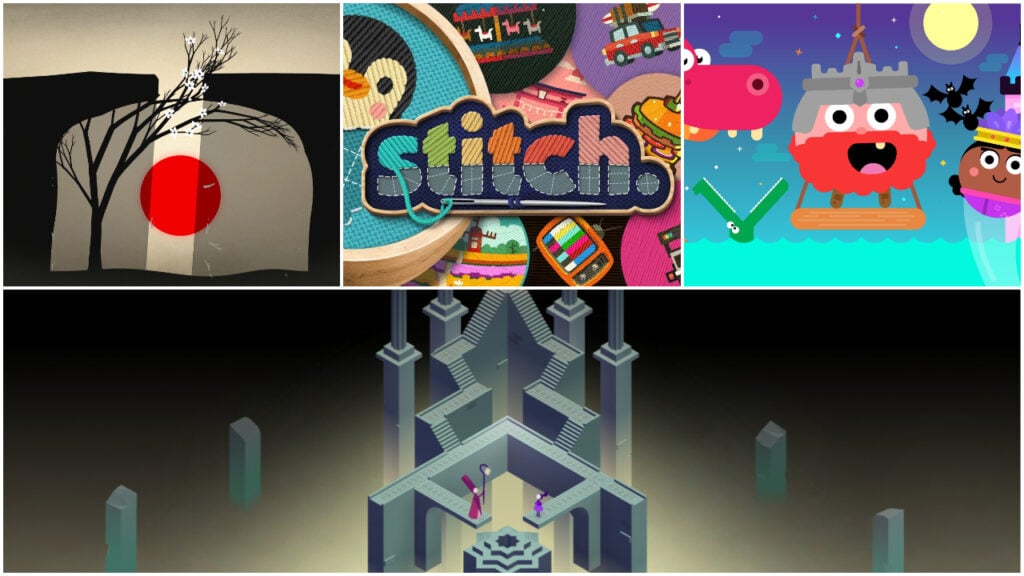
A staircase that couldn’t possibly reach a doorway might be exactly what Noor needs. Monument Valley 3 follows the young apprentice through a world of rising water and shifting architecture, where finding a new source of light involves solving puzzles that play tricks with perspective. In this cozy atmospheric game, players tap their screen to move Noor and manipulate parts of the scenery to connect routes that shouldn’t fit together. Meanwhile, figuring out how a building works can completely change the way they see the path through it.
Boat journeys take Noor beyond the buildings, opening up stretches of water to explore between puzzles. The iPad version lets players try the first two chapters for free, without ads, before deciding whether to buy the rest. A single purchase unlocks the full game and The Garden of Life expansion. There’s no ongoing subscription, but the free download alone won’t cover Noor’s whole story. Just as its name indicates, this is the third entry in the series, however, it can be played without knowing anything about the first two Monument Valley games.
Why Kids Will Love Monument Valley 3
A wall that looked like a dead end can become a walkway after one careful turn. Kids can test their ideas by moving Noor through the route they’ve just opened.
- Price: First two chapters free; $5.99 to unlock the full game on iPad, including The Garden of Life expansion
- ESRB Rating: E for Everyone on consoles; Apple App Store rating of 4+
- Platforms: iPad, iPhone, Android, Windows, PlayStation 4, PlayStation 5, Xbox One, Xbox Series X|S, Nintendo Switch
- Players: 1
- Content Descriptors: None
Prune Turns A Few Careful Cuts Into A Flowering Tree

Cutting branches off a tree might seem like a strange way to help it grow, but that’s the idea behind Prune. The gameplay revolves around planting trees and swipe across unwanted branches, directing their growth toward the sunlight. Removing growth on one side encourages the remaining branches to stretch farther, which becomes essential when the light is tucked behind an obstacle. Getting enough blossoms to open completes the level, so every cut should help the tree reach somewhere it can thrive.
Prune’s spare artwork puts the focus on the shape of each tree, with flowers standing out against its dark branches. As hazards and narrow gaps complicate the route, players need to think about when to trim as well as where. Kids may need to try a different approach when a tree doesn’t bloom. The standard iPad version is a one-time purchase without ads, in-app purchases, or virtual currencies.
Why Kids Will Love Prune
Watching a tree blossom shows kids exactly what their careful trimming has achieved. Each attempt produces a slightly different shape, so working toward the solution lets them create something of their own along the way.
- Price: $4.99 for the standalone iPad version
- ESRB Rating: No ESRB rating listed; Apple App Store rating of 4+
- Platforms: iPad, iPhone, Android, Windows
- Players: 1
- Content Descriptors: No ESRB descriptors listed
Mini Metro Puts Kids In Charge Making A City Run Smoothly
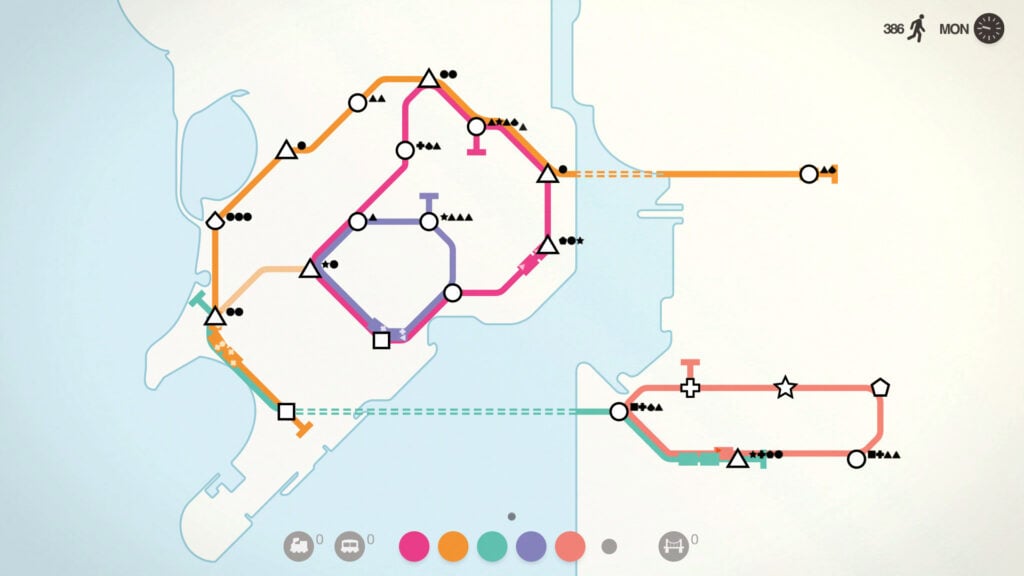
A few stations and a couple of lines don’t look like much of a transport system, but that’s all you need to get started in Mini Metro. From there, kids can draw routes between stations, then watch trains collect passengers and carry them toward stops matching their destination shapes. New stations appear as the city grows, forcing players to reconsider connections and decide where another train would do the most good. The map makes a struggling route easy to spot when passengers start piling up.
Standard games end when overcrowding gets out of hand, making Mini Metro a better fit for kids who enjoy planning and adjusting their work. Endless mode removes that losing condition, while Creative mode offers more freedom to design a network. The paid iPad version has no ads or in-app purchases. Existing Apple Arcade subscribers can choose Mini Metro+ instead, which offers the same game through the subscription.
Why Kids Will Love Mini Metro
Watching trains carry passengers along lines drawn by players puts their planning to work immediately. Rerouting a busy section lets kids see whether their latest idea actually improves the service, with Endless mode leaving room to experiment.
- Price: $3.99 on iPad; Mini Metro+ is included with Apple Arcade, which costs $6.99 per month in the US
- ESRB Rating: E for Everyone on consoles; Apple App Store rating of 4+
- Platforms: iPad, iPhone, Android, Windows, macOS, Linux, Nintendo Switch, PlayStation 4
- Players: 1 on iPad
- Content Descriptors: None
Alba: A Wildlife Adventure Gives A Summer Holiday A Noble Purpose
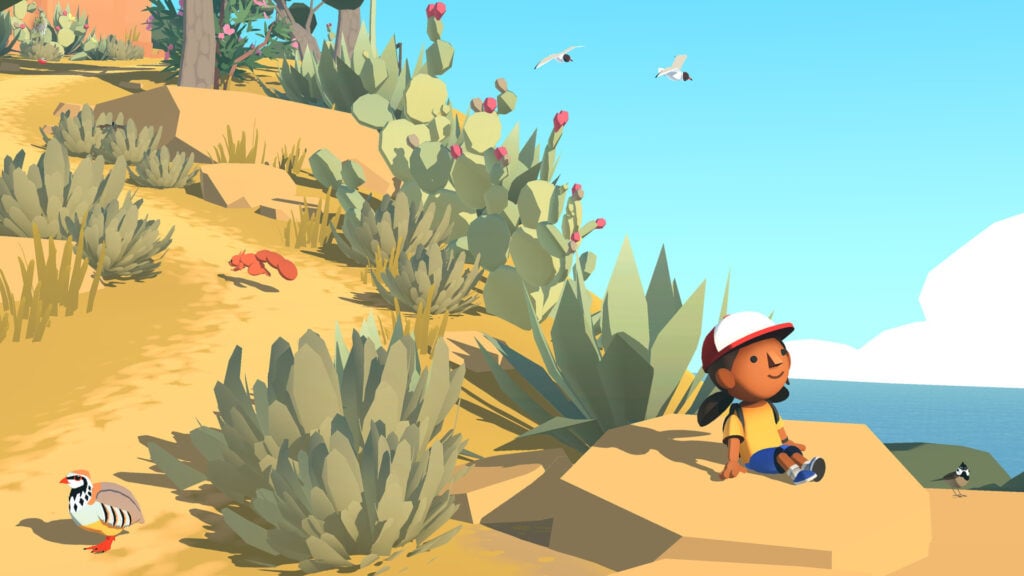
Alba arrives on a Mediterranean island to visit her grandparents, but a holiday soon becomes a campaign to protect the wildlife. In Alba: A Wildlife Adventure, kids help her photograph animals, pick up litter, and assist residents whose support could help save the nature reserve. Spotting a pretty bird is only the beginning, since players also need to get it in the camera’s view to identify it. The growing collection of wildlife photos gradually encourages them to inspect the beaches and countryside more closely.
Helping residents wins signatures for a petition opposing a hotel development on the nature reserve. There are animals in danger and conversations to read, so younger children may appreciate a parent joining them for the story. On iPad, Alba requires Apple Arcade, which includes the game without ads or in-app purchases and access relies on keeping the subscription active. The separately sold console and PC versions don’t unlock it.
Why Kids Will Love Alba: A Wildlife Adventure
Photographing a species they haven’t seen before adds a new entry to Alba’s wildlife collection. Cleaning up a place or helping an animal lets kids do something for the island beyond simply admiring its scenery.
- Price: Included with Apple Arcade, which costs $6.99 per month or $49.99 per year in the US
- ESRB Rating: E for Everyone on consoles; Apple App Store rating of 4+
- Platforms: iPad, iPhone, macOS, Apple TV, Windows, PlayStation 4, PlayStation 5, Xbox One, Xbox Series X|S, Nintendo Switch
- Players: 1
- Content Descriptors: None
stitch. Turns Number Puzzles Into Embroidered Pictures
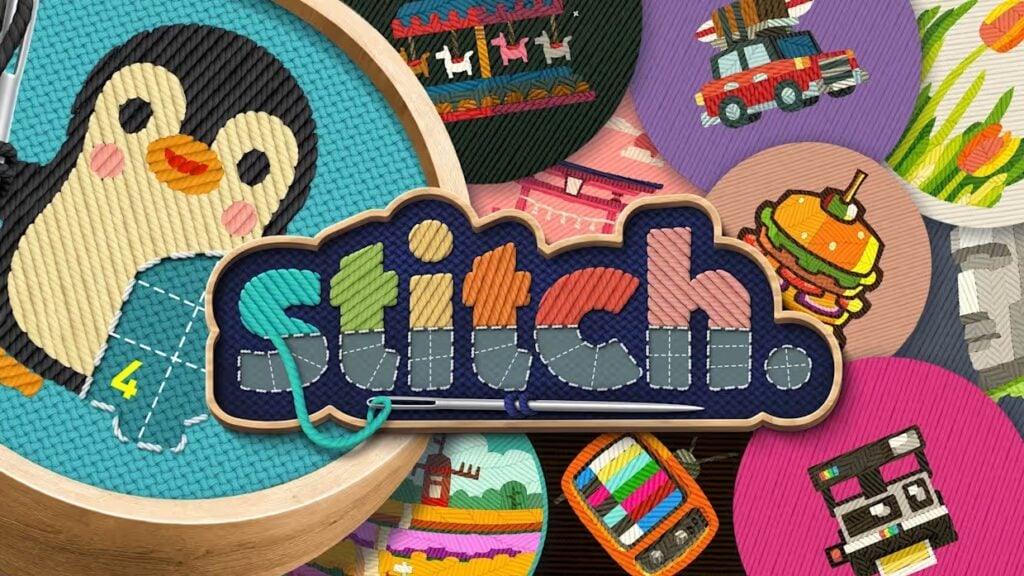
A teddy bear gradually appearing beneath a child’s fingertip is a pretty good incentive to finish a puzzle. In stitch., kids fill numbered grids with thread, working out which spaces belong together until they’ve completed an embroidered picture. Each number determines how many squares its section must contain, so choosing where the stitches go takes more thought than simply following a color key. Patterns range from small animals and plants to larger landscapes, with different sizes and difficulties to choose from.
The Big Numbers setting makes the grid easier to read on an iPad, and Free Stitch mode lets players recolor completed designs. The puzzles are designed for children who enjoy counting and working through possible arrangements, though the more complicated patterns can be a bit demanding. Apple Arcade includes stitch. without ads or paid pattern packs, but requires an active subscription. Some Weekly Hoops are available for a limited time, unlike the regular collection.
Why Kids Will Love stitch.
Completing sections adds real-looking stitches to a picture kids chose themselves. Returning to a finished design in Free Stitch mode lets players try different colors after they’ve worked out the puzzle underneath it.
- Price: Included with Apple Arcade, which costs $6.99 per month or $49.99 per year in the US
- ESRB Rating: No ESRB rating listed for the iPad version; Apple App Store rating of 4+
- Platforms: iPad, iPhone, macOS, Apple TV, Apple Vision Pro, Nintendo Switch
- Players: 1
- Content Descriptors: No ESRB descriptors listed for the iPad version
Sneaky Sasquatch Lets A Hungry Forest Dweller Try Out Human Life
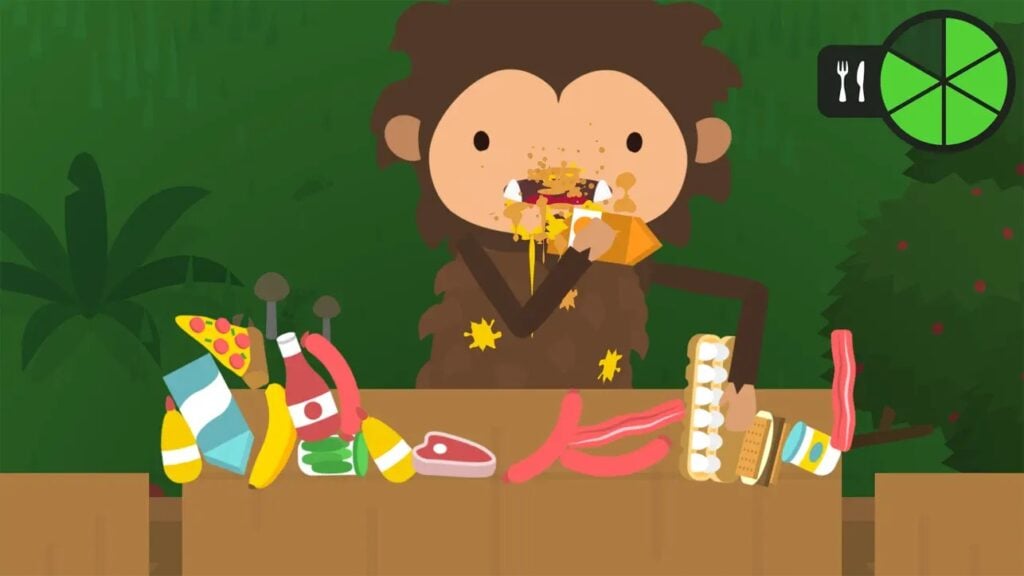
A decent disguise can take a Sasquatch surprisingly far. Sneaky Sasquatch starts with sneaking around campsites and eating food from unattended picnic baskets, but children can soon find ways to blend into the nearby town. Wearing human clothes opens up activities such as taking a driving test, playing golf, and working for a living. Players can earn money for vehicles and improvements to their home, gradually giving their forest-dwelling character a human-like lifestyle.
The range of jobs and side activities makes Sneaky Sasquatch a strong choice for kids who like exploring and deciding what to tackle next. Rangers chase players who get caught, and later jobs involve reading instructions, so preschoolers may need a bit of help here and there. On Apple Arcade, the game is available without ads or in-app purchases. The money Sasquatch spends is earned by playing, but families still need an active subscription to access the game.
Why Kids Will Love Sneaky Sasquatch
Getting a driver’s license or earning enough for a car makes Sasquatch’s increasingly ridiculous human life something kids help build from the ground up. If they ever get bored of the core game loop, players can take a break from a job to go fishing or explore somewhere new.
- Price: Included with Apple Arcade, which costs $6.99 per month or $49.99 per year in the US
- ESRB Rating: No ESRB rating listed; Apple App Store rating of 4+
- Platforms: iPad, iPhone, macOS, Apple TV
- Players: 1
- Content Descriptors: No ESRB descriptors listed
WHAT THE CAR? Finds Plenty Of Uses For A Car With Legs
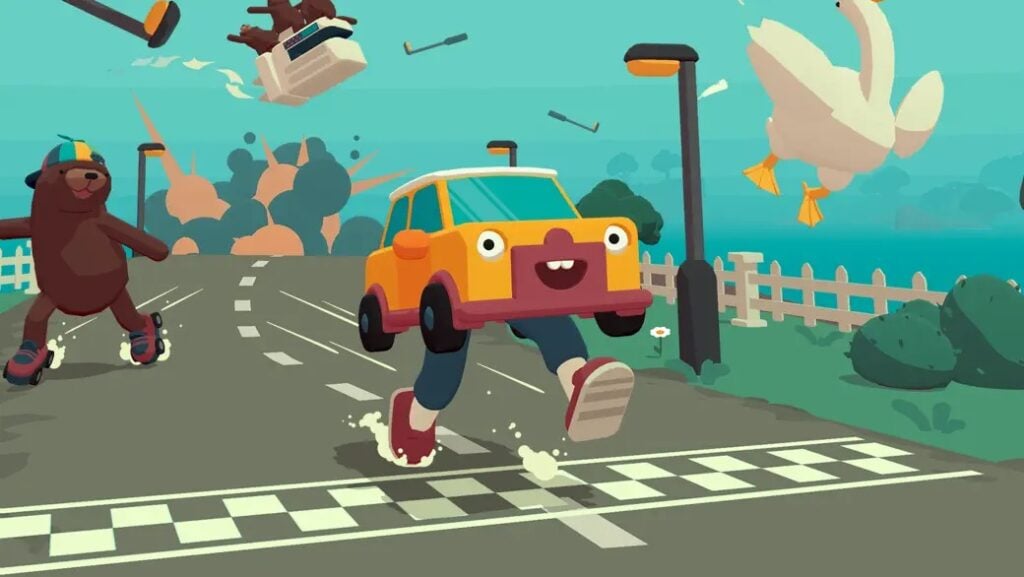
Wheels are apparently optional when you’re a car with somewhere to be. WHAT THE CAR? puts players in control of a car with legs, then sends it through obstacle courses whose rules keep changing. Among other things, kids might steer through jumps, fly with a jetpack, or find themselves flipping burgers instead of racing. Getting to the finish line requires adapting to whatever the car can do in that level, so learning the latest gimmick is part of the fun.
Exploring the islands between races turns up hidden routes and collectibles, while the level editor lets players come up with courses of their own. Parents should know that publishing those creations online can be blocked by account-age restrictions or parental controls, so making a level doesn’t guarantee a child can share it. The iPad version is included with Apple Arcade, with no ads or in-app purchases, and requires an active subscription.
Why Kids Will Love WHAT THE CAR?
Finding out what the car has turned into is often as funny as trying to control it. Constructing a course lets kids experiment with obstacles and then test whether their own creation is possible to finish.
- Price: Included with Apple Arcade, which costs $6.99 per month or $49.99 per year in the US
- ESRB Rating: No ESRB rating listed; Apple App Store rating of 4+
- Platforms: iPad, iPhone, macOS, Apple TV, Apple Vision Pro, Windows
- Players: 1
- Content Descriptors: No ESRB descriptors listed; includes player-created levels
Crossy Road Castle Turns Climbing A Tower Into A Family Challenge
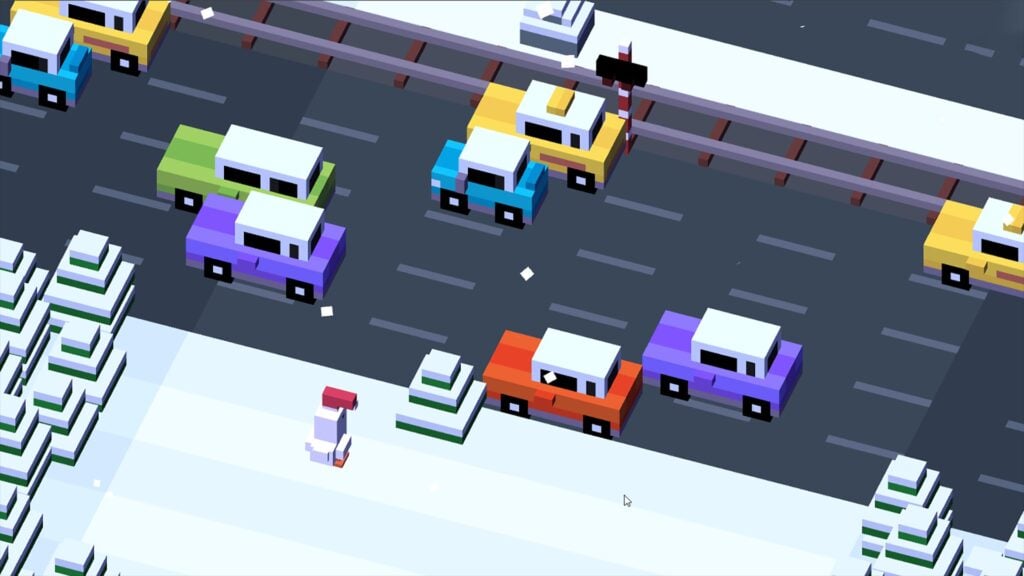
Getting a chicken across a road was only the beginning. Crossy Road Castle takes the series’ blocky characters into towers full of platforming rooms, where players jump past hazards, launch from cannons, and try to climb ever higher. Each run mixes up the rooms, so simply remembering yesterday’s route won’t get everyone safely to the top today. Collected coins and tokens unlock characters and hats, leaving something to work toward even when the climb ends earlier than planned.
Up to four people can play together, but sharing an iPad requires compatible controllers for each player. Separate-device Wi-Fi play requires a Game Center account aged 13 or older. For younger accounts, private online matches using Party Codes provide another way to play together, with separate Game Center accounts and an internet connection. The full iPad game requires Apple Arcade, which includes all the unlockables without ads or in-app purchases.
Why Kids Will Love Crossy Road Castle
Climbing together gives siblings a shared challenge, with plenty of chances to laugh at a badly timed jump. Unlocking a ridiculous hat means a failed run can still leave them with something new to wear.
- Price: Full game included with Apple Arcade, which costs $6.99 per month or $49.99 per year in the US
- ESRB Rating: No ESRB rating listed for the iPad version; Apple App Store rating of 4+
- Platforms: iPad, iPhone, macOS, Apple TV, Apple Vision Pro, Nintendo Switch, PlayStation 5, Xbox One, Xbox Series X|S
- Players: 1–4; one-device multiplayer requires controllers; separate-device local and online options are available, subject to account restrictions
- Content Descriptors: No ESRB descriptors listed for the iPad version; online multiplayer
SpongeBob: Patty Pursuit Sends The Fry Cook Running After Plankton
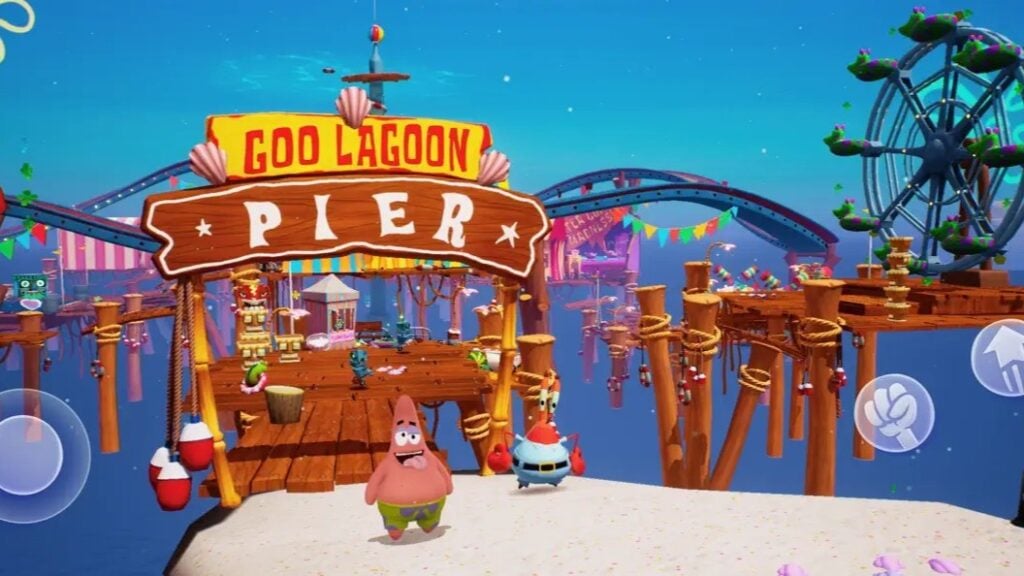
Plankton has gone after the Krabby Patty formula again, and this time he’s kidnapped SpongeBob’s friends along the way. SpongeBob: Patty Pursuit turns the rescue mission into a platform runner through places such as Bikini Bottom and Glove World. SpongeBob moves automatically, leaving kids to time jumps, avoid jellyfish, and collect coins and spatulas along the route. Transformations change what he can do, with each new form helping him get past another type of obstacle.
Rescued friends join SpongeBob and use their abilities to reach routes he couldn’t access alone. Meanwhile, returning with the right companion lets kids collect things they missed on an earlier visit. Boss fights require timing and practice, making this a better fit for children comfortable with action games. On iPad, Apple Arcade provides the game without ads, in-app purchases, or a separate game fee.
Why Kids Will Love SpongeBob: Patty Pursuit
Rescuing characters from the show brings more of SpongeBob’s friends into the action. Taking a companion back through a completed level can turn an earlier obstacle into a route toward another collectible.
- Price: Included with Apple Arcade, which costs $6.99 per month or $49.99 per year in the US
- ESRB Rating: No ESRB rating listed; Apple App Store rating of 4+
- Platforms: iPad, iPhone, macOS, Apple TV
- Players: 1
- Content Descriptors: No ESRB descriptors listed
Bloons TD 6+ Gives Older Kids A Monkey Army To Organize
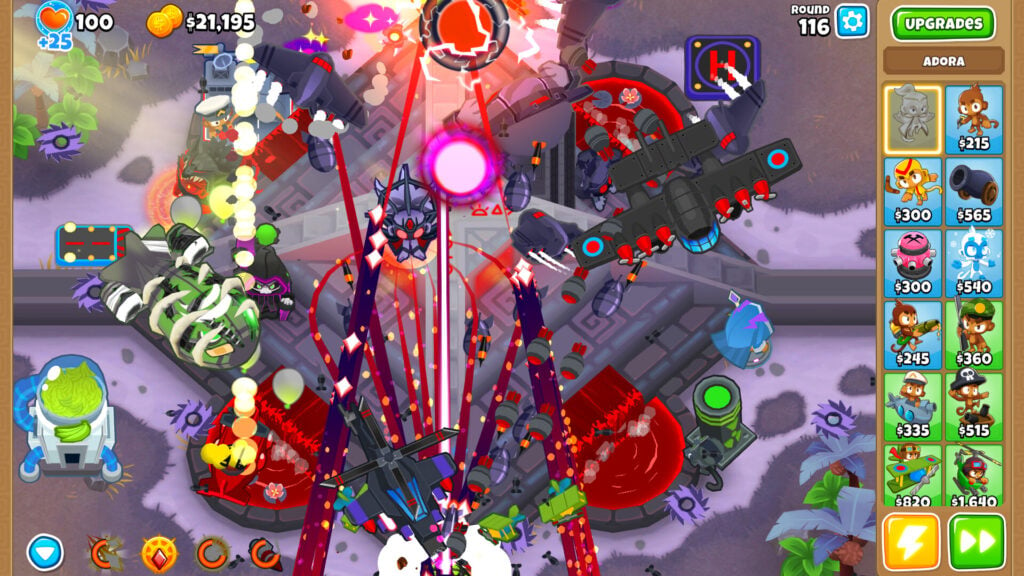
An army of monkeys armed with darts should be able to handle a few balloons, but that’s not necessarily the case in Bloons TD 6+. In this quirky strategy game, kids position towers beside a winding route and upgrade them to stop waves of Bloons from reaching the exit. As one might expect, different enemies demand different defenses. Basic darts won’t pop lead Bloons, for instance, so another tower or upgrade needs to cover that gap. Consequently, spending the available money wisely matters as much as finding a good place for each monkey.
We’re recommending the Apple Arcade edition, marked with a plus sign. It removes in-app purchases, so powers and other extras are earned through play rather than bought with real money. The subscription covers ad-free access, but progress can’t transfer between Bloons TD 6+ and the regular game. This is a recommendation for older kids who enjoy strategy, with tougher maps and modes demanding more careful planning.
Why Kids Will Love Bloons TD 6+
Watching a carefully arranged defense handle a wave that previously slipped through makes changing tactics worth the effort. Different upgrade paths let kids experiment with their favorite monkeys instead of relying on the same setup every time.
- Price: Included with Apple Arcade, which costs $6.99 per month or $49.99 per year in the US
- ESRB Rating: No ESRB rating listed for this edition; Apple App Store rating of 9+
- Platforms: iPad, iPhone, macOS, Apple Vision Pro
- Players: 1; 2–4 online co-op
- Content Descriptors: Apple lists infrequent Cartoon or Fantasy Violence and Guns or Other Weapons; includes user-generated content

