

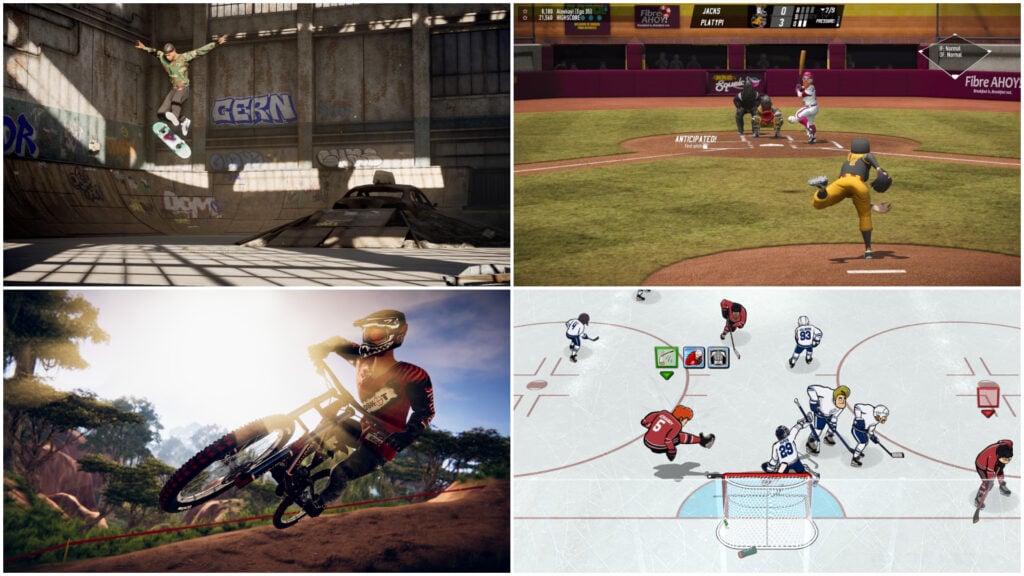
Sports games are fantastic for families who enjoy a little competition. A lot of kids may already know the rules from playing at school or watching a game with their parents, so everyone can start with a sense of what they’re trying to achieve. A parent’s knowledge of the sport doesn’t guarantee they’ll be the one winning the rematch, though.
There’s a big difference between carefully lining up a putt and chasing a soccer ball in a rocket-powered car. That level of variety is one of the genre’s biggest strengths, with realistic simulations sharing space with arcade games that take a more creative approach to the rules. Families can choose a sport they already enjoy or try something they’ve never had a chance to play.
For the purposes of this list, we’ve picked 20 of the best sports video games for kids and families, with one entry per series and a mix of team sports and individual events. Some are ideal for sharing a screen, while others suit kids who want a career or challenge to work through on their own. We’ve included multiplayer details, regular prices and age ratings to help you find a good match for your household.
Nintendo Switch Sports Resort Gets The Whole Family Off The Sofa
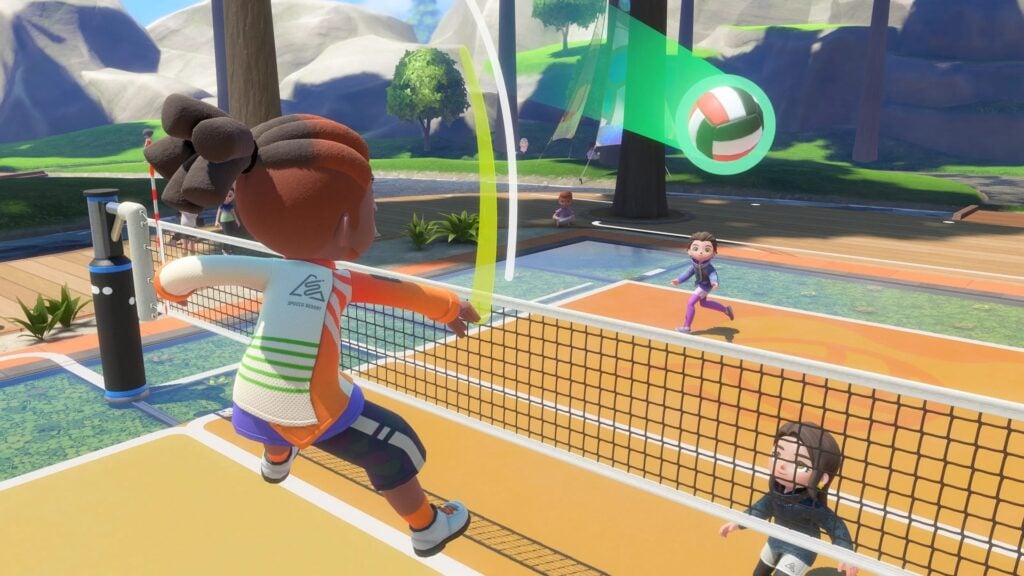
Nintendo Switch Sports Resort brings 12 activities together, giving families a chance to settle a bowling rivalry before jumping into a different sport. The game collection allows players to use motion controls to perform actions such as swinging a tennis racket or lining up an archery shot, so knowing what to do often starts with recognizing the sport itself. There are still techniques to learn, but relatives who rarely touch a controller can join in without memorizing a complicated set of button combinations.
Up to four people can play on a single Switch 2 device, although the number of participants varies between sports. For kids who want a goal to work toward on their own, Island Crown offers matches against champions across nine activities, including the returning Mii competitor Matt. Between contests, players can explore the island by skateboard, power cruiser or prop plane, turning a break from competition into a sightseeing trip.
Why Kids and Families Will Love Nintendo Switch Sports Resort
A family member who struggles with tennis might turn out to be the undefeated champion at bowling. The range of activities makes it easy to switch sports when someone wants a rematch on their own terms.
- Price: $49.99
- ESRB Rating: E10+ for Everyone 10+
- Platforms: Nintendo Switch 2
- Players: 1–4 locally; 2–16 online, depending on the sport and mode
- Content Descriptors: Mild Violence
Mario Tennis Fever Turns a Tennis Match Into a Mushroom Kingdom Showdown
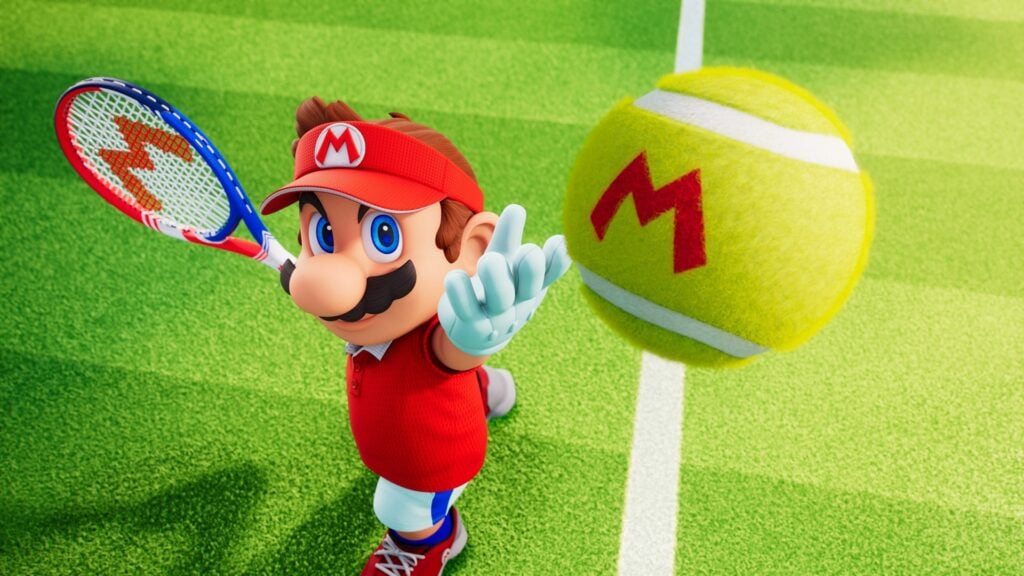
Mario Tennis Fever adds magical rackets to the classic competition between Mario and his friends. Among other things, players can send a lob over someone’s head or place a shot across the court, then introduce some Mushroom Kingdom mischief once their Fever Gauge fills. Fever Rackets add effects to special shots, with the Ice Racket leaving slippery patches where the ball lands. Because of that, a player who would normally reach the ball comfortably can end up slipping before they get there.
For family matches, up to four players can compete on the same Switch 2, with doubles letting siblings take the same side. Meanwhile, Swing Mode offers motion controls for players who would rather swing a Joy-Con 2 like a racket. Families that own several systems can use GameShare to share matches from a Switch 2 with nearby Switch or Switch 2 consoles, without buying a copy for every player.
Why Kids Will Love Mario Tennis Fever
A well-placed special shot can leave an opponent scrambling across an icy court, resulting in some pretty hilarious moments. Kids can experiment with different characters and rackets to find a combination that suits how they play.
- Price: $69.99
- ESRB Rating: E for Everyone
- Platforms: Nintendo Switch 2
- Players: 1–4 locally or online; 2–4 via local wireless
- Content Descriptors: Mild Fantasy Violence
Mario Golf: Super Rush Adds a Race To The Next Shot
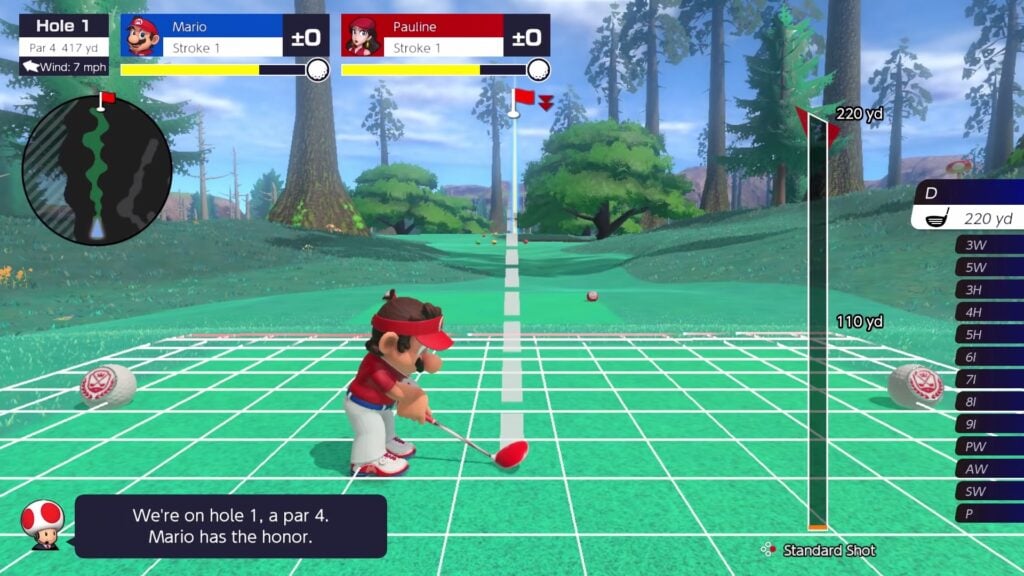
Mario Golf: Super Rush gives families a choice between carefully lining up a putt and charging down the fairway after the ball. In Standard Golf, players choose a club, check the distance and try to account for wind conditions before taking their shot. Mario and his friends have different strengths they can rely on, while button and motion controls offer two ways to swing. This slower format gives players time to study various approaches for improving their game.
Speed Golf spices things up by having players tee off together and run to their next shot, using dashes and special abilities to interfere with opponents. Here, reaching the ball quickly becomes just as important as hitting it accurately. The multiplayer setup deserves attention, though. Up to four people can share a controller when taking turns in Standard Golf, but simultaneous play on a single system is limited to two players.
Why Kids Will Love Mario Golf: Super Rush
Kids can try a measured round with the family, then switch to a race where a good dash can help rescue a poor shot. Mushroom Kingdom characters and hazards make even a simple trip down the fairway feel unpredictable.
- Price: $59.99
- ESRB Rating: E for Everyone
- Platforms: Nintendo Switch
- Players: 1–4 locally taking turns; up to 2 simultaneously on one system; up to 4 via local wireless or online
- Content Descriptors: Mild Cartoon Violence
Super Mega Baseball 4 Lets Players Find Their Own Difficulty
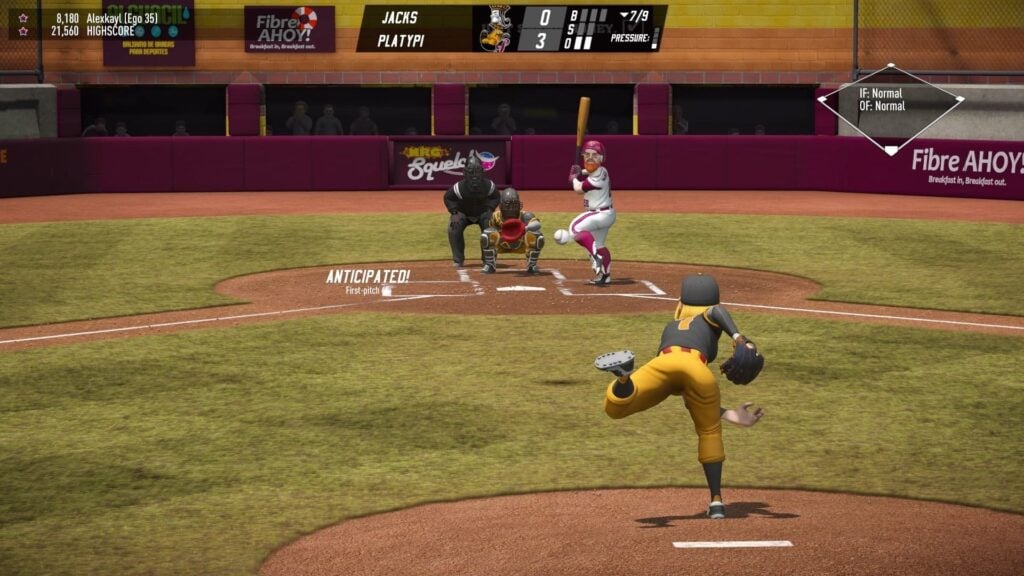
Super Mega Baseball 4 pairs exaggerated players with a surprisingly in-depth version of America’s favorite pastime. Kids can take charge of batting, pitching and fielding, learning when to swing and when an attempted steal is more risk than it’s worth. More than 200 former professionals join the fictional players, allowing parents to introduce a few baseball legends to their kids while putting together a team. Shuffle Draft allows both groups to appear in the same roster.
The adjustable Ego difficulty is a major selling point for families learning Super Mega Baseball 4. Its scale runs from 0 to 99, and individual settings let players make batting easier without reducing every other challenge. Local multiplayer supports cooperation and competition, meaning that a parent and child can work together against the computer. Parents who want to go for the Steam version of the game should know that an EA account is required to play it.
Why Kids Will Love Super Mega Baseball 4
A well-timed hit can turn a struggling inning into a comeback, giving kids a reason to cheer for their own team. The exaggerated player animations add some silliness to a sport kids might otherwise only know from television.
- Price: $49.99 for the Standard Edition
- ESRB Rating: E for Everyone
- Platforms: PC, PlayStation 4, PlayStation 5, Xbox One, Xbox Series X|S, Nintendo Switch
- Players: 1–4 locally; 2–4 online
- Content Descriptors: Alcohol Reference, Comic Mischief, Mild Violence
Hoop Land Puts an Entire Basketball League In Players’ Hands
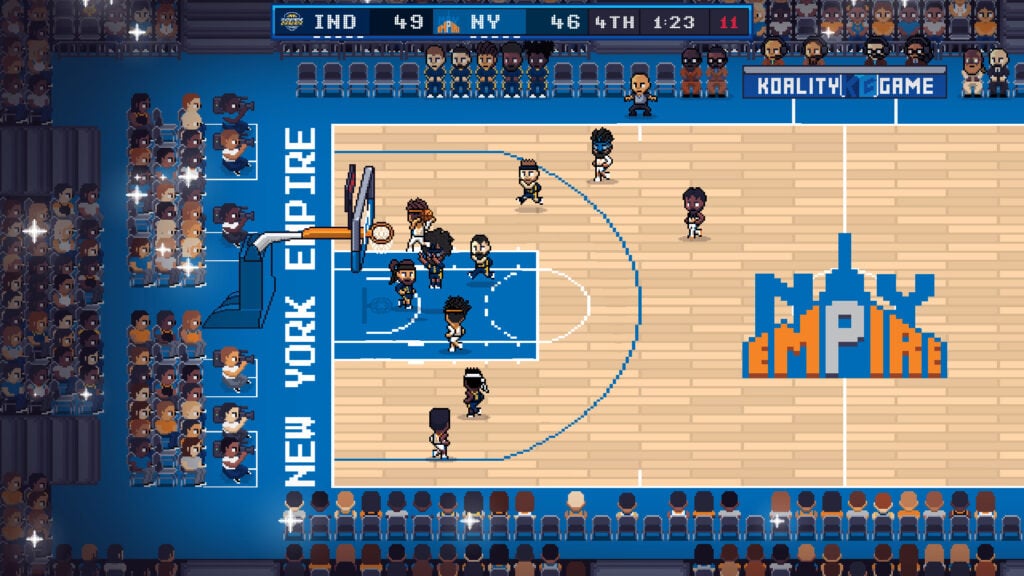
Hoop Land is a retro basketball game for older kids interested in following a player’s career or managing a team. On the court, kids can pass, shoot and work toward more elaborate moves such as alley-oops. Shots can bounce around the rim before finally dropping through the hoop, adding some suspense to a close game. Players who get invested in their team can continue into Franchise Mode, where drafting prospects and trades affect the roster available for future games.
Pretty much everything in Hoop Land can be customized, including team names, uniforms and court designs, letting kids create a league of their own. On Windows and Mac, up to four people can play locally, but it’s worth noting that the desktop version is currently in Early Access. Meanwhile, mobile players can access Franchise Mode for free, with a one-time Premium Edition purchase unlocking the remaining modes and features.
Why Kids And Teens Will Love Hoop Land
An improving prospect can eventually become a star player over the course of several seasons. Custom teams give kids a league they can personalize, with careers to follow long after the first championship.
- Price: $14.99 on Steam; free on mobile with paid unlocks, including the $4.99 Premium Edition on iOS
- ESRB Rating: Not rated; rated 4+ on the App Store
- Platforms: PC, Mac, iOS, Android
- Players: Single-player; up to 4 local players on the desktop version
- Content Descriptors: No ESRB descriptors assigned
Kopanito All-Stars Soccer Sends The Referee Home

Kopanito All-Stars Soccer pairs passing and shooting with superpowers, leaving families free to settle possession disputes with a slide tackle. There isn’t a referee to hand out cards, so knocking an opponent down can be a perfectly valid, albeit mean, way to win the ball. Good play earns special moves that introduce even more mischief. For example, players can use a giant magnet to pull the ball toward them or freeze opponents before they have a chance to interfere with a shot.
Underneath the silliness, accurate passes and well-placed shots still decide matches. Four difficulty levels and a practice mode give kids room to learn before facing tougher opponents, while local cooperative play lets up to five people share a team against the computer. Families can work through tournaments together while enjoying one of the best soccer games out there.
Why Kids Will Love Kopanito All-Stars Soccer
A magnetic rescue or a frozen defender can turn a simple scoring opportunity into something downright ridiculous. Kids can save replays as GIFs, preserving the evidence when nobody believes how the winning goal happened.
- Price: $5.99
- ESRB Rating: Not rated
- Platforms: PC, Linux, legacy Mac systems; the Mac version is incompatible with macOS 10.15 or later
- Players: 1–5 locally using four gamepads and a keyboard; up to 10 online
- Content Descriptors: No ESRB descriptors assigned
Legend Bowl Provides Teens With a Football Franchise To Run
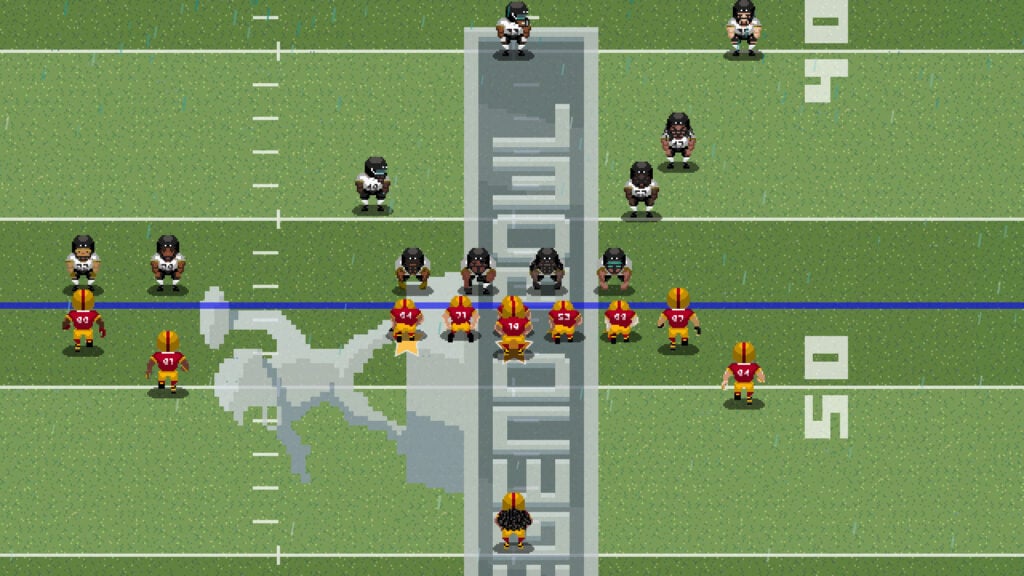
Legend Bowl combines pixel art football with the responsibilities of running a team, making it a perfect fit for teens who follow the sport. In Legend Bowl, players choose from 32 fictional teams and take charge of the action on the field, where individual abilities affect how the roster performs. Mastering the controls takes a little practice, so it’s worth visiting the Training Camp before attempting to lead a championship campaign. Up to four players can compete locally or share responsibilities on the same team.
For teens who enjoy making decisions between games, Franchise Mode follows a coach through a 17-week schedule and into the offseason. A seven-round draft, free agency and player progression give players ways to improve a struggling roster instead of abandoning it after a poor season. Unlike most of the other sports games on this list, Legend Bowl comes with a Teen rating because of some blood and drug references alongside the football violence.
Why Teens Will Love Legend Bowl
Teens can customize players, uniforms and teams to create a league with its own rivalries. The game offers a more involved and action-packed version of football compared to a lot of other similar titles.
- Price: $24.99
- ESRB Rating: T for Teen
- Platforms: PC, PlayStation 4, PlayStation 5, Xbox One, Xbox Series X|S, Nintendo Switch
- Players: 1–4 locally
- Content Descriptors: Blood, Drug Reference, Suggestive Themes, Violence
Tape To Tape Turns Hockey Into an Unpredictable Championship Run
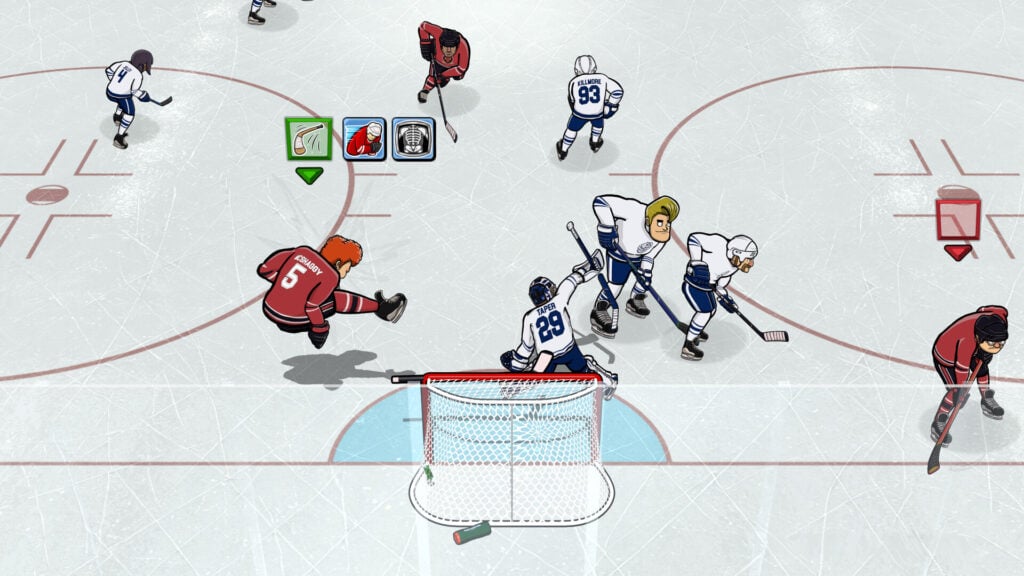
Tape to Tape centers around leading a hockey team through a campaign where recruiting players and choosing upgrades is just as important as scoring goals. Between matches, players select a route and improve their squad before facing opponents with abilities of their own. Some opposing teams take liberties with the rules, including a squad of cheating referees. On the ice, good positioning and quick passes help players create scoring opportunities, even when a match descends into cartoonish collisions.
A defeat ends the current campaign attempt, but unlocked players and abilities expand the options available when players are ready to try again. Kids who enjoy experimenting can change their lineup and approach in order to improve their chances of success next season. The campaign supports local cooperation, so parents can help with both the hockey and the team decisions. For a shorter session, Play Now offers single matches without committing to a full campaign.
Why Kids Will Love Tape To Tape
Kids can argue the case for their favorite recruits, then see how the team performs together on the ice. The ridiculous opponents give families something to laugh about while working toward a shared victory.
- Price: $19.99
- ESRB Rating: E for Everyone
- Platforms: PC, PlayStation 5, Xbox Series X|S, Nintendo Switch
- Players: Single-player and local multiplayer; up to 4 on PlayStation 5 and Switch, up to 6 on Xbox, and up to 10 on PC, depending on the mode; no native online multiplayer
- Content Descriptors: Mild Fantasy Violence, Crude Humor
PBA Pro Bowling 2026 Helps Kids Read The Lane
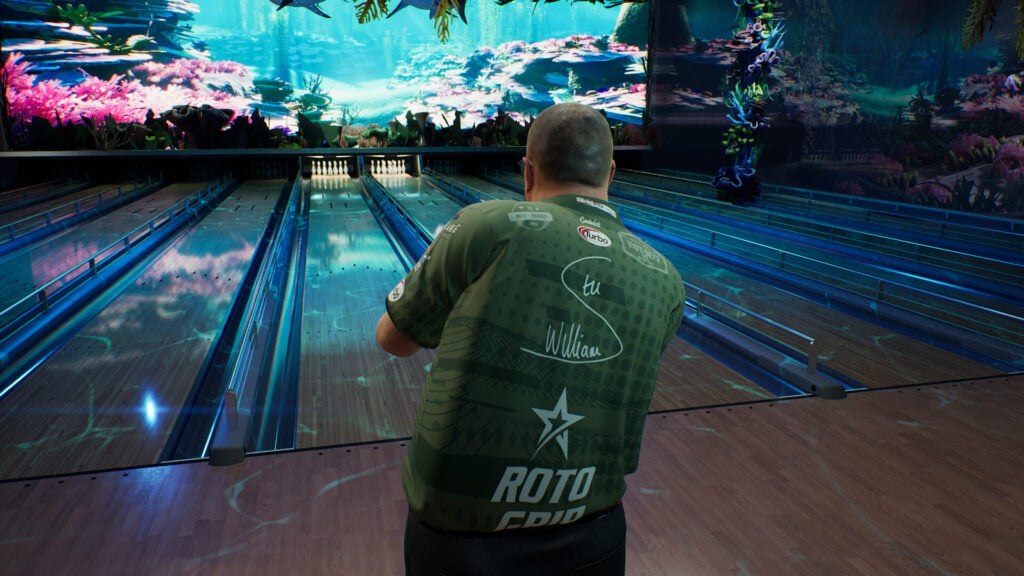
PBA Pro Bowling 2026 gives older kids a chance to learn why a bowling ball curves and why the same shot doesn’t always produce the same result. For instance, oil patterns and lane friction affect the ball’s path, while repeated throws gradually change the lane conditions. Players can respond by adjusting their aim, speed, spin, or ball choice. They can also analyze a stubborn spare and test a different approach on their next attempt.
Career mode begins in local leagues and eventually takes players onto the PBA Tour, where they get to compete against licensed professionals. Along the way, kids can build an arsenal from more than 270 bowling balls and test their equipment against changing lane conditions. Up to four people can bowl locally, with players taking turns without needing to master simultaneous controls. Once players have become proficient at tenpin, they can try other variants like candlepin or duckpin.
Why Kids Will Love PBA Pro Bowling 2026
Kids can create their own bowler and work toward competing with the professionals they see on television. During family matches, a carefully judged spare can be just as satisfying as a lucky strike.
- Price: $39.99
- ESRB Rating: E for Everyone
- Platforms: PC, PlayStation 5, Xbox Series X|S, Nintendo Switch
- Players: 1–4 locally; 2 online on PlayStation 5 and Xbox, or 2–4 online on Switch
- Content Descriptors: None
Pool Nation Gives Budding Pool Sharks Room To Practice
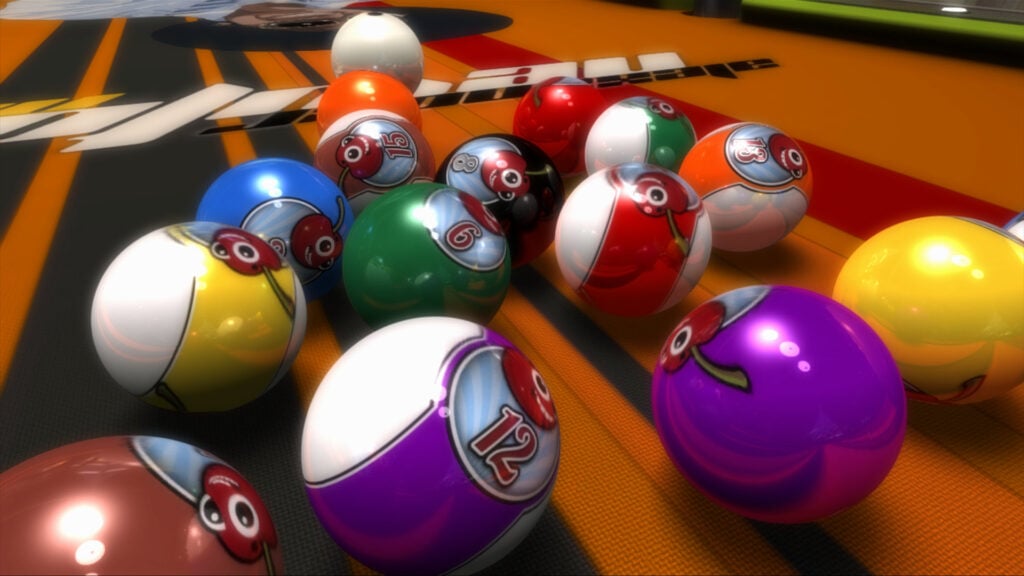
Pool Nation lets kids practice lining up shots and judging rebounds without needing a pool table at home. Aiming assistance helps players see where a shot is likely to go, so they can connect their aim with the resulting path of the balls. As they become better at it, they can turn the assistance off and make those judgments themselves. The slower pace of the game leaves time to study the table before committing to a shot, including where the cue ball might stop afterward.
On PC, the Box of Tricks mode takes the physics in a less sensible direction, letting players construct elaborate trick shots with objects such as ramps and loops. Kids can experiment with a setup, watch the result and adjust whatever sent the ball astray. Parents considering the PS4 version should check the table customization options, since some designs feature suggestive images of women.
Why Kids Will Love Pool Nation
A successful bank shot gives kids a chance to put their understanding of angles into practice. On PC, slow-motion replays let them admire an elaborate trick shot after finally getting the setup right.
- Price: $6.99 on PC; $9.99 on PlayStation 4 and PlayStation 5
- ESRB Rating: E10+ for Everyone 10+ on PlayStation 4; E for Everyone on PlayStation 5; not rated on Steam
- Platforms: PC, PlayStation 4, PlayStation 5
- Players: 1–2 locally on PC and PlayStation 4; single-player locally on PlayStation 5; 2 online
- Content Descriptors: Mild Suggestive Themes on PlayStation 4; none on PlayStation 5
Shredders Lets Aspiring Snowboarders Find Their Own Line
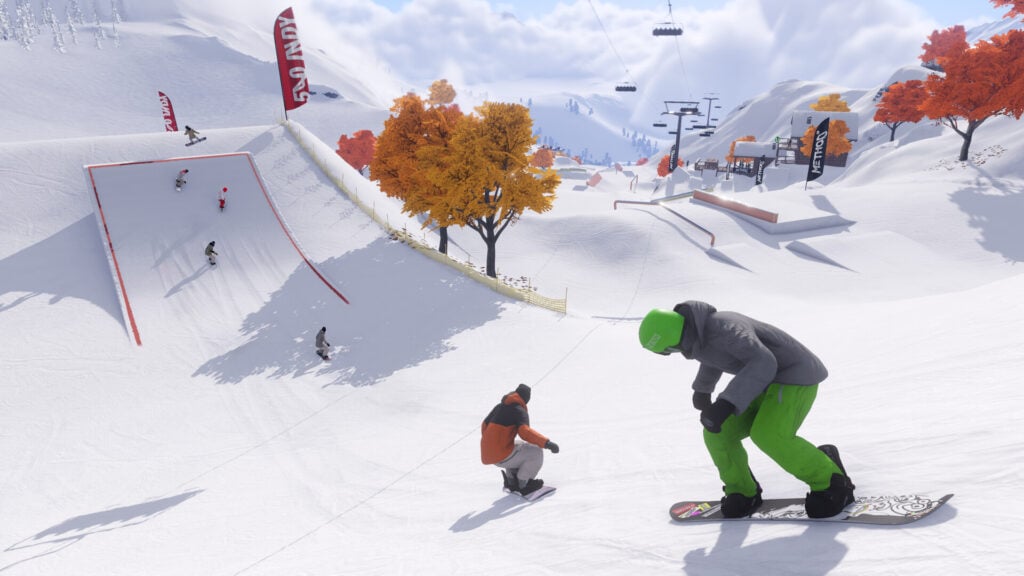
Shredders offers older kids and teens a whole mountain to explore as they learn to pull off snowboard tricks. Some of the highlights include practicing spins on big jumps, grinding rails in snow parks or looking for a promising route through fresh powder. Players are free to experiment with tricks as they see fit, but pulling a clean run is going to take quite a bit of practice. Fortunately, the Reshred feature lets players rewind after a mistake and try again without returning to the top of the slope.
Story-wise, players are tasked with making snowboarding videos with their friend Scotty and work toward an invitational event. Along the way, encounters with professional riders introduce moves that kids can practice during their own runs. Families can ride together online through private sessions, but there’s no split-screen mode. Also worth mentioning is that PC players need a controller, since keyboard and mouse controls aren’t supported.
Why Older Kids and Teens Will Love Shredders
A jump that initially ends in a faceful of snow can become the highlight of a run after some practice. Kids can experiment with their own routes and tricks, then ride alongside friends without needing to turn every outing into a race.
- Price: $29.99 for the base game
- ESRB Rating: E10+ for Everyone 10+
- Platforms: PC, PlayStation 5, Xbox Series X|S
- Players: Single-player; 2–16 online; no local multiplayer
- Content Descriptors: Language
Windjammers 2 Turns Disc Throwing Into a Family Rivalry
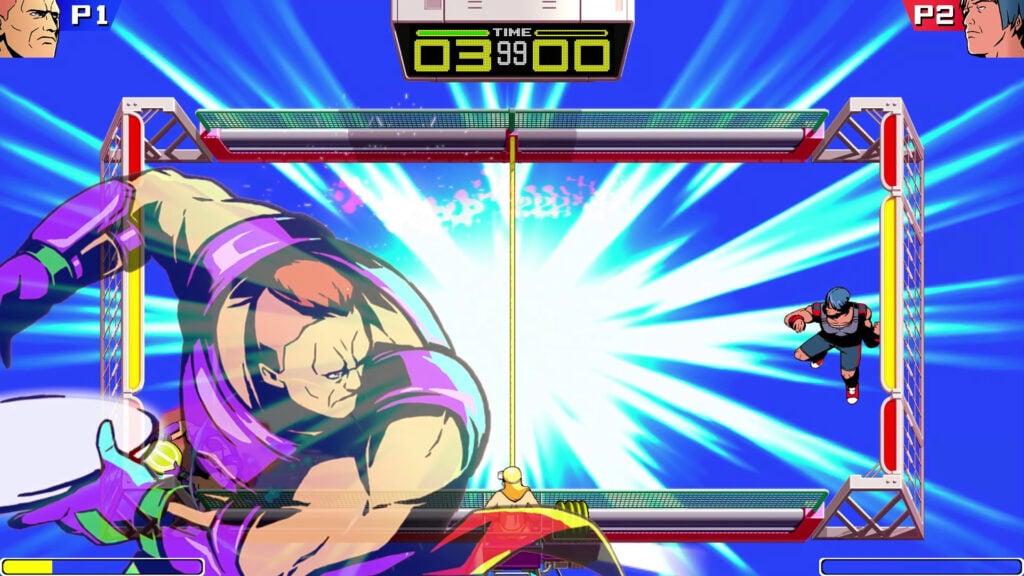
Windjammers 2 is a competitive disc-throwing game where two players defend opposite ends of a court. The objective is to get the disc past the other player and into their goal, but a predictable throw is easier for a defender to return. To make things harder for the defender, players can curve shots, bounce the disc off walls or send a lob toward an unguarded patch of court. Naturally, the other player can do the same.
Athletes have different strengths, so depending on their playstyle, kids can try a fast character who reaches difficult shots or a stronger thrower who puts more pressure on a defender. Training Mode includes lessons and adjustable practice sessions to help kids understand the techniques before challenging the family champion. Local matches put both players on the same screen, making Windjammers 2 a good choice for siblings who enjoy learning each other’s habits.
Why Kids Will Love Windjammers 2
Kids can learn to recognize an opponent’s favorite shot and have a return ready when it comes. A long rally gives both players opportunities to recover, until someone finally finds the opening they’ve been waiting for.
- Price: $19.99
- ESRB Rating: E for Everyone
- Platforms: PC, PlayStation 4, Xbox One, Xbox Series X|S, Nintendo Switch
- Players: 1–2 locally; 2 online
- Content Descriptors: None
Dodgeball Academia Gives Kids a Team To Grow With

Dodgeball Academia follows Otto, a new student at a school where dodgeball takes priority over just about everything else. Kids get to guide the protagonist around campus, meet potential teammates, and compete in matches where dodging and catching incoming throws are essential to keeping the team standing. These contests unfold in real time, with special abilities adding a good deal of complexity to the mix. As Otto and his teammates level up, players can develop their abilities to prepare for tougher rivals.
Between matches, school activities and side quests give kids reasons to explore and get to know the students. The story makes Dodgeball Academia a strong pick for children who like to follow characters alongside the sport, even though there’s a fair amount of dialogue and reading involved. Accessibility settings let parents adjust damage dealt and received, while a separate local versus mode offers two-player competition outside the single-player campaign.
Why Kids Will Love Dodgeball Academia
Classmates become teammates and rivals that kids get to know throughout Otto’s story. Their interest in the next match can grow from wanting to beat a specific character or seeing how a newly developed teammate performs.
- Price: $24.99
- ESRB Rating: E for Everyone
- Platforms: PC, PlayStation 4, Xbox One, Xbox Series X|S, Nintendo Switch
- Players: Single-player campaign; 2 locally in versus mode
- Content Descriptors: Mild Fantasy Violence
Stikbold! A Dodgeball Adventure Keeps Eliminated Players In The Match
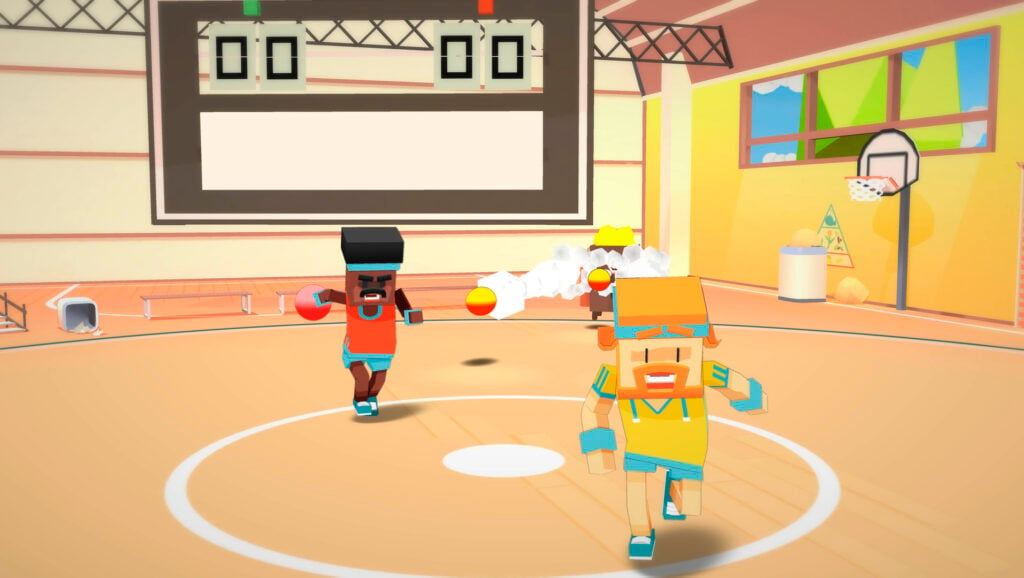
Stikbold! A Dodgeball Adventure follows dodgeball players Björn and Jerome through a very silly sporting crisis in a 1970s setting. One or two players can tackle the story, taking on eccentric opponents and unlikely bosses while trying to find the missing rival player Heidi Starbrow. The matches call for players to dodge incoming balls and look for openings to hit their opponents back. Parents and kids can share the campaign, learning to handle its hazards together before turning their throws on each other.
In competitive matches, eliminated players can control arena hazards to interfere with the survivors. A child who loses early still has something to do, and the remaining competitors need to watch for trouble from outside the usual dodgeball exchanges. The original version supports four local players, while the Switch-exclusive Deluxe edition raises the limit to six and adds a game-show-style tournament mode.
Why Kids and Families Will Love Stikbold! A Dodgeball Adventure
A player who’s been knocked out can still have a hand in deciding who wins. The shifting hazards give kids opportunities to get even with a sibling before the next round has even started.
- Price: $9.99 on PC, PlayStation 4, and Xbox One; $14.99 for the Deluxe edition on Switch
- ESRB Rating: E for Everyone
- Platforms: PC, PlayStation 4, Xbox One, Xbox Series X|S, Nintendo Switch through the Deluxe edition
- Players: 1–2 in the local story mode; up to 4 locally in competitive modes, or 6 on Switch
- Content Descriptors: Mild Fantasy Violence, Mild Language
Golf With Your Friends Turns Mini Golf Into a Twelve-Player Contest
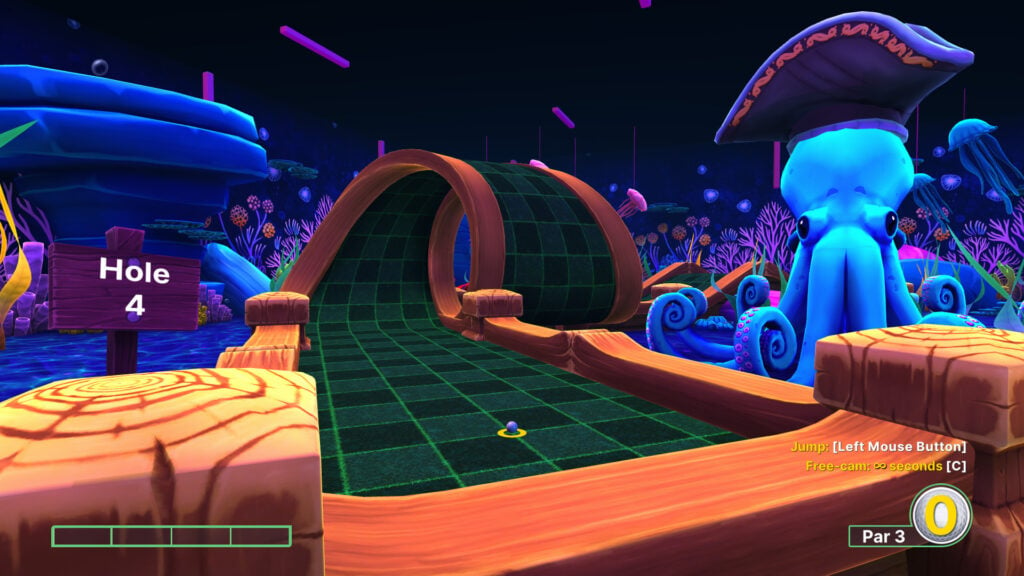
Golf With Your Friends takes players through mini golf themed courses where a well-judged rebound can save multiple strokes. You can choose a direction and shot strength, then watch whether the ball reaches the hole or rolls somewhere less convenient. The pirate and ancient-themed courses give players different layouts to learn, with obstacles that make judging power as important as aiming. Once everyone understands the basics, optional power-ups can interfere with opponents, including turning a ball into an unhelpful cube.
For families sharing the same system, Hotseat mode lets players take turns and pass the controller around. Up to twelve people can join, so a larger gathering doesn’t require a controller for every participant. Online matches support a dozen players taking shots simultaneously, which obviously changes the pace of a round. On PC, the course editor lets kids design holes for the family to try, giving them a chance to set the challenge themselves.
Why Kids and Families Will Love Golf With Your Friends
A risky shortcut can rescue a poor round or send the ball somewhere that wasn’t intended. Players can compare approaches to the same hole, then watch whether the person offering advice can actually make the shot.
- Price: $14.99 on Steam; $19.99 on consoles for the base game
- ESRB Rating: E10+ for Everyone 10+
- Platforms: PC, Mac, Linux, PlayStation 4, Xbox One, Xbox Series X|S, Nintendo Switch
- Players: 1–12 locally in Hotseat mode; 2–12 online
- Content Descriptors: Mild Blood, Mild Fantasy Violence
Rocket League Puts The Family Soccer Team Behind The Wheel

Rocket League combines soccer with rocket-powered cars, putting players in charge of driving the ball into the opposing goal. This can be achieved through jumps, flips and using boosts to reach a shot, but racing straight at the ball doesn’t always help the team. More often than not, someone needs to stay behind, ready for a rebound or an opponent’s counterattack. As kids get better at controlling their cars, they can start setting up passes and saves instead of leaving everything to a lucky collision.
Free Play gives newcomers space to practice as much as they want before taking on opponents, while split-screen play lets relatives share a team or compete against each other. Families can arrange private matches online, so learning together doesn’t necessarily require joining a public lobby. Rocket League is free to play with optional purchases for cars and customization items. Online play requires an Epic Games account, though.
Why Kids and Families Will Love Rocket League
A child who isn’t the best scorer can still make the pass or save that wins a match. The goal replay gives everyone a chance to admire the teamwork or work out whose car was upside down.
- Price: Free to play, with optional in-game purchases
- ESRB Rating: E for Everyone
- Platforms: PC through the Epic Games Store, PlayStation 4, PlayStation 5, Xbox One, Xbox Series X|S, Nintendo Switch
- Players: 1–4 locally in split-screen; up to 8 online; Switch handheld mode supports up to 2 local players
- Content Descriptors: Mild Lyrics
Tony Hawk’s Pro Skater 1 + 2 Gives Two Generations a Score To Settle
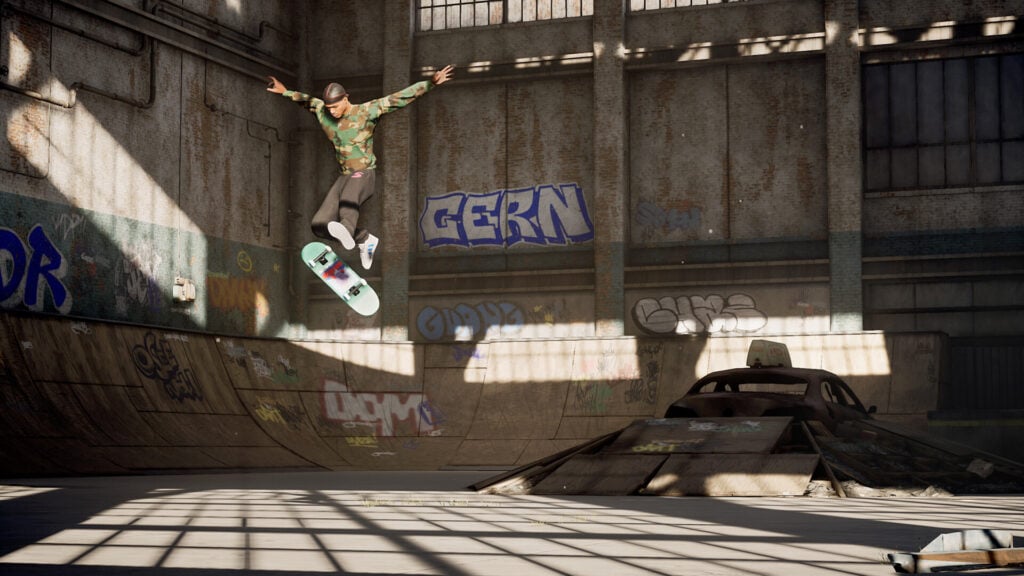
Tony Hawk’s Pro Skater 1 + 2 remakes the original games, letting teens choose a professional or create their own skater. The gameplay primarily revolves around linking tricks into combinations, sliding along rails and balancing on two wheels to carry a score from one obstacle to the next. A badly judged landing can wipe out an entire combo, so players need to decide when to keep going and when to bank their points.
The career objectives encourage teens to explore each park, collect letters, and find routes that produce higher scores. For practice, Free Skate removes the timer and opens every park from the start. Two-player split-screen modes let family members challenge each other once they’ve learned a few tricks. The soundtrack’s lyrics account for the Teen rating, and families choosing the Steam version should know that it requires an internet connection to play.
Why Teens and Families Will Love Tony Hawk’s Pro Skater 1 + 2
Parents who played the originals may finally have an audience for their Warehouse expertise. Teens can challenge them on the same ramps, with two-player modes that put both generations’ skills to the test.
- Price: $39.99 for the standard version on PC, PlayStation 4, Xbox One and Switch; $49.99 for the Cross-Gen Deluxe Bundle with the native PlayStation 5 or Xbox Series X|S version
- ESRB Rating: T for Teen
- Platforms: PC, PlayStation 4, PlayStation 5, Xbox One, Xbox Series X|S, Nintendo Switch
- Players: 1–2 locally; 2–8 online; Switch supports up to 4 via local wireless
- Content Descriptors: Lyrics
OlliOlli World Gives Young Skaters More Than One Way Through
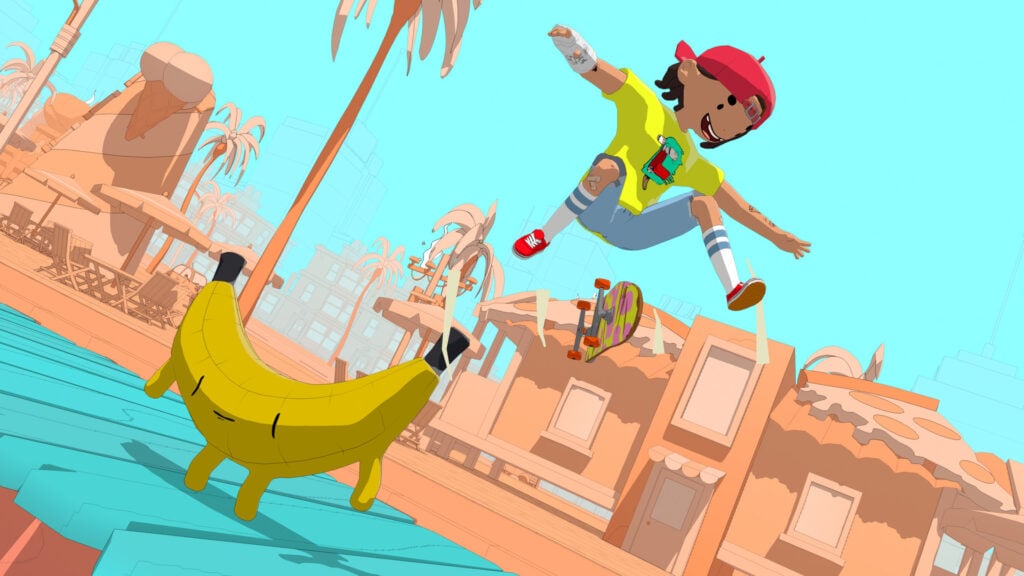
In OlliOlli World, kids get to create a skater and travel across Radlandia on side-scrolling courses filled with ramps, rails, and strange inhabitants. Players must control the timing of their jumps and tricks as their skater travels through each course, looking for ways to keep a combination going. Branching paths give them different routes to try, so a return visit can reveal a new jumping opportunity instead of simply repeating the same run for a better score.
Checkpoints let players practice individual sections without restarting the entire level after every fall. Kids can learn a difficult jump, then attempt a longer combination once they’re confident enough to connect it with the next section. Parents should treat OlliOlli World as a single-player game these days, as its online features, including the Rival system and Friends Leaderboards, have been retired some time ago. However, parents and siblings can still take turns trying the same course.
Why Kids Will Love OlliOlli World
Kids can dress their skater in outfits as strange as Radlandia’s residents, including a bumblebee onesie. The costume can stay ridiculous even as their tricks get more impressive.
- Price: $19.99 for the base game
- ESRB Rating: E10+ for Everyone 10+
- Platforms: PC, PlayStation 4, PlayStation 5, Xbox One, Xbox Series X|S, Nintendo Switch
- Players: Single-player; online features have been retired
- Content Descriptors: Crude Humor, Drug Reference
Descenders Challenges Kids To Judge Every Jump

Descenders is a downhill mountain biking game where speed and control need to work together. The main goal generally involves leaning into turns, lining up jumps and attempting tricks while trying to land without falling off. The career mode’s generated trails change between runs, so memorizing a route won’t carry players through every attempt. Ideally, players should pay attention to the terrain ahead and decide whether an impressive jump is worth the risk when repeated crashes can end a run.
For kids who want to rehearse a particular jump, Bike Parks offers fixed locations they can revisit. A troublesome landing becomes easier to understand when they can approach it again and adjust their speed or position. Families with separate systems can still ride together online, but there’s no split-screen option. The combination of fast riding and precise landings makes Descenders a good choice for children willing to practice through some crashes.
Why Kids Will Love Descenders
Kids can choose between riding for speed and looking for jumps to turn into tricks. New bikes and clothing give them something to show for the reputation they earn during their runs.
- Price: $24.99 on computers and consoles; $9.99 on iOS and Android
- ESRB Rating: E for Everyone
- Platforms: PC, Mac, Linux, PlayStation 4, Xbox One, Xbox Series X|S, Nintendo Switch, iOS, Android
- Players: Single-player; up to 8 online on computers and Xbox Series X|S or 4 on other listed platforms; no local multiplayer
- Content Descriptors: None
Lonely Mountains: Snow Riders Makes Skiing a Team Sport
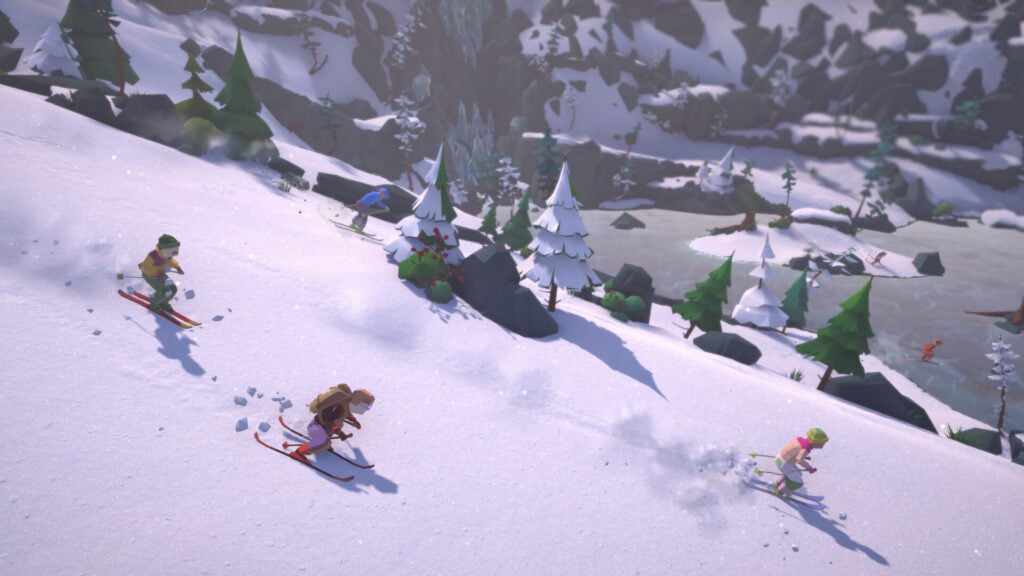
Lonely Mountains: Snow Riders lets kids guide a skier down mountain trails, choosing how quickly to descend and where to leave the main route. A shortcut can shave time off a run, but a narrow gap between rocks can lead to a badly judged turn. Kids can explore for alternate routes or concentrate on improving their times, gradually learning which risks they can handle. The scenery may be peaceful, but reaching the bottom still takes some careful steering and concentration.
Online co-op gives multiple players a way to tackle the slopes together instead of treating every descent as a race. The group shares a limited supply of checkpoints, however, and players need to agree where a restart would help most. More experienced skiers can help choose a route while everyone works toward finishing the descent. Competitive races offer a different challenge once the family knows the mountain well enough to start taking shortcuts.
Why Kids and Families Will Love Lonely Mountains: Snow Riders
Kids can end up being the ones who spot a shortcut or choose the checkpoint that saves the entire family’s run. Their contribution can help the whole group, even when they aren’t the fastest skier.
- Price: $24.99 for the base game
- ESRB Rating: E for Everyone
- Platforms: PC, PlayStation 5, Xbox Series X|S
- Players: Single-player; 2–8 online in cooperative or competitive modes; no local multiplayer
- Content Descriptors: None

