

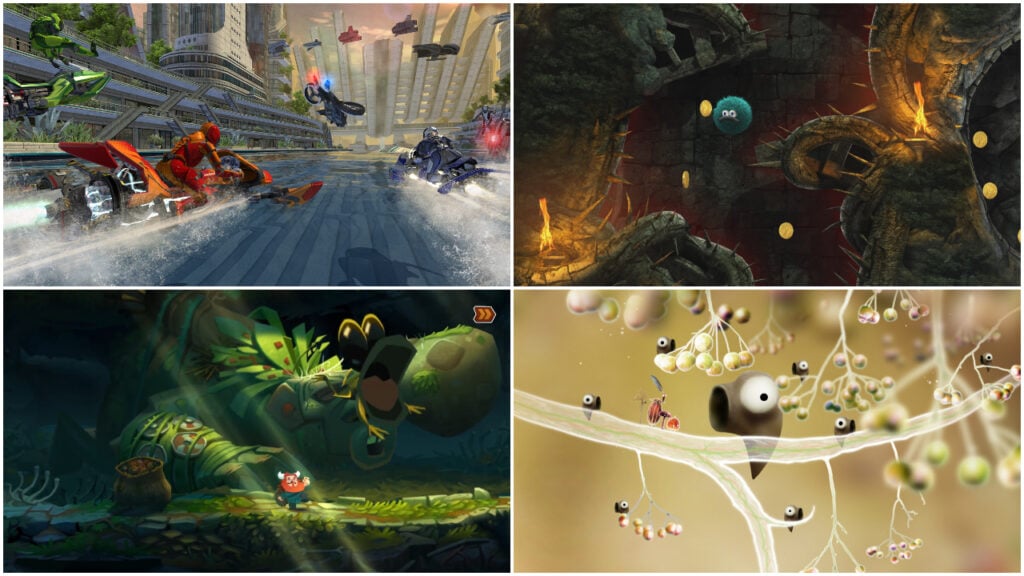
Finishing a puzzle or clearing a tricky level should leave kids eager to see what’s next. An ad taking over the screen interrupts that moment and having to watch another one a few minutes later gets tiresome pretty quickly.
Choosing a game without ads lets children spend their time actually playing, whether they’re immersing themselves in a story or trying to beat their best race time.
Games without ads use a few different payment models on Android devices. Some are completely free, while others charge a one-time fee for the full game or let players try a few levels before buying the rest. Subscriptions can provide access to a collection, but that access relies on keeping the membership active. Even a paid game can sell optional expansions or cosmetics, so it’s worth checking how it’s monetized before you buy.
For this list, we’ve selected 20 of the best ad-free Android games for kids, covering preschool activities, creative building, puzzles, platformers and racing. Some of the games are designed for children who are just learning to use a touchscreen.
Others suit older kids looking for a more meaningful challenge. The entries explain those differences, along with prices, content ratings and any subscriptions or paid extras, so parents know what they’re getting before they download.
GCompris Educational Game Covers Everything From Colors To Chess
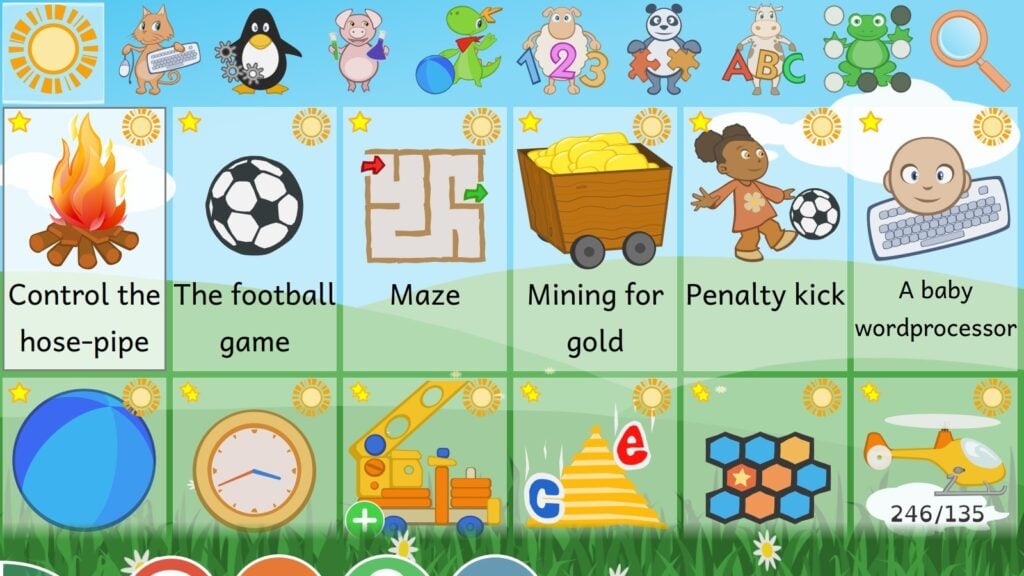
GCompris Educational Game is designed for the sort of age range that usually requires several different apps. Activities start with simple tasks like recognizing colors and matching shapes, then progress to reading, arithmetic, geography and science.
Children who have outgrown the simplest exercises can try something a bit more involved afterward. Among other things, that includes learning how a canal lock works or playing chess, so there’s plenty of variety here beyond practicing letters and numbers.
The collection is aimed at ages two to ten, though younger children will need help finding activities that suit them.
We recommend parents try a few activities with their kids at first until they get the hang of it. There’s something for everyone here, so a child who isn’t interested in counting can happily spend time with a memory game instead. Trying another activity doesn’t mean buying another pack since GCompris is free, with no ads or in-app purchases to worry about.
Why Kids Will Love GCompris Educational Game
Kids can follow an interest from a simple matching exercise into more demanding games as they grow. It even includes two-player activities, including chess, for when they’d rather challenge someone sitting beside them.
- Price: Free
- ESRB Rating: E for Everyone
- Platforms: Android, Windows, Linux, macOS; the available macOS version is older
- Players: Mostly single-player; selected activities support two players on the same device
- Content Descriptors: None listed
Netflix Playground Lets Preschoolers Join Their Favorite Characters
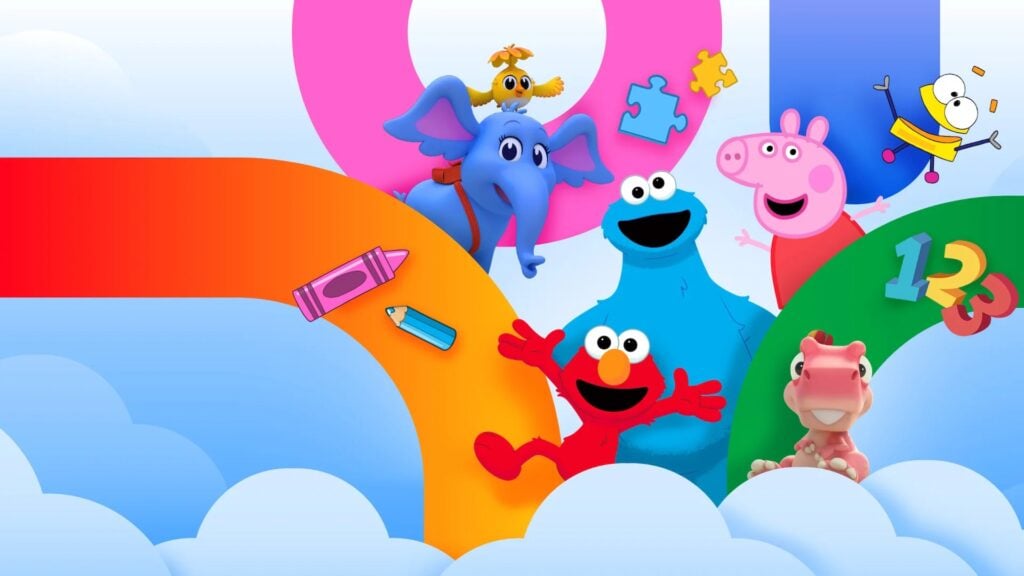
Peppa Pig has guinea pigs to look after, and the Very Hungry Caterpillar needs feeding. Netflix Playground lets children take part in those little routines themselves, turning characters they know from books and television into playmates.
Feeding the caterpillar helps it grow, while Peppa’s activities include things like making smoothies and driving a bus. The tasks are simple enough even for preschoolers, with matching games and simple puzzles offering other ways to play when they’re ready for a change.
These games come together in one app, though you’ll need an active Netflix membership to use it. For families who already subscribe, that means access without another bill or in-game purchases.
A parent should sign in and download the individual games before handing over the device. Once downloaded, they can be played offline, which makes Playground worth setting up before a long car ride.
Why Kids Will Love Netflix Playground
Looking after the caterpillar gives kids a character they can help grow through their own actions. When they’d like different company, Peppa and other characters have games waiting in the same app.
- Price: Included with a Netflix membership; US plans start at $8.99 per month
- ESRB Rating: E for Everyone
- Platforms: Android, iOS, iPadOS
- Players: Single-player
- Content Descriptors: None listed
BRIO World – Railway Puts Kids In Charge Of Their Own Train Set
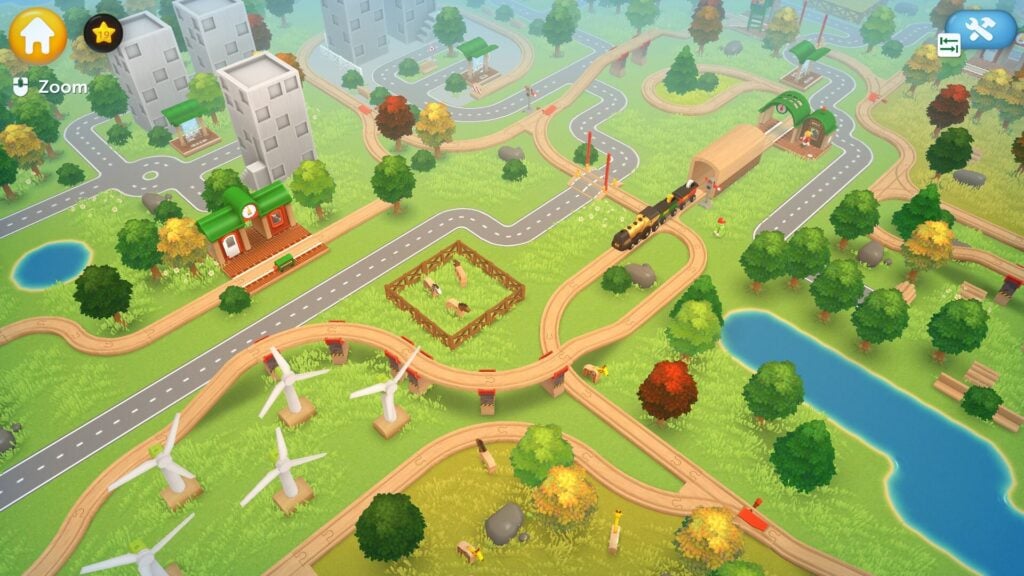
A wooden train set can take over a surprising amount of floor space. Luckily, parents don’t need to worry because BRIO World – Railway offers the next best thing: an Android game where children can arrange the pieces into a railway of their own.
Building is only the beginning, since they can then ride the trains along the tracks they’ve laid. Meanwhile, cranes let them load cargo for the journey, giving the railway a practical purpose once they’ve finished deciding where everything goes.
For children who want more direction, missions send them out to help the world’s characters. Completing those tasks unlocks additional building pieces, which they can bring back into their designs and use to expand the railway.
No ads interrupt that cycle of building and playing. Up to five profiles let siblings develop their own layouts without taking over each other’s work.
Why Kids Will Love BRIO World – Railway
Kids get to run trains through a railway they designed themselves. Earning more pieces through missions gives players new ideas to bring back to the building side of the game.
- Price: $7.99 on Android; the Google Play listing also includes in-app purchases
- ESRB Rating: E for Everyone
- Platforms: Android, iOS, iPadOS, Windows, macOS, Nintendo Switch
- Players: Single-player on Android; up to five separate profiles
- Content Descriptors: None listed for the Android version
Kahoot! Numbers By DragonBox Turns Arithmetic Into Something Kids Can Move Around
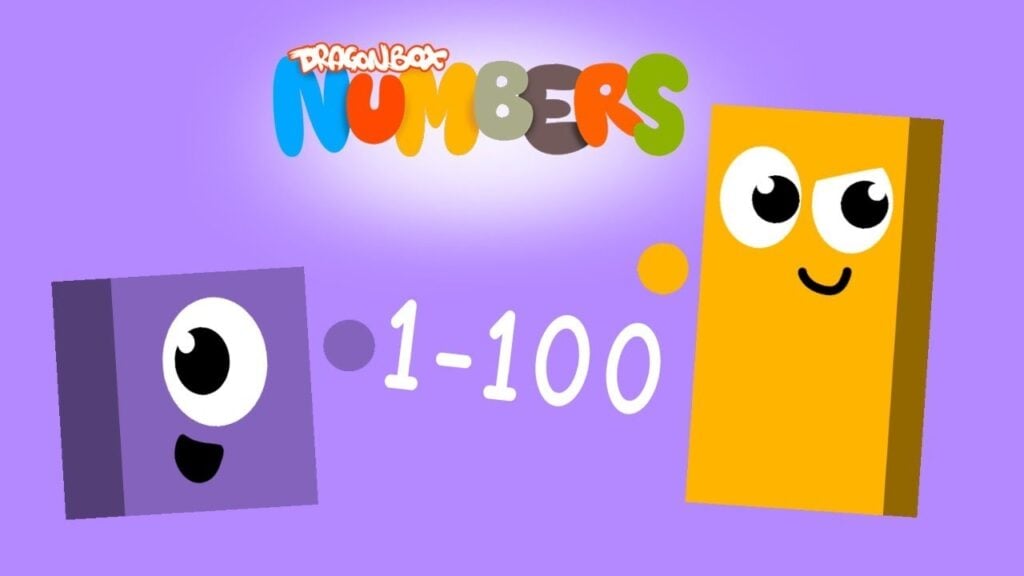
Numbers are easier to understand when you can see how they fit together. Kahoot! Numbers by DragonBox represents them as creatures called Nooms, which children can combine, stack and slice apart.
Joining two Nooms shows how their values add up, while splitting one demonstrates how a number can be broken into smaller amounts. Kids aged four to eight can experiment with those relationships directly, getting a better sense of what addition and subtraction actually mean.
The Puzzle activity puts that understanding to work across 250 challenges, asking children to create pieces that fit a picture. Since those pieces come from manipulating the Nooms, completing the image relies on choosing and combining the right numbers.
The Sandbox lets kids experiment without a picture to finish, while Run asks for quicker calculations to get past obstacles. Children can take time understanding the numbers at their own pace before testing how quickly they can use them.
Why Kids Will Love Kahoot! Numbers By DragonBox
The Nooms let kids pull a number apart and put it back together to see what changes. In the picture puzzles, getting the math right helps complete an image they can actually see taking shape.
- Price: Free download; full access requires a subscription. Kahoot! Kids costs $5.99 per month or $48 per year at regular US web pricing; in-app prices may vary
- ESRB Rating: E for Everyone
- Platforms: Android, iOS, iPadOS
- Players: Single-player
- Content Descriptors: None listed
Thinkrolls 2 Makes Kids Plan A Route Through Fun Physics Puzzles
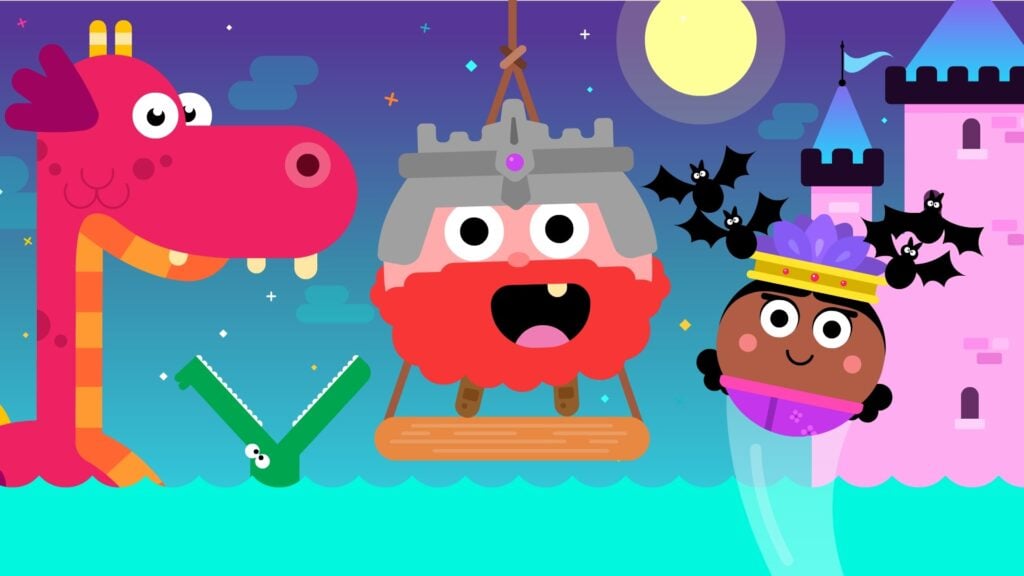
An accordion can make a perfectly good bridge when the traveler is round enough to roll across it. Thinkrolls 2 features mazes built around objects like these, asking children to work out how each one can help their character reach the exit. Stretching an accordion might close a gap, while a floating barrel can provide a way across water. As more objects come into play, kids have to consider how using one will affect the rest of the route.
Parents can choose between 135 easier puzzles for ages three to five and 135 harder ones for ages five to nine. Both sets are included in the purchase, with no ads or in-app purchases, so progressing to the harder challenges doesn’t cost extra. Six separate profiles let siblings tackle the mazes at their own pace, keeping each child’s progress intact when the device changes hands.
Why Kids Will Love Thinkrolls 2
Moving an object can open a blocked passage, letting kids see why their idea worked. The mazes keep introducing new obstacles, so players will have more things to figure out as they get better at planning a route.
- Price: $5.99 on Android
- ESRB Rating: E for Everyone
- Platforms: Android, iOS, iPadOS
- Players: Single-player; up to six separate profiles
- Content Descriptors: None listed
Townscaper Turns A Few Taps Into A Seaside Skyline

Townscaper makes it very easy to get carried away with a building project. Placing blocks on the water creates the foundations of a town, and stacking more on top sends houses climbing toward the sky.
The game adjusts the architecture as children build, fitting roofs, arches and stairways around their arrangements. Adding or removing a block can change the surrounding buildings, so a small experiment can quickly send the whole town in a different direction.
Children can follow their wildest ideas because Townscaper has no missions, budgets, or residents making demands. A cluster of little houses can stay that way or grow into something enormous, depending on what its builder has in mind. Kids who enjoy setting their own goals will get the most out of that freedom.
The game is also a great fit for kids who get frustrated easily, because it’s relaxing and open-ended. The Android purchase includes the building tools from the start, without ads or paid packs holding up construction.
Why Kids Will Love Townscaper
Kids can keep reshaping a town until it looks right to them, with the buildings adapting as they go. An arch or staircase that appears along the way can give them an idea of what they’d like to add next.
- Price: $4.99 on Android
- ESRB Rating: E for Everyone
- Platforms: Android, iOS, iPadOS, Windows, macOS, Nintendo Switch, Xbox One, Xbox Series X|S
- Players: Single-player
- Content Descriptors: None
Minecraft Gives Young Builders A Whole World To Work With
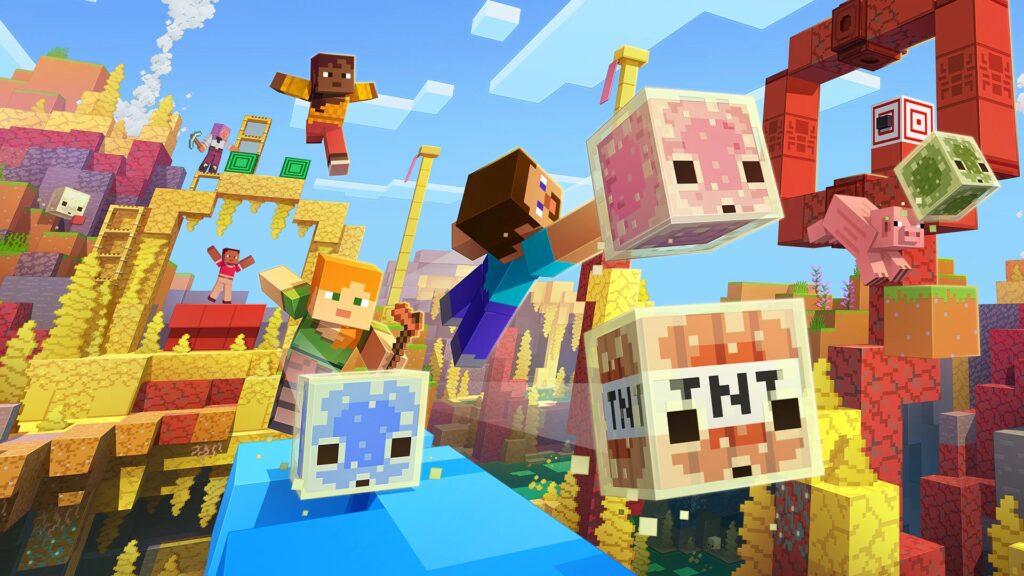
Minecraft‘s Creative Mode is a great starting point for children who have big building plans. Unlimited materials let them build a castle, zoo, or sprawling underground base, while flying makes it easier to reach upper floors. In this mode, players can keep expanding without first gathering supplies. Children who want their buildings to serve a more practical purpose can try Survival, where they must build a shelter to prepare for the monsters that come out at night.
Both modes are included in the Android version, and neither requires watching ads to continue playing. Minecraft does have a shop, though, where you can use Minecoins to buy optional worlds, add-ons, and character cosmetics. But you don’t need those extras to build a world of your own.
The Realms subscription is optional too and it pays for a hosted multiplayer world that friends can access even when the owner isn’t playing.
Why Kids Will Love Minecraft
A building project can keep growing as kids learn new tricks, from adding a secret entrance to designing something with redstone. Friends using compatible Bedrock versions can join them and contribute their own ideas.
- Price: $6.99 on Android; optional Marketplace purchases and Realms subscriptions cost extra
- ESRB Rating: E10+ for Everyone 10+
- Platforms: Android, iOS, iPadOS, Windows, Nintendo Switch, PlayStation 4, PlayStation 5, Xbox One, Xbox Series X|S; Java Edition is available on Windows, macOS, and Linux
- Players: Single-player; multiplayer on separate devices through local networks, online worlds, servers, or Realms
- Content Descriptors: Fantasy Violence; Users Interact and In-Game Purchases notices
Pocket City 2 Lets Kids Explore The City They’re Running

Being mayor in Pocket City 2 means deciding where people will live, work, and shop, then connecting those places with roads. Those decisions shape how the city develops, so adding homes creates a reason to consider jobs, services, and traffic.
Older kids who enjoy management games can dig into the numbers and adjust their plans as the population grows. Sandbox Mode is for children who’d rather focus on construction.
Once they’ve laid out a neighborhood, kids can drop their own character into it and explore at street level. The roads become routes they can drive along, and buildings become places to visit, including a house they can buy and furnish.
It’s a clever way to make a city feel genuinely lived-in. Progress in Pocket City 2 comes through playing, with no ads, microtransactions, or lengthy construction waits pushing children toward another purchase.
Why Kids Will Love Pocket City 2
Kids can build a neighborhood and then drive through it themselves. Having a home to decorate makes their character part of the city they’ve been shaping as mayor.
- Price: $4.99 on Android
- ESRB Rating: E for Everyone
- Platforms: Android, iOS, iPadOS, Windows, macOS
- Players: Single-player; optional online collaboration with one friend
- Content Descriptors: Mild Violence
Stardew Valley Turns A Neglected Farm Into A Long-Term Project
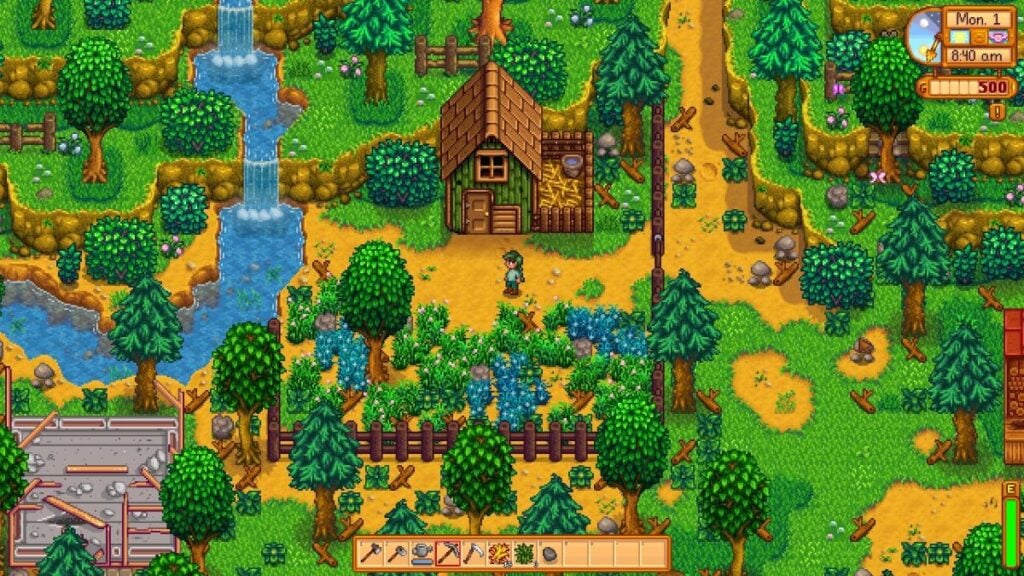
Clearing the first patch of land in Stardew Valley opens up room for a few crops. Selling that harvest pays for more seeds, and before long, children are deciding whether their next investment should be better tools or a building for animals. Better tools make clearing and tending the land easier, leaving more time to expand the farm.
When players need a break from farm work, they can explore the surrounding town and enjoy all sorts of fun activities.
The core game loop follows Stardew Valley’s days and seasons, with no ads or purchases to speed up the harvest. Children do need to watch the clock, though, since their farmer has limited energy and needs to get to bed when tired.
As a result, it’s important to establish a routine and plan each day. Android’s automatic tool selection helps with the chores, but the planning and reading make Stardew Valley a better fit for older kids.
Why Kids Will Love Stardew Valley
An overgrown plot gradually becomes a farm built around what kids enjoy doing. Raising animals, growing crops, and getting to know the neighbors let their plans develop over several seasons.
- Price: $4.99 on Android; no in-app purchases
- ESRB Rating: E10+ for Everyone 10+
- Platforms: Android, iOS, iPadOS, Windows, macOS, Linux, Nintendo Switch, Nintendo Switch 2, PlayStation 4, Xbox One
- Players: Single-player on Android by default; hidden experimental multiplayer requires additional setup and a direct IP connection
- Content Descriptors: Fantasy Violence, Mild Blood, Mild Language, Simulated Gambling, Use of Alcohol and Tobacco
Railbound Makes Every Stretch Of Track Exciting
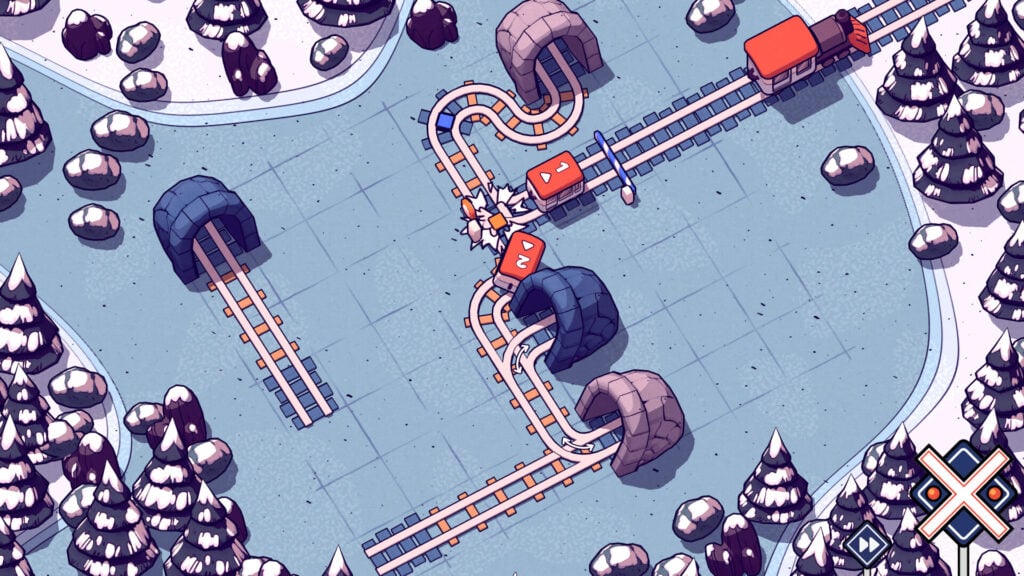
Getting a train carriage to the engine sounds simple until another carriage is heading toward the same junction. Railbound tasks children with laying down tracks that bring the train cars together safely and in the right order. Kids can test their layout, watch where it goes wrong, and change the tracks before sending the carriages out again. For players who love train-focused games, Railbound is a must-play.
The game starts off pretty simple, but later puzzles add tunnels, switches, and barriers that change how the cars travel, building on the timing children have already been working out. The limited track supply makes these challenges better suited to kids who enjoy puzzle games.
Should they get stuck, parents can enable the Hint System under Settings, then Accessibility. Hints reveal only parts of the intended route, leaving children to finish the puzzle themselves.
Why Kids Will Love Railbound
A route that looked like a railway disaster can run perfectly after just a small change. Watching the carriages finally connect makes the solution clear, with every bend and detour doing its part.
- Price: $4.99 on Android
- ESRB Rating: E for Everyone
- Platforms: Android, iOS, iPadOS, Windows, macOS, Nintendo Switch, Xbox One, Xbox Series X|S
- Players: Single-player
- Content Descriptors: None listed
Baba Is You Lets Kids Rewrite The Rules Of Its Puzzles

In Baba Is You, a row of blocks reading WALL IS STOP makes walls block your path. Push one of those words out of the sentence, and you can walk straight through them.
Objects can move around the level, so finding a route often means changing what’s allowed first. Moreover, even the thing players control can change, such as a rearranged sentence turning an ordinary rock into the star of the game.
Those short rules are only the beginning of the challenge, though, as other interesting mechanics emerge along the way. Despite being rated E for Everyone, Baba Is You is generally a stronger choice for older kids who enjoy demanding puzzles.
That said, younger kids can still enjoy the game thanks to the undo option, which makes the game a bit less punishing than normal. There are no ads, subscriptions, or anything like that to worry about; it’s a simple one-time purchase.
Why Kids Will Love Baba Is You
Getting through a wall by changing what a wall does is a wonderfully cheeky way to solve a puzzle. Kids can keep testing the rules until something that looked impossible suddenly works.
- Price: $6.99 on Android
- ESRB Rating: E for Everyone
- Platforms: Android, iOS, iPadOS, Windows, macOS, Linux, Nintendo Switch
- Players: Single-player
- Content Descriptors: None listed
Botanicula Fills A Tree With All Manner Of Weird And Wonderful Creatures

Botanicula follows five little tree creatures charged with protecting a very special seed. Parasites are destroying their home, and carrying that last seed to safety sends the friends through branches and hollow spaces full of other living things.
Tapping around a scene can trigger a ridiculous animation or reveal how to continue, so investigating the tree inevitably helps players get to know the strange creatures a little better.
Botanicula communicates through movement, sounds, and pictures, letting children follow the friends without reading a whole bunch of dialogue.
That leaves them free to concentrate on what the creatures are doing and how they might help. Some solutions take experimentation, however, and a parent may need to join in when the next step isn’t clear.
The parasites can be unsettling too, making this a better choice for kids comfortable with some darker moments among the silliness.
Why Kids Will Love Botanicula
The tree’s inhabitants have plenty of funny reactions waiting for children who stop to investigate. Even an interaction that doesn’t solve a puzzle can turn into a little performance worth watching.
- Price: $6.99 on Android
- ESRB Rating: E10+ for Everyone 10+ (US Google Play listing)
- Platforms: Android, iOS, iPadOS, Windows, macOS, Linux
- Players: Single-player
- Content Descriptors: Mild Fantasy Violence
Machinarium Gives A Little Robot Some Big Obstacles To Overcome

Josef has been dumped in a scrapyard outside his own city, which is quite a miserable place to begin a rescue mission. Getting back inside the city brings him closer to the gang that kidnapped his girlfriend, Berta, but the route is full of obstacles.
To help Josef, kids must search the surroundings for objects and figure out how to use them. Josef’s body can stretch or shrink, letting him reach things that would otherwise stay out of his grasp.
The robots explain themselves through animated thought bubbles, so following their troubles requires players to pay attention to what the pictures show.
Those visual clues show what needs doing, but the machinery and logic puzzles can sometimes get complicated.
This is a good game for older kids and parents to work through together, comparing ideas about the items they’ve found. Built-in hints can point them toward a solution when their own ideas stop working.
Why Kids Will Love Machinarium
Josef’s expressive movements make him easy to root for, even without spoken conversations. Finding a purpose for a piece of scrap lets kids help an overlooked little robot outsmart the city’s bullies.
- Price: $9.99 on Android
- ESRB Rating: E10+ for Everyone 10+
- Platforms: Android, iOS, iPadOS, Windows, macOS, Linux, Nintendo Switch, PlayStation 4, Xbox One
- Players: Single-player
- Content Descriptors: Mild Fantasy Violence, Use of Tobacco
Leo’s Fortune Makes Floating A Matter Of Good Timing
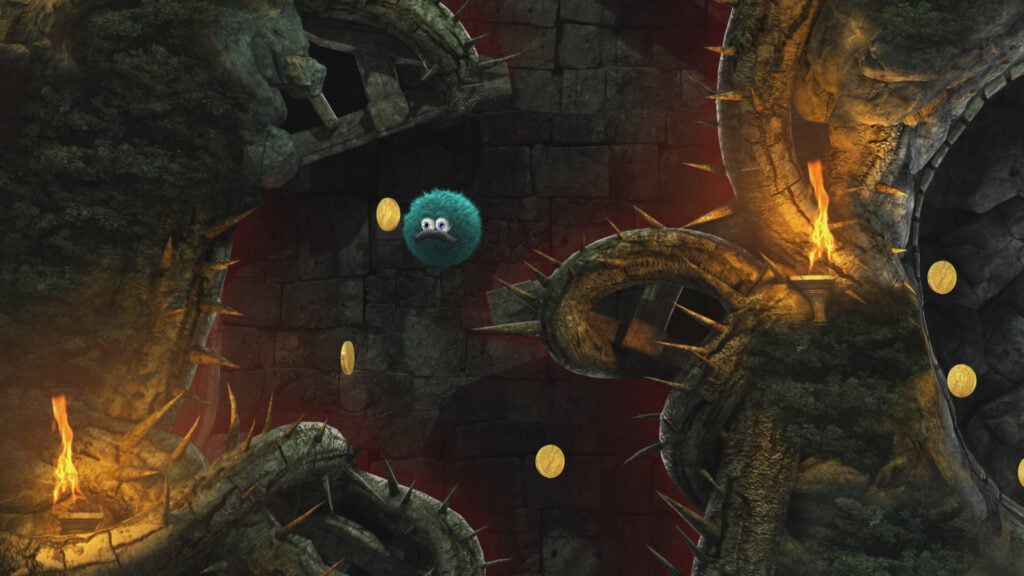
Leo is a mustachioed ball of fur following a trail of stolen gold and he has a handy way of getting himself over obstacles. Inflating his body lets him float, slowing his fall and helping him cross gaps.
Children have to judge when to use that extra lift, since the route is lined with spikes and moving machinery. Reaching the next section safely often requires working out how a mechanism moves before sending Leo toward it.
Across 24 levels, Leo’s Fortune combines physics puzzles with platforming that demands increasingly careful timing. The game works best for kids who enjoy practicing a tricky section until they can get through it. Android supports gamepads, which are definitely worth trying if touchscreen controls make precise movements awkward.
Completing the game unlocks Hardcore Mode, an optional challenge to finish without dying, so competitive players have something tougher waiting after the main story.
Why Kids Will Love Leo’s Fortune
Inflating Leo gives kids a way to adjust a jump even after he’s left the ground. Learning how to guide that fuzzy little balloon past the traps makes a clean run satisfying to pull off.
- Price: $4.99 on Android
- ESRB Rating: E for Everyone
- Platforms: Android, iOS, iPadOS, Windows, macOS, Nintendo Switch, PlayStation 4, Xbox One
- Players: Single-player
- Content Descriptors: Cartoon Violence (console ESRB rating)
SpongeBob SquarePants: Battle For Bikini Bottom – Rehydrated Turns The Whole Town Into A Playground
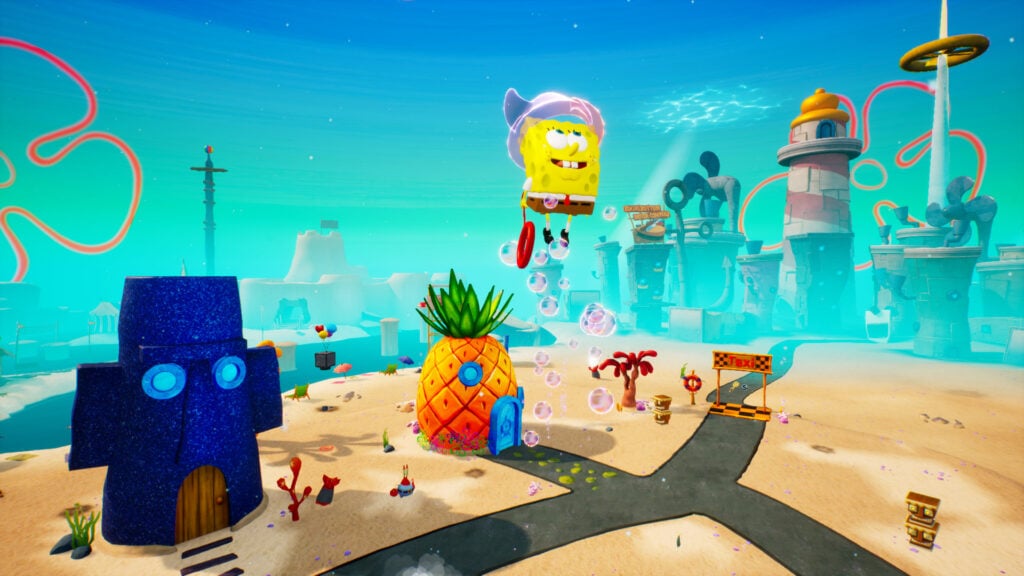
Plankton’s robots are causing trouble across Bikini Bottom, leaving SpongeBob and his friends to clean up the mess. Battle for Bikini Bottom – Rehydrated is a 3D platformer full of places to explore and Golden Spatulas to collect, where different characters open up different routes through those areas.
For instance, Sandy can use her lasso to swing and glide, while Patrick can lift and throw objects. Switching characters changes how children tackle the obstacles ahead.
The Android version brings the remake’s single-player campaign to mobile as a paid game without ads or in-app purchases. It features plenty of jumping and camera movement, making it a better fit for kids already comfortable with 3D games.
Controller support offers an alternative to touchscreen controls for those trickier sections. Parents should know that Android doesn’t include the separate multiplayer mode found in the computer and console versions.
Why Kids Will Love SpongeBob SquarePants: Battle For Bikini Bottom – Rehydrated
Kids can explore places from the show while using SpongeBob, Patrick, and Sandy’s different abilities. Collecting Golden Spatulas encourages players to look beyond the most obvious path through each area.
- Price: $10.99 on Android
- ESRB Rating: E for Everyone
- Platforms: Android, iOS, iPadOS, Windows, Nintendo Switch, PlayStation 4, Xbox One
- Players: Single-player on Android; separate two-player multiplayer mode on computer and consoles
- Content Descriptors: Mild Fantasy Violence, Comic Mischief (Android listing)
Sonic Runners Adventure Puts The Focus On Timing Every Jump
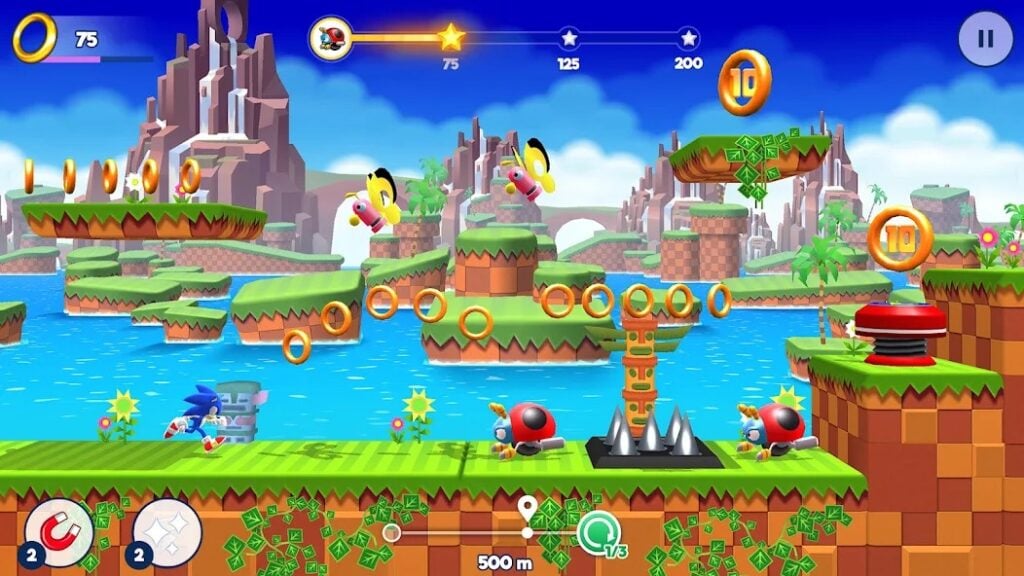
Sonic handles the running in Sonic Runners Adventure, leaving kids to judge when to jump. That sounds easy enough until a trail of rings leads toward enemies, gaps, and platforms that require several quick decisions in succession.
Learning the layout of levels helps kids put together a cleaner run, collect rings they missed, and clear hazards that caught them before. Unlocking characters such as Tails and Knuckles adds different abilities to experiment with as they progress.
Levels have objectives to work toward, so a new attempt can help you finish a task and improve your score. Character upgrades help with that progress. The paid game doesn’t interrupt it with ads or sell extra power through in-app purchases.
Parents should launch the game online before handing over the device. After that first session, children can play offline, keeping their next attempt within reach on a trip.
Why Kids Will Love Sonic Runners Adventure
A section that seemed impossibly fast before becomes easier to handle once kids know when to jump. Collecting more rings and unlocking new Sonic characters makes those improving runs feel productive.
- Price: $2.99 on Android
- ESRB Rating: E for Everyone
- Platforms: Android, iOS, iPadOS
- Players: Single-player
- Content Descriptors: None listed
Oddmar Gives A Reluctant Viking A Chance To Become A Hero
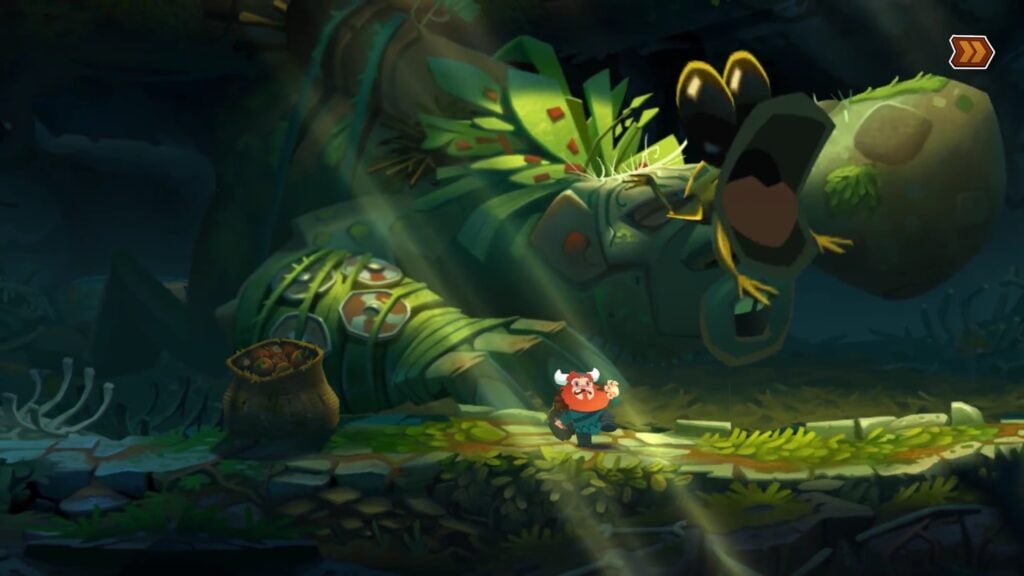
Oddmar has some work to do before his fellow Vikings consider him worthy of Valhalla. Luckily for him, a magical mushroom grants him powers that might help, sending the unlikely hero through forests, mountains, and mines full of enemies and platforming challenges.
Getting through them takes more than simply swinging a weapon, though moving obstacles and physics puzzles make children consider where to go next, then put that plan into action with a well-timed jump.
The story unfolds through narrated motion-comic scenes, giving Oddmar’s efforts some personality between the levels. The Android game lets players try the opening chapter for free, then makes a one-time purchase to unlock all 24 levels.
That demo is worth checking out just to see how a child handles the jumping and combat, whether they’re playing with touch controls or a compatible gamepad.
Why Kids Will Love Oddmar
Oddmar’s animated story gives kids a Viking worth cheering on as he fumbles toward heroism. The levels put his magical powers to work in fights and puzzles, letting children do their part in proving everyone wrong about him.
- Price: Free demo on Android; the remaining chapters require a one-time purchase, priced in-app
- ESRB Rating: E10+ for Everyone 10+
- Platforms: Android, iOS, iPadOS, Apple TV
- Players: Single-player
- Content Descriptors: Fantasy Violence, Alcohol Reference; In-Game Purchases notice
Rush Rally Origins Makes A Good Corner More Valuable Than A Heavy Foot
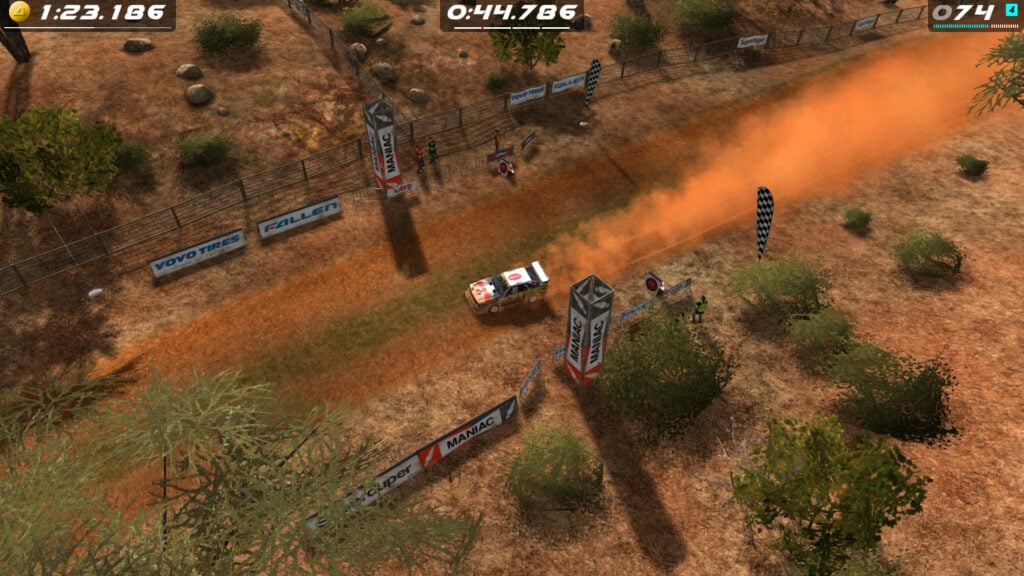
In Rush Rally Origins, players follow the car from above, giving them a clear view of the road ahead and the bends they’re about to tackle. Seeing a corner coming is only half the job, though. Gravel, snow, and tarmac offer different levels of grip, so braking and steering need to match the surface.
Simply charging into every turn at full speed without preparation is a good way to leave the road. Older kids who enjoy learning how a car handles have a lot to look forward to here.
Time trials let players practice their driving skills, returning to a stage to improve the sections where they previously lost time.
Ghost recordings show another driver’s run, making it easier to compare routes through the same corners. Children can match that line, then use car upgrades to tailor the handling to their driving style.
Why Kids Will Love Rush Rally Origins
Taking a corner cleanly can shave time off a run that previously seemed hard to beat. Kids can watch a ghost car pull ahead, work out where they lost ground, and try a different approach on the next attempt.
- Price: $5.99 on Android; optional content purchases cost extra
- ESRB Rating: E for Everyone
- Platforms: Android, iOS, iPadOS, Apple TV, Windows, Nintendo Switch
- Players: Single-player; cross-platform online multiplayer
- Content Descriptors: None listed
Riptide GP: Renegade Turns Stunts Into A Racing Advantage
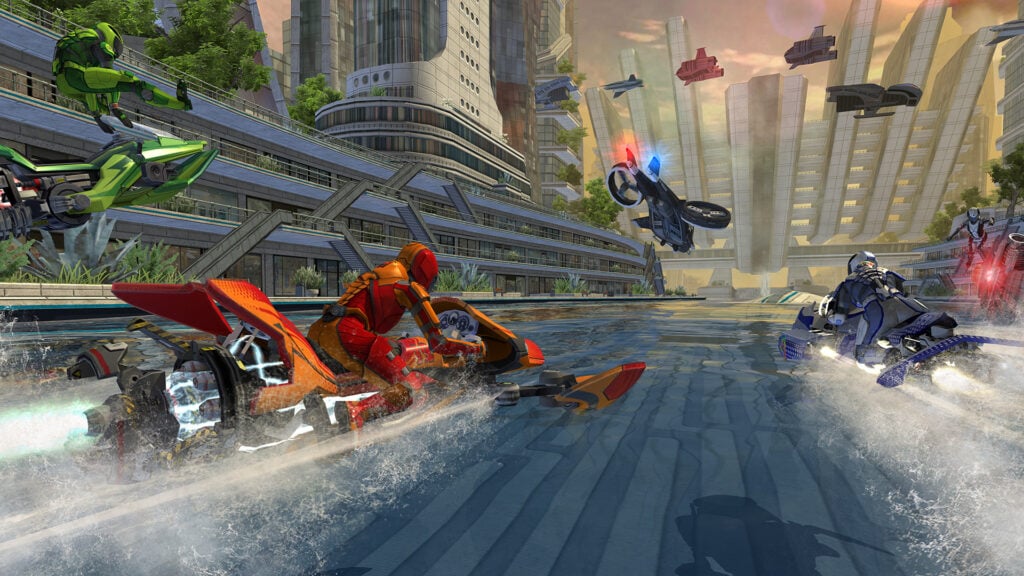
A jump in Riptide GP: Renegade is a chance to pull ahead, as long as the rider lands it properly. Performing stunts fills the boost meter, letting children turn a successful trick into extra speed when they’re back on the water.
More ambitious tricks take longer to pull off, so choosing one that fits the jump is essential. Otherwise, getting greedy can send the rider into the water and leave the competition disappearing around the next bend.
Career mode gives kids time to learn those risks while racing and challenging rival riders. Race winnings pay for vehicle upgrades, while experience unlocks new stunts that can earn more boost. The Android version includes the full game without ads or in-app purchases.
Once children are confident with their vehicle, online races and ghost challenges let them measure their skills against other drivers’ performances.
Why Kids Will Love Riptide GP: Renegade
Landing a trick can give kids the boost they need to catch the racer in front. Learning when to attempt a stunt and when to save boost makes winning about more than holding a racing line.
- Price: $2.99 on Android
- ESRB Rating: E10+ for Everyone 10+
- Platforms: Android, iOS, iPadOS, Windows, Nintendo Switch, PlayStation 4, Xbox One
- Players: Single-player; up to eight online; up to four in local split-screen on Android with additional gamepads
- Content Descriptors: Mild Violence; Users Interact notice
Kingdom Two Crowns Makes Every Coin A Decision About Tomorrow
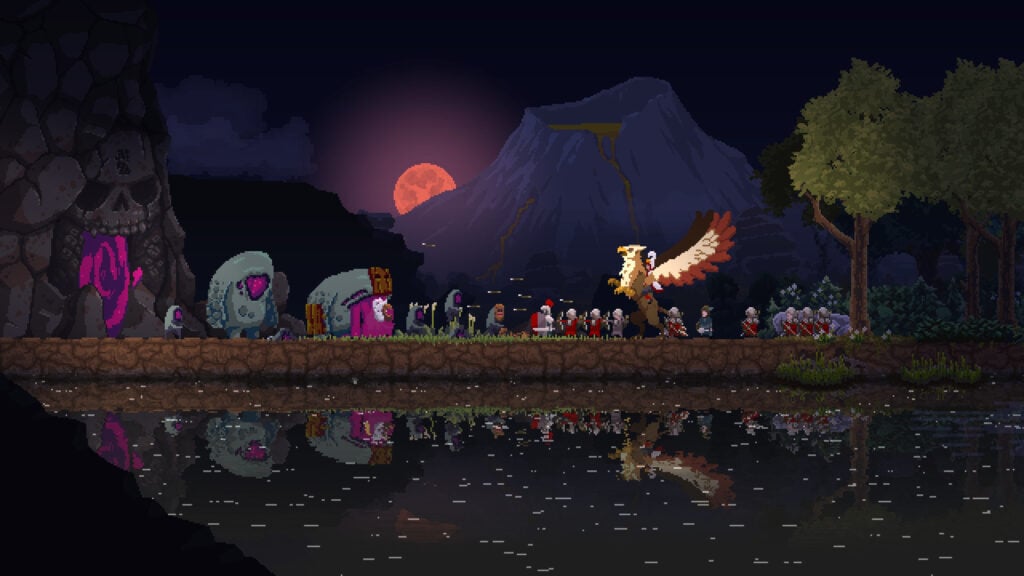
Building a kingdom in Kingdom Two Crowns starts with riding past a few subjects and deciding where to spend some coins. Recruiting workers helps get construction underway, while archers and walls protect everything inside. Players need money for both.
Expanding too quickly can leave the settlement poorly defended when night arrives and the Greed monsters attack, trying to steal the kingdom’s wealth and the monarch’s crown. Survive the attack, and you’ll have more funds to prepare for the next assault.
Older kids can build and protect their kingdom alongside a parent or sibling through local split-screen on an Android tablet or phone.
One monarch can check the defenses while the other recruits help or explores beyond the walls. They’ll still need to agree on where the kingdom’s next investment should go, however, since an exciting expansion can leave them short of money for defenses.
Why Kids Will Love Kingdom Two Crowns
Surviving the night shows kids what their walls, archers, and earlier spending have accomplished. Sharing the kingdom with a parent or sibling lets them plan together and ride out the night.
- Price: $6.99 on Android; optional expansions, including Norse Lands and Call of Olympus, are sold separately
- ESRB Rating: E10+ for Everyone 10+
- Platforms: Android, iOS, iPadOS, Windows, macOS, Linux, Nintendo Switch, PlayStation 4, Xbox One
- Players: Single-player or two-player local split-screen on Android
- Content Descriptors: Fantasy Violence

